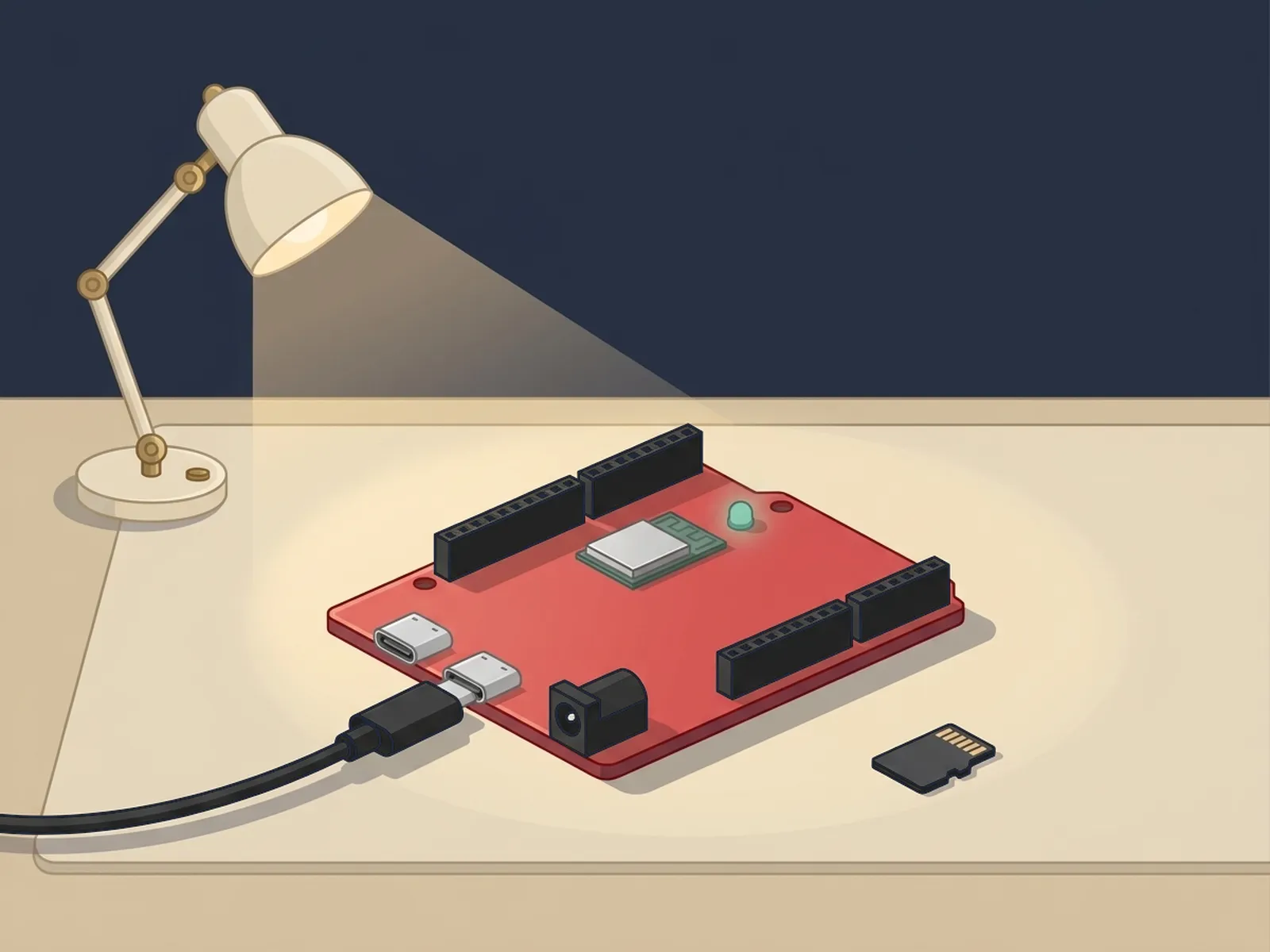
On November 6, 2026, SparkFun announced two development boards built around the ESP32-P4 — the camera-and-display end of the ESP32 family — and dropped that silicon into the most familiar shape in hobby electronics: the Arduino UNO R3 footprint. The IoT RedBoard ESP32-P4 arrives as a $49.95 Wi-Fi 6 + Bluetooth version and a $55.95 Ethernet + Power-over-Ethernet version (SparkFun store prices, checked 2026-11-19 — both in stock). The P4 ecosystem has been thickening all autumn; this is the most beginner-friendly entry point yet. Here's what the chip is, what SparkFun built around it, and whether it belongs on your bench.
What the ESP32-P4 is (and why it's not just another ESP32)
If your mental model of an ESP32 is a microcontroller with Wi-Fi attached, the P4 will rearrange it a little. Espressif built this one for compute- and display-heavy work:
The CPU. A dual-core, 32-bit RISC-V HP (high-performance) pair running at up to 400 MHz — with AI instruction extensions and a single-precision FPU — plus a separate low-power RISC-V core (up to 40 MHz) that can babysit background tasks.
The memory. 32 MB of PSRAM and 16 MB of SPI flash on these RedBoards. That's real headroom for frame buffers and GUIs.
The interesting edges. A two-lane MIPI CSI camera interface and a two-lane MIPI DSI display interface, both on 22-pin, 0.5 mm FPC connectors — the phone-style camera and panel plumbing the P4 exists to provide.
The catch. The P4 chip itself has no radio. Connectivity is whatever the board designer adds, and that decision is exactly where SparkFun's two versions differ.
What SparkFun built
The headline move is the form factor. This is a RedBoard: Arduino UNO R3-compatible headers, 16 digital and 6 analog I/O lines, and the UART/SPI/I2C pins where a UNO shield expects to find them. At 68.6 × 58.4 mm, it sits in the same corner of the desk as every UNO-shaped board you've owned. Around that skeleton SparkFun packed:
two USB-C ports — one high-speed OTG, one serial/JTAG;
a microSD slot;
a Qwiic connector for chain-and-go I2C peripherals;
LiPo battery charging (MCP73831) with a MAX17048 fuel gauge, so a portable build knows its own charge level;
a 7–15 V barrel jack;
and the ceremonial WS2812 RGB LED for your first blink.
The part we like most costs nothing extra: MicroPython is preloaded at the factory. The board boots into a REPL over USB — no toolchain install between you and your first line of code. ESP-IDF and the Arduino IDE are supported too.
Wi-Fi 6 or PoE: picking a SKU
Because the P4 has no radio of its own, each version solves connectivity its own way.
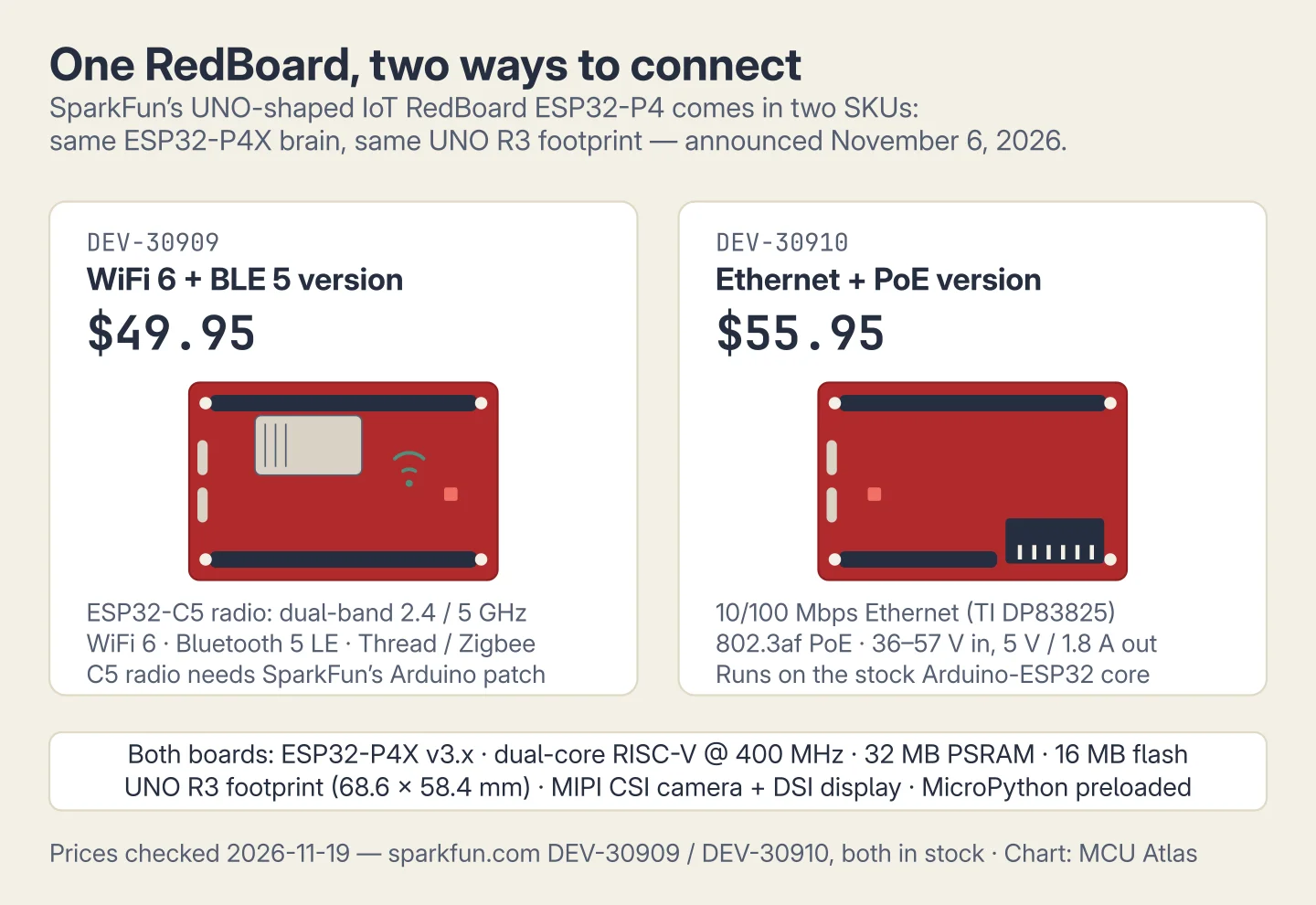
DEV-30909 ($49.95) pairs the P4 with an ESP32-C5 module over SDIO: dual-band 2.4/5 GHz Wi-Fi 6, Bluetooth 5 LE, and IEEE 802.15.4 — which puts Zigbee and Thread on the table too. For most bench and desk projects, this is the one.
DEV-30910 ($55.95) goes wired: 10/100 Mbps Ethernet through a TI DP83825 PHY, plus a Silvertel Ag9905M PoE module (IEEE 802.3af; 36–57 V in, 5 V at 1.8 A out). One cable carries both power and data — the right answer for anything you screw to a wall or ceiling and never want to think about again.
One software caveat before you click buy: the stock Arduino-ESP32 core (v3.3.12) supports the PoE version natively but does not support the C5's radio out of the box — SparkFun ships a board-package patch and examples for it. MicroPython (preloaded) and ESP-IDF work on both versions. If your first instinct is the Arduino IDE, either start with the PoE board or budget an afternoon for the patch.
Who this board is for
Two camps, both camera-shaped.
Camera people. A MIPI CSI input backed by 32 MB of PSRAM is a proper home for a small vision project — a doorstep camera, a 3D-print monitor, a bird-feeder classifier. The HP cores and the memory are sized for exactly this class of work.
HMI people. MIPI DSI drives a real display panel, not a SPI accessory screen. A wall dashboard, a kitchen control panel, a desk instrument with a crisp UI — the P4's combination of display bandwidth and RAM makes these ordinary instead of heroic.
This is not the first ESP32-P4 board: Wireless Tag and Waveshare P4 boards already exist, and the closest UNO-shaped rival is Adafruit's Metro ESP32-P4 Hydra (October 2026, P4 v1.3 silicon plus a C6 radio, no PoE option). SparkFun's differentiation is the combination — newer P4 v3.x silicon, a genuine PoE variant, and MicroPython on the board out of the box.
Verdict — and what we'd build first
An honesty note first: this is a first look, not a review. We haven't had either board on the bench; everything above comes from SparkFun's product pages, hardware docs and launch post, cross-checked against CNX Software's coverage, all fetched 2026-11-19.
With that said — $49.95 for a 400 MHz RISC-V camera board that boots straight into MicroPython is a genuinely friendly on-ramp, and the UNO shape means your shields, jumpers and muscle memory transfer. What we'd build first: a doorstep camera on the C5 board (MIPI CSI sensor in, Wi-Fi 6 clips out), and second, a one-cable PoE HMI dashboard by the front door, where carrying power and data together beats relying on Wi-Fi at the edge of the house.
If you've been P4-curious but didn't want to learn a new form factor to find out why, this is the board that removes the excuse.