C5VRX: watch 5.8 GHz FPV drone video on a $7 XIAO ESP32-C5
Firmware that turns the Wi-Fi radio in a Seeed Studio XIAO ESP32-C5 into an analog 5.8 GHz FPV video receiver. Seven resistors make a video DAC, and the composite output plugs into your goggles or a monitor.
What it is
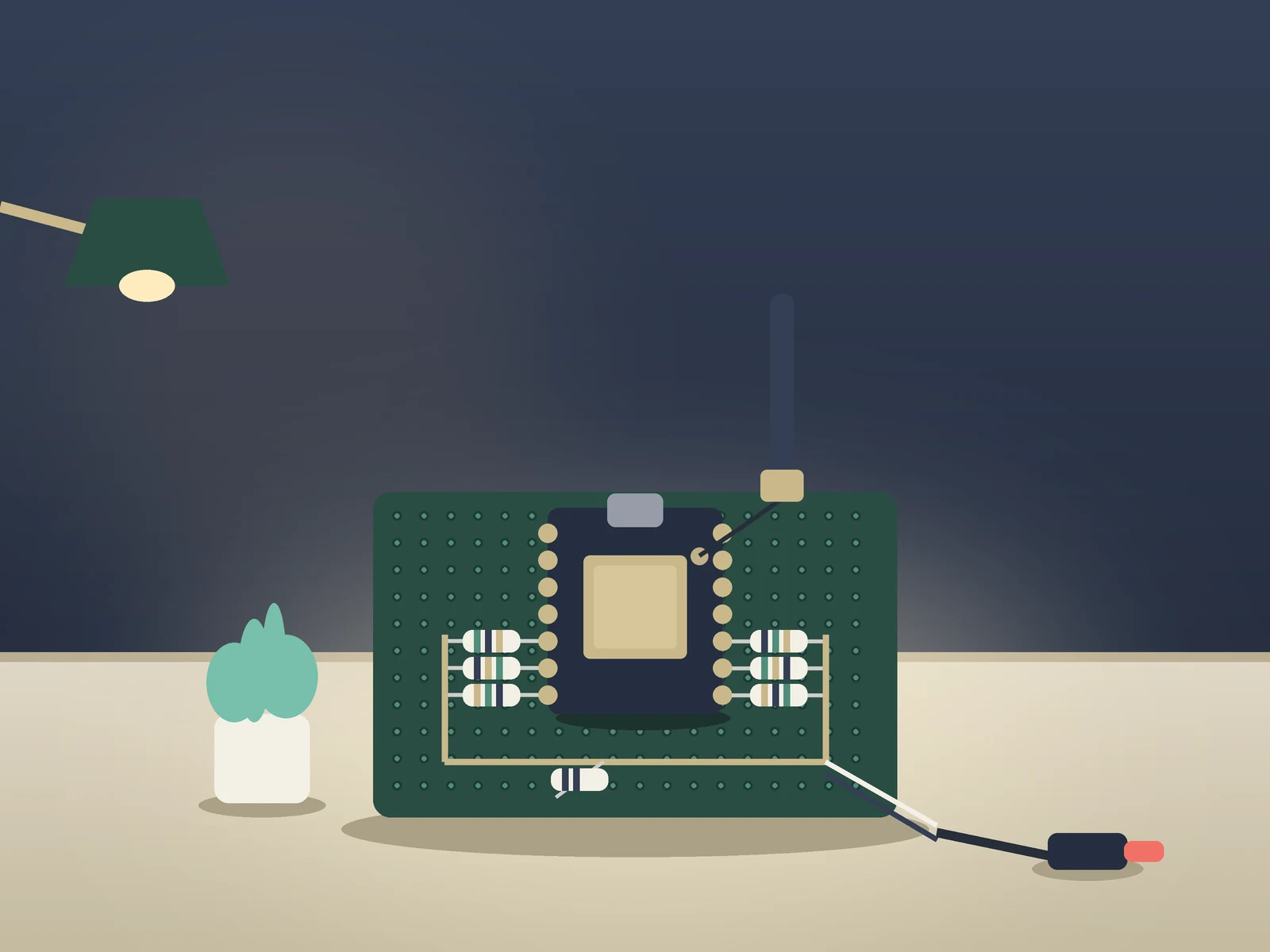
A homemade analog FPV video receiver: a $7 ESP32-C5 board picks up a drone's 5.8 GHz camera feed and outputs composite video for your goggles or a small monitor.
What you need
- Seeed Studio XIAO ESP32-C5
- 1% metal-film resistors (7 values) 8.2k, 3.9k, 2.0k, 1.0k, 470, 240 and 200 ohms
- 5.8 GHz U.FL antenna
- AV video lead for your goggles
- Perfboard
- USB data cable
How hard
Intermediate. Seven resistors to solder in the right order, then a browser flash and a few minutes of automatic calibration. The firmware is young and changes daily, so expect to test and tweak on the ground.
Photos
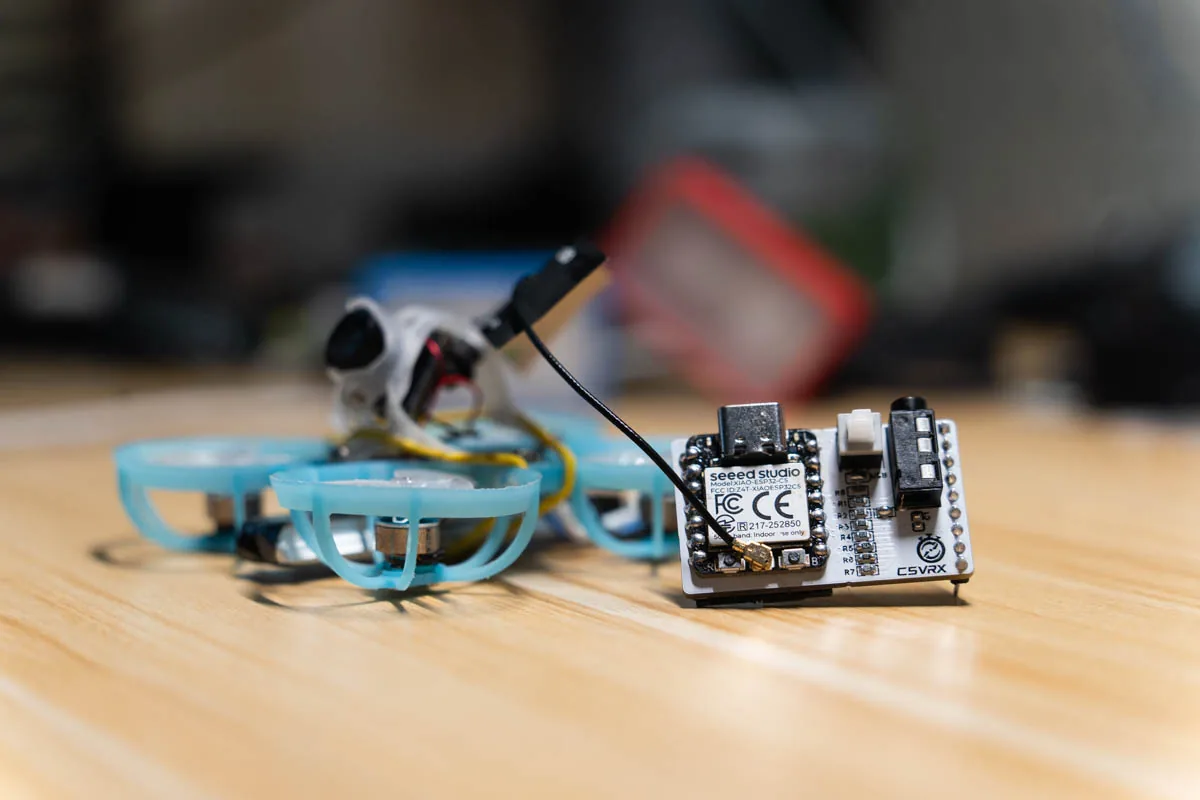
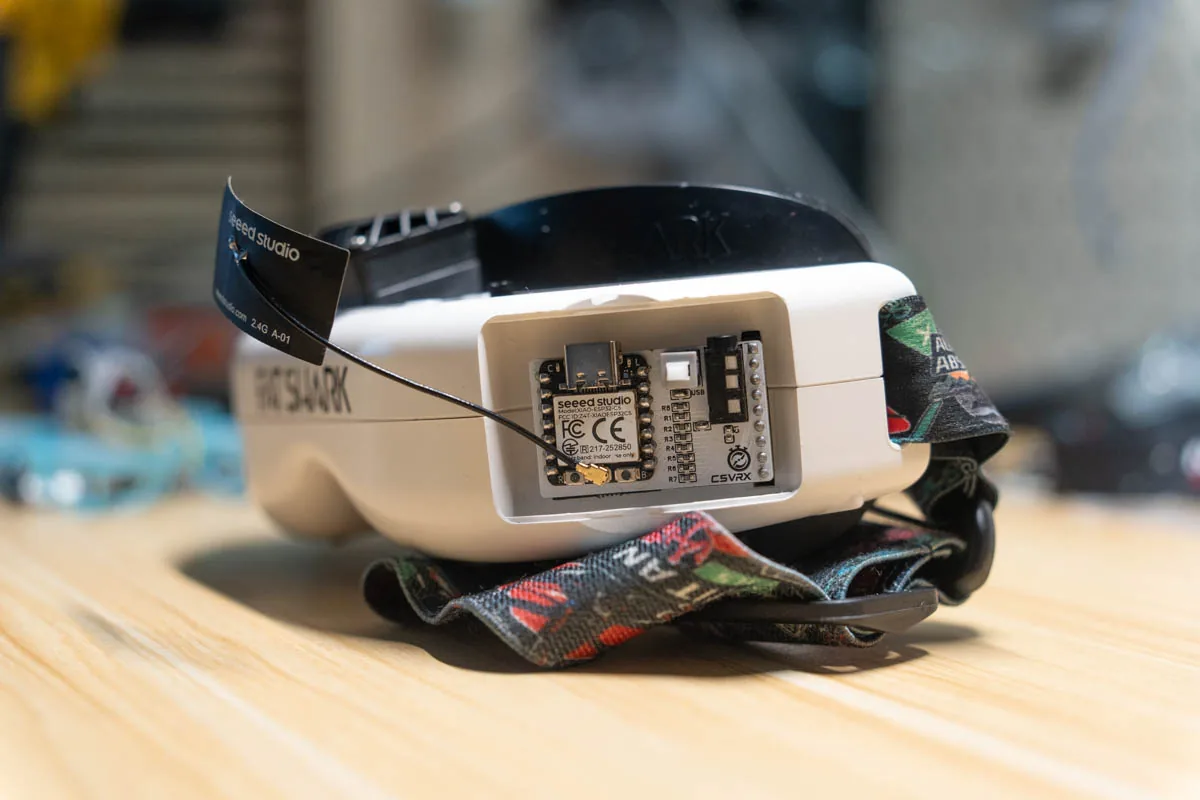
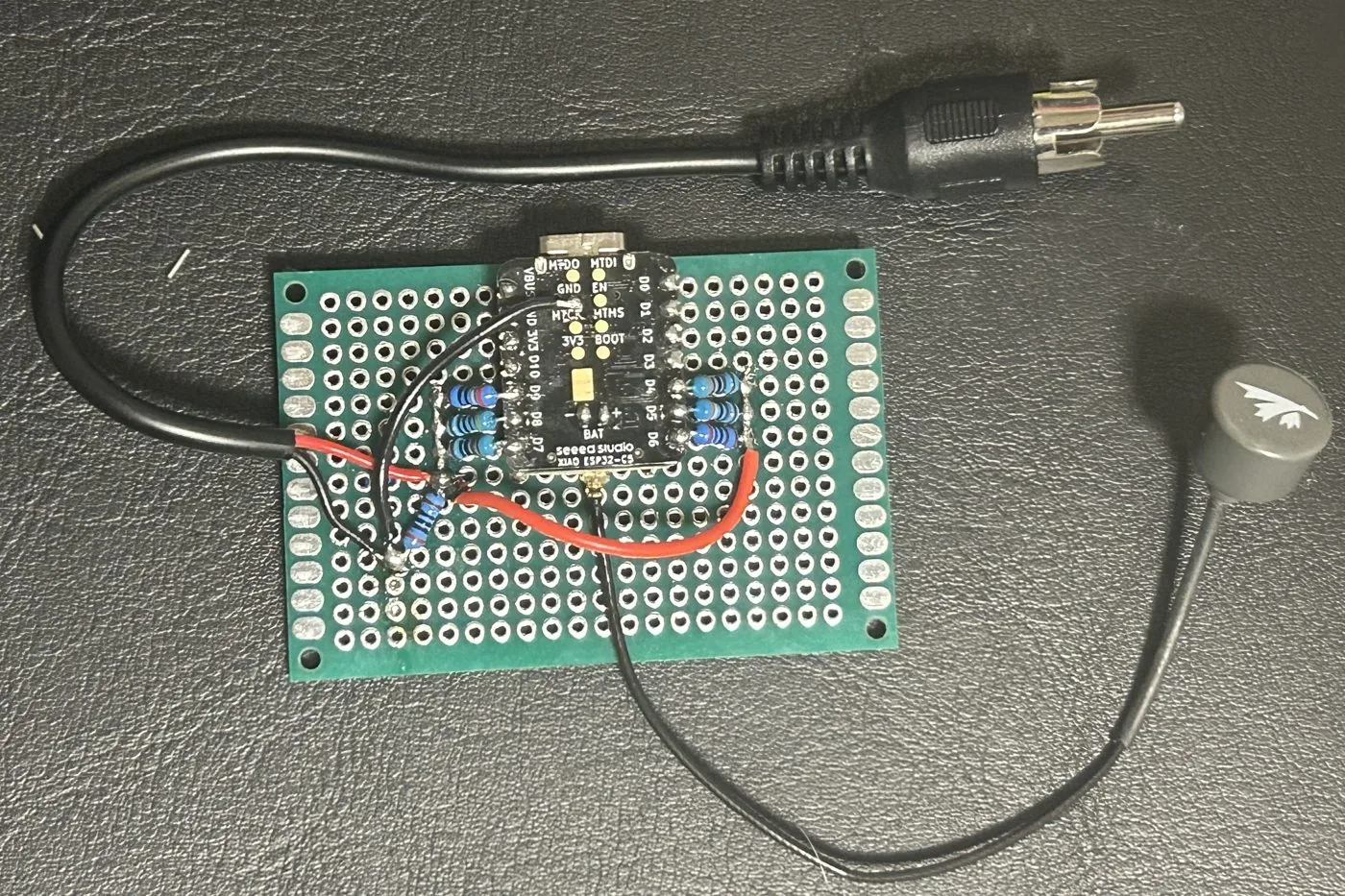
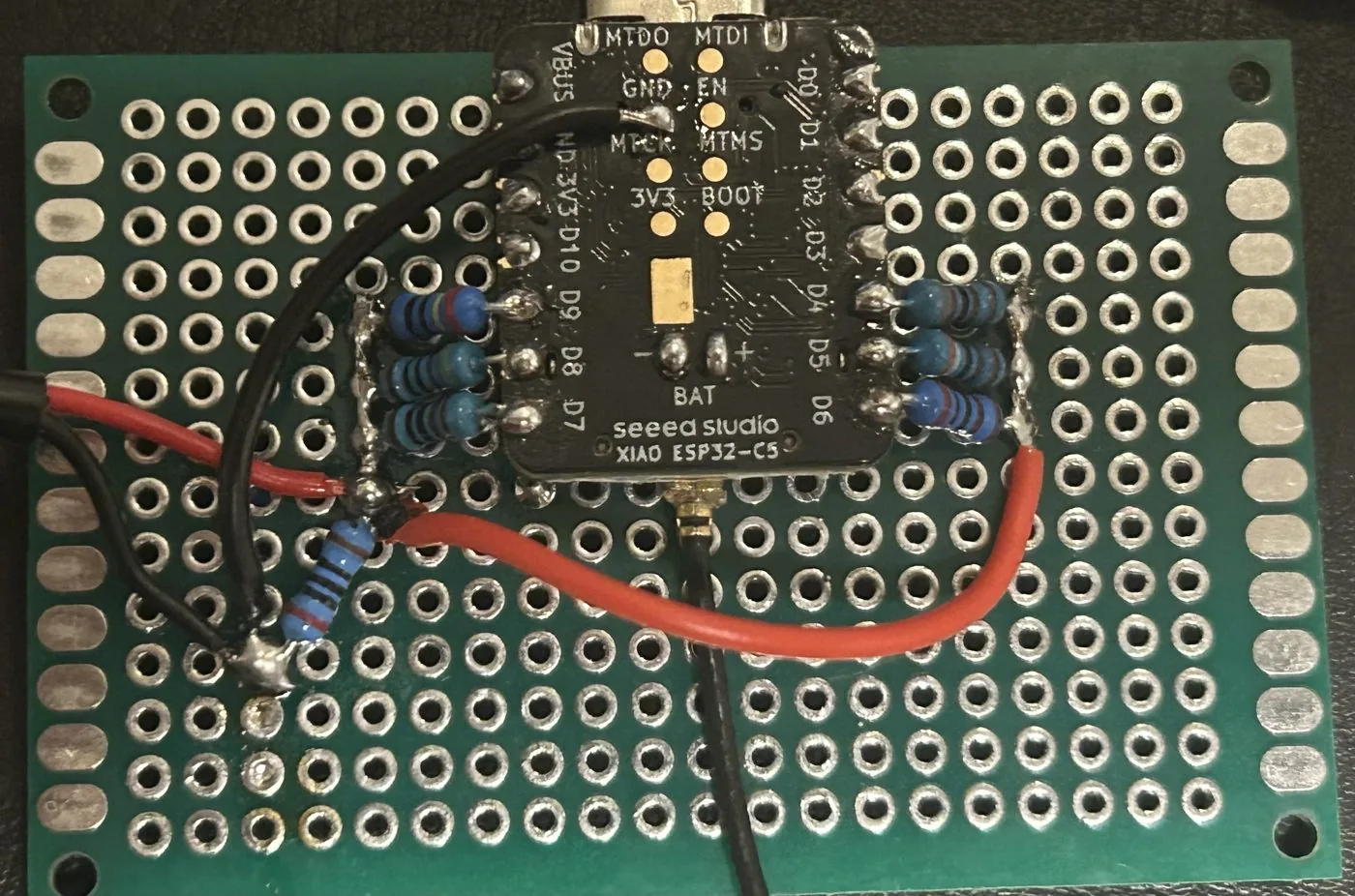
Photos: Twotoz
Key Facts
- Board: Seeed Studio XIAO ESP32-C5, using its own Wi-Fi radio (no extra RF parts)
- Receives analog 5.8 GHz FM video; 48 channels with a built-in scan
- Output: composite (CVBS) PAL/NTSC from a 6-bit resistor DAC on D4-D9
- Demodulation runs in the ESP32-C5 BitScrambler at 40 MS/s, no CPU in the sample path
- Flash: browser web flasher, or ESP-IDF 6.0.2
- XIAO ESP32-C5: $6.99 on the Seeed store (Oct 21, 2026)
- License: GPL-3.0-only; heavily AI-assisted per the author, several features still board-test pending
About This Project
C5VRX by Twotoz is an analog FPV video receiver built from one Seeed Studio XIAO ESP32-C5 and seven resistors. Analog FPV drones still send their camera feed as FM video on 5.8 GHz, and C5VRX receives it with the ESP32-C5's own Wi-Fi radio, with no extra RF chip. It pulls raw I/Q samples off the radio at 40 MS/s, demodulates the FM video in the chip's BitScrambler peripheral with no CPU in the sample path, and drives a 6-bit resistor DAC on pins D4 to D9 to make composite (CVBS) PAL or NTSC video for goggles, a DVR or any monitor with an AV input. Six resistors (8.2k, 3.9k, 2.0k, 1.0k, 470 and 240 ohms) run from the pins to one node, and a 200-ohm resistor from that node to ground is the load; pin order matters, and a swapped pair gives a scrambled picture. You flash it from the browser with the project's web flasher (Chrome or Edge with Web Serial) or build it with ESP-IDF 6.0.2. On first boot, ideally with the drone's video transmitter off, it calibrates for a few minutes (at most eight) and stores the results. After that the BOOT button steps through channels, and a 0.6-second hold opens an on-screen menu for band, channel, a 48-channel scan, video standard, output level, gain and a sync flywheel. There is also a DAC self-test pattern and a USB serial console with diagnostics. This is the current C5VRX-5 generation, a fast-moving, GPL-3.0 project: the author says on Hackaday that it is heavily AI-driven and not perfect, and the README marks several features as host-tested or with a board test still pending, so expect rough edges. A community side-by-side range test of C5VRX-5 against C5VRX-4 is on YouTube. It's a cheap build: Seeed listed the XIAO ESP32-C5 at $6.99 on October 21, 2026, plus 1% metal-film resistors, perfboard, a 5.8 GHz antenna for the board's U.FL connector and an AV video lead for your goggles, flashed over a USB data cable.
Source & Attribution
Parts Needed
- Seeed Studio XIAO ESP32-C5
- 1% metal-film resistors: 8.2k, 3.9k, 2.0k, 1.0k, 470, 240 and 200 ohms
- 5.8 GHz antenna (U.FL / IPEX)
- AV video lead for your goggles
- Perfboard and hook-up wire
- USB data cable
- Goggles or a monitor with an analog AV input
Steps
- 1
Build the DAC
Solder one resistor to each XIAO pin, largest to smallest: D4 8.2k, D5 3.9k, D6 2.0k, D7 1.0k, D8 470, D9 240. Join their free ends on one node; that node is the video output. Add 200 ohms from the node to GND. Leave D0-D3 and D10 unconnected.
- 2
Check before power
Measure every resistor before fitting it. Make sure the video node isn't shorted to 3V3 or 5V; to GND it should read about 200 ohms or less.
- 3
Wire the display
Take the video node to the video contact of your goggles' or monitor's AV input and the XIAO GND to its ground. Keep the two wires short and twisted. Fit a 5.8 GHz antenna to the U.FL connector.
- 4
Flash
Open twotoz.github.io/C5VRX in Chrome or Edge, pick the C5VRX-5 tab and flash the full firmware over USB-C. Or build it with ESP-IDF 6.0.2 (idf.py build flash).
- 5
Calibrate and tune
Power it with the drone's video transmitter off and let it calibrate (a few minutes, at most eight). Then switch the transmitter on: a short BOOT press steps channels, a 0.6 s hold opens the menu with SCAN, VIDEO, OUTPUT, GAIN and DAC TEST.
Bill of Materials
Parts list
6 parts · 5 linked
Heads up: some Buy links are affiliate links. If you buy through one, MCU Atlas may earn a small commission at no extra cost to you. It never changes which parts we list. How this works



Not included: Goggles, a DVR or a monitor with an analog AV (composite) input, A drone or camera with an analog 5.8 GHz video transmitter, Soldering iron and a multimeter
Related Projects