DIY Alexa: on-device wake word on ESP32 with TensorFlow Lite
A home-made voice assistant that detects a wake word locally on an ESP32 using a TensorFlow Lite model.
Photos
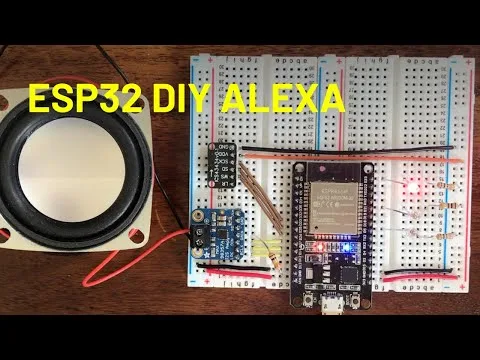
Photos: atomic14/diy-alexa
Key Facts
- Chip: ESP32
- ML: TensorFlow Lite Micro keyword spotting
- Mic: I2S MEMS (INMP441) or analog
- Intent: Wit.ai
About This Project
This project trains a small neural network to spot the wake word Marvin and runs it on an ESP32 with TensorFlow Lite for Microcontrollers. After waking, it streams audio to Wit.ai for intent recognition and toggles lights or responds. The repo includes training notebooks and firmware, making it one of the clearest end-to-end TinyML keyword-spotting tutorials for the ESP32.
Source & Attribution
Parts Needed
- ESP32 dev kit
- I2S MEMS microphone (INMP441 or ICS-43434), or an analog mic
- I2S amplifier (e.g. MAX98357) and a 4Ω/8Ω speaker
- Computer with Python 3 (for training)
- Free Wit.ai account
Steps
- 1
Wire the hardware
Connect the I2S mic and amp to the ESP32. The pin settings are in the firmware's config header.
- 2
Train or reuse the wake word
The repo's Python notebooks walk through generating spectrograms from the speech-commands dataset and training the model. A trained model is already included if you want to skip this step.
- 3
Set up Wit.ai
Create a Wit.ai app, train it with your intents (e.g. turn on or off, plus device names) and copy the access token.
- 4
Configure the firmware
Add your Wi-Fi details and the Wit.ai token to the firmware config. Define the actions for each intent, such as the GPIOs to toggle.
- 5
Build and flash
Open the firmware folder in PlatformIO with VS Code, then build and upload.
- 6
Test
Say 'Marvin', then a command. The serial monitor shows the detection scores and the intent Wit.ai sent back, which helps when tuning the detection threshold.
Not included: 3D-printed case, wire, solder, USB cable
Related Projects