ESP-Drone: Espressif's open mini quadcopter on ESP32
Espressif's open-source mini drone firmware for ESP32/S2/S3, flown from a phone app over Wi-Fi.
Photos
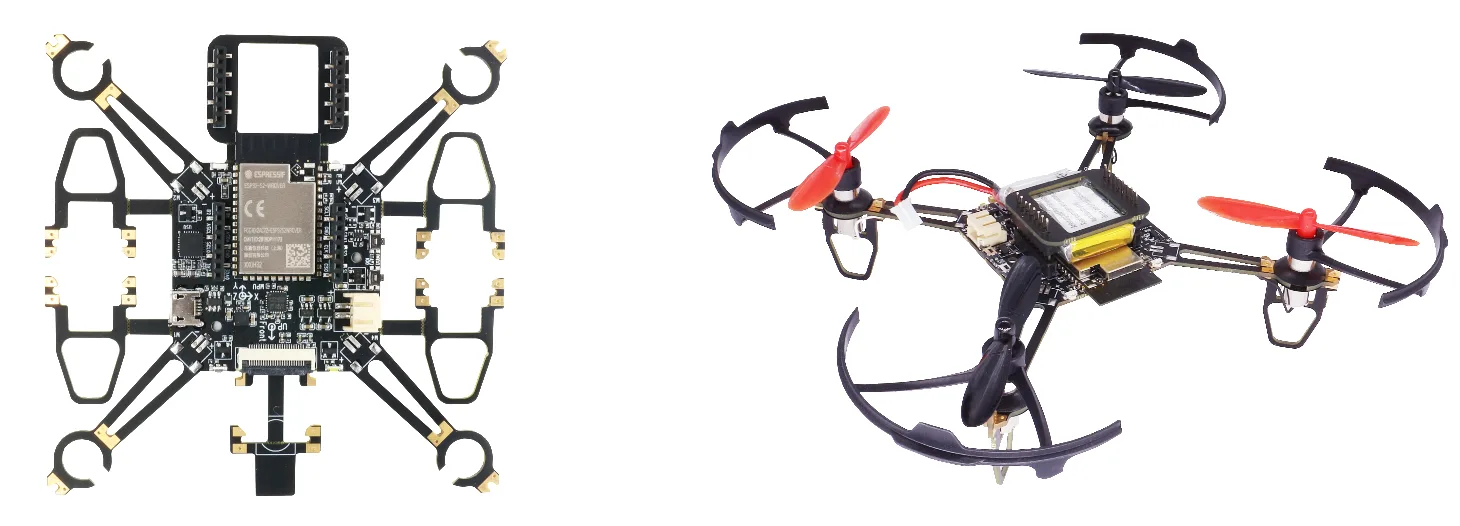
Photos: espressif/esp-drone
Key Facts
- Chips: ESP32 / ESP32-S2 / ESP32-S3
- IMU: MPU6050
- Motors: brushed coreless 7x16 mm
- Control: phone app over Wi-Fi
About This Project
ESP-Drone is a small quadcopter design and firmware from Espressif, derived from Crazyflie. It runs on ESP32, ESP32-S2 or ESP32-S3, uses an MPU6050 IMU, drives brushed coreless motors, and is controlled from a phone over Wi-Fi. Optional add-ons support altitude hold and position hold. It is an approachable way to study flight control loops with a familiar chip.
Source & Attribution
Parts Needed
- ESP-Drone flight board (ESP32-S2/S3 + MPU6050) or a compatible kit
- 4x 716 brushed coreless motors + propellers
- 1S LiPo, ~300mAh
- Phone with the ESP-Drone app (or the cfclient on PC)
Steps
- 1
Get the hardware
Build the board from the hardware reference in the docs or buy a kit. Fit the motors and props, checking which way each one spins.
- 2
Set up ESP-IDF
Install ESP-IDF from the release/v5.0 branch, which is what the README asks for, then clone the repo.
- 3
Build and flash
Set your target (e.g. idf.py set-target esp32s2), then run idf.py build flash monitor with the board on USB.
- 4
Connect
The drone starts its own Wi-Fi access point. Join it from your phone and open the ESP-Drone app, or use the Crazyflie client on a PC.
- 5
Calibrate and fly
Place it on a level surface so the IMU calibrates, check the motor directions, then take off gently. Optional extension boards add altitude and position hold.
- 6
Safety
Props spin fast. Fly indoors away from faces, and unplug the battery when you're working on it.
Not included: 3D-printed case, wire, solder, USB cable
Related Projects