ESP-SDR on Zephyr: a 2.4 GHz software-defined radio on the ESP32-S3's Wi-Fi radio
Turns the ESP32-S3's own Wi-Fi radio into a 2.4 GHz SDR: I/Q capture and playback, a HackRF-style USB mode for GNU Radio and gqrx, and more.

What it is
Firmware that turns the ESP32-S3's built-in Wi-Fi radio into a 2.4 GHz software-defined radio you can drive from GNU Radio and gqrx, with extra apps for 802.15.4, Zigbee and Ubertooth-style Bluetooth sniffing.
What you need
- Seeed Studio XIAO ESP32S3
- Optional: a second XIAO ESP32S3 for two-board tests
- Optional: coax + 30–60 dB RF attenuator
- A computer with Zephyr's west toolchain
How hard
Advanced. You set up a Zephyr west workspace, fetch binary blobs, build and flash from the command line, and need enough radio knowledge to stay legal. The author warns the firmware can permanently change the radio, so use a board you're happy to retire.
Key Facts
- Chips: ESP32-S3 (Seeed Studio XIAO ESP32S3); ESP32-C6 and ESP32-C5 with burst and paced modes
- Tuning: about 1.8 to 2.8 GHz on the ESP32-S3
- Capture: 256 to 16,380 samples at 80, 40 or 16 MS/s, plus gapless ring receive
- Transmit: I/Q playback at 40 or 80 MS/s, 18 power steps
- Host software: GNU Radio and gqrx via the osmosdr app and SoapySDR module
- Built on Zephyr with west; GPL-3.0-or-later
About This Project
ESP-SDR on Zephyr turns the Wi-Fi radio inside an ESP32-S3 into a software-defined radio: it captures raw I/Q samples from the receiver and plays I/Q back through the transmit DAC. It is a Zephyr RTOS port of ESPARGOS esp-sdr, extended into a library plus a set of apps. The multiapp firmware for the Seeed Studio XIAO ESP32S3 bundles them: osmosdr makes the board look like a HackRF-style USB SDR for GNU Radio and gqrx, stream sends VITA 49.2 RX and TX over USB, link runs a QAM or OFDM packet link, wpan is an 802.15.4 test shell, zstack is a Zigbee coordinator speaking the Z-Stack ZNP protocol, ubertooth emulates Ubertooth One device firmware for the upstream host tools, and there is a MicroPython REPL. On the S3 the PLL locks over roughly 1.8 to 2.8 GHz, and captures run at 80, 40 or 16 MS/s. The Seeed Studio XIAO ESP32C6 and Waveshare ESP32-C5-Zero get burst captures and slower CPU-paced streaming. The author is blunt that this is for fun, not production: it can drive the radio beyond spec, its signals may not be legal where you live, and it may permanently change the radio's analog behaviour, so treat used boards as tainted. Don't transmit over the air; for development, connect two boards by coax through an RF attenuator of 30 to 60 dB.
Source & Attribution
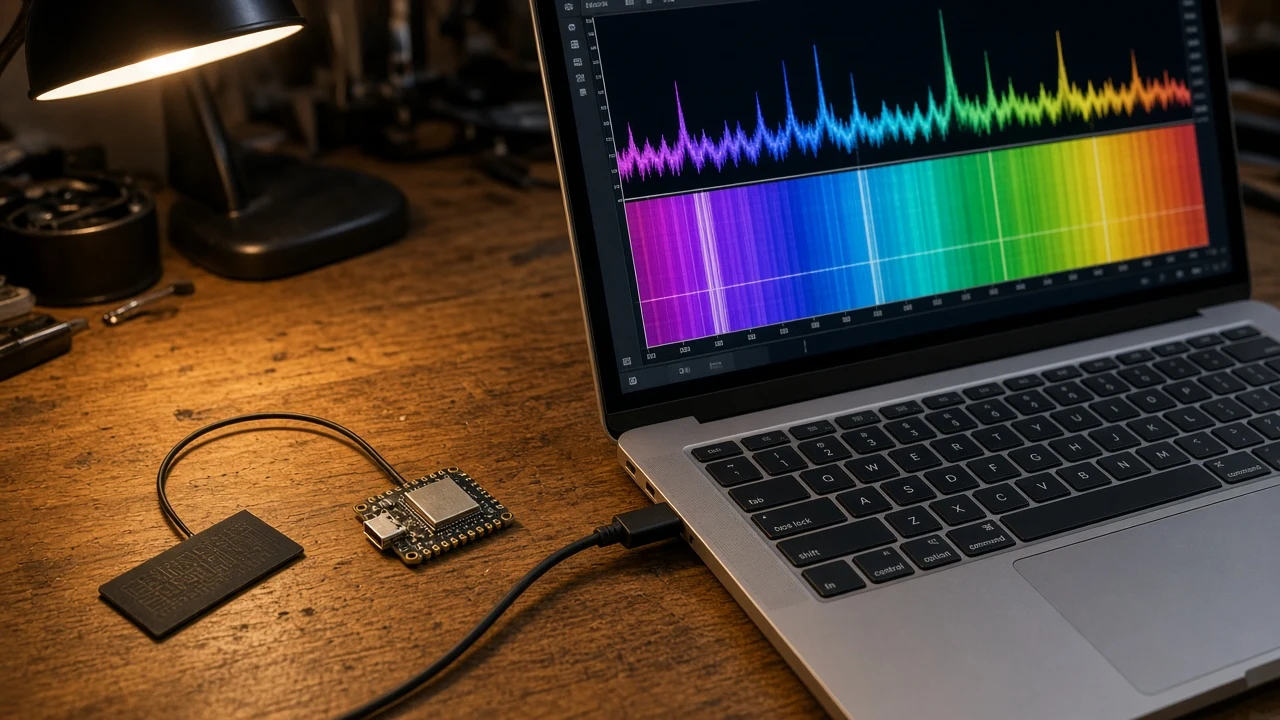
AI-generated render based on project photos
Parts Needed
- Seeed Studio XIAO ESP32S3
- Optional: second XIAO ESP32S3, coax cable and an RF attenuator (30–60 dB) for bench tests
- Computer with Zephyr's west tool
Steps
- 1
Read the warnings first
The firmware can drive the radio beyond spec and may permanently change its analog behaviour. Use a board you can retire, mark it, and don't transmit over the air.
- 2
Create the workspace
west init -m https://github.com/cyber-murmel/esp-sdr-zephyr esp-sdr-ws, cd into it, then run west update, west blobs fetch hal_espressif and west blobs fetch esp-sdr-zephyr.
- 3
Build and flash multiapp
west build --pristine --sysbuild --board xiao_esp32s3/esp32s3/procpu esp-sdr-zephyr/apps/multiapp, then west flash and west dfu --storage.
- 4
Run an app
On the board's USB shell, multiapp list shows the apps and multiapp run osmosdr (for example) starts one. Releases also carry the multiapp image and the SoapySDR module for gqrx and GNU Radio.
- 5
Bench testing
To test two boards against each other, connect them by coax through a 30 to 60 dB attenuator instead of using antennas.
Bill of Materials
Parts list
3 parts · 3 linked
Heads up: some Buy links are affiliate links. If you buy through one, MCU Atlas may earn a small commission at no extra cost to you. It never changes which parts we list. How this works



Not included: Computer with the Zephyr west toolchain, GNU Radio or gqrx (optional)
Related Projects