ESP32 USB-to-AirPrint: give an old USB printer AirPrint and scanning with an ESP32-S3
Firmware that plugs an ESP32-S3 dev board into a USB-only Canon PIXMA so iPhones, Macs and Android phones can print to it, and any browser can scan from it, over Wi-Fi.
What it is
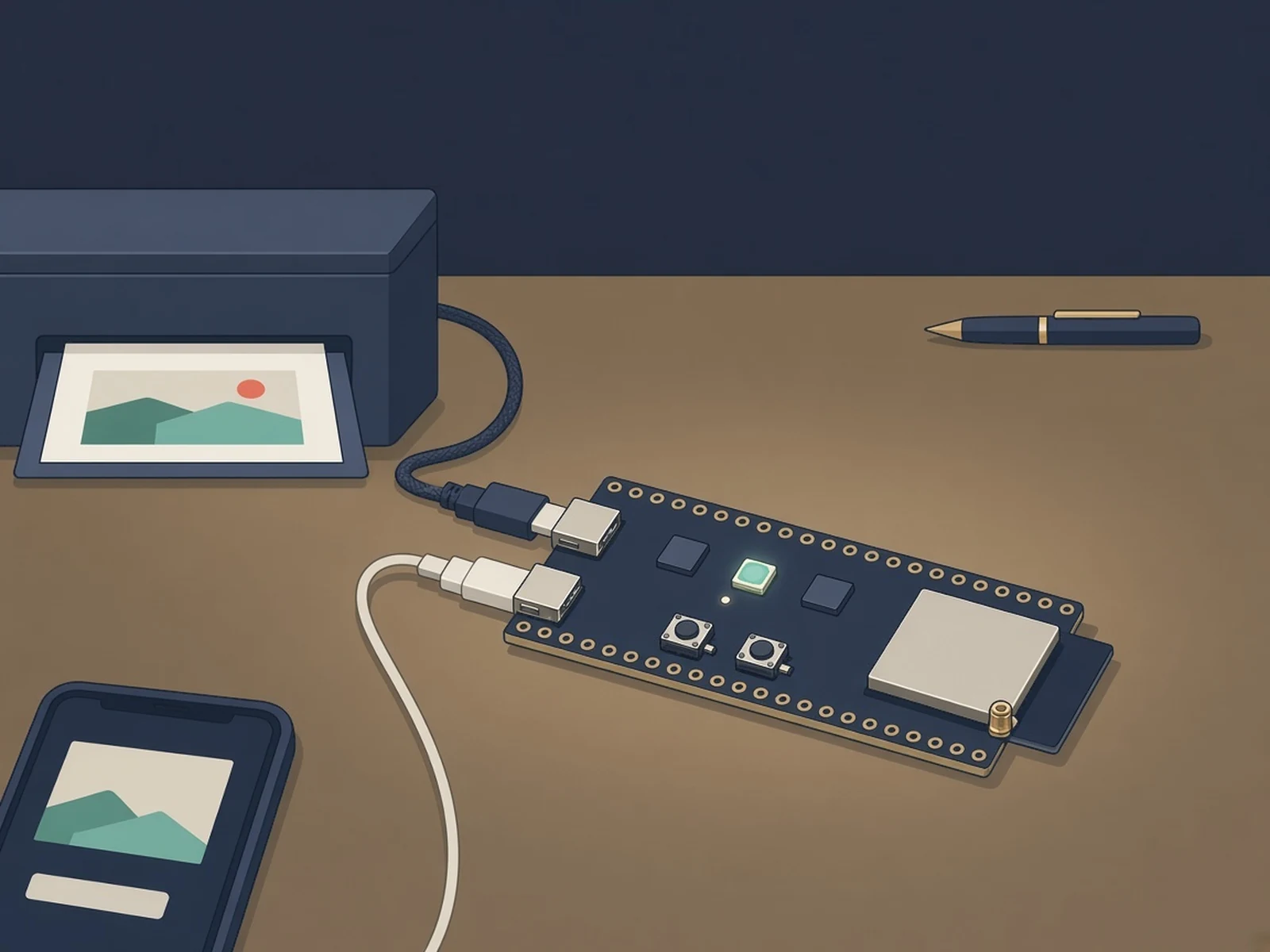
An ESP32-S3 that sits on an old USB printer's port and makes it show up as an AirPrint printer and network scanner on your Wi-Fi.
What you need
- ESP32-S3-DevKitC-1 (N16R8) or another ESP32-S3 board with two USB-C ports
- USB-C data cable
- 0.96in 128x64 I2C OLED optional status screen (SSD1315 in the repo)
How hard
Intermediate. Build and flash with PlatformIO after putting your Wi-Fi details in .env; you may need to bridge a solder jumper. Canon PIXMA printers only, and only the MG2550S is validated.
Key Facts
- Print from iPhone, iPad, Mac (AirPrint), Android (Mopria) and Linux; scan from a browser, Mac Image Capture or the board button
- Canon PIXMA only for now: MG2550S validated on real hardware, about 16 more series expected to work but untested
- One ESP32-S3 dev board with two USB-C ports; build targets ESP32-S3-DevKitC-1 N16R8 (16 MB flash, 8 MB PSRAM)
- You may need to bridge the board's USB-OTG solder jumper so the printer sees 5 V
- Optional SSD1315 128x64 I2C OLED status screen and extra buttons
- ESP-IDF firmware built and flashed with PlatformIO; Wi-Fi details go in a local .env file
- License: MIT
About This Project
ESP32 USB-to-AirPrint, by Xuan-Son Nguyen (ngxson), turns a USB-only printer into a wireless printer and scanner with one ESP32-S3 dev board. The board plugs into the printer's USB port, joins your Wi-Fi and presents the printer as an AirPrint printer for iPhone, iPad and Mac, a Mopria printer for Android, and an IPP printer for Linux, with no drivers or apps. Scanning works from any browser, from Image Capture or Preview on a Mac (eSCL), or with the BOOT button on the board (press to scan, press twice for a test page, hold 2 s to cancel). The firmware also serves a web app where you can print PDFs and pictures, scan, keep files in the browser and combine pages (rotate, crop, ID-card copies) into a PDF. The catch is printer support: right now the drivers are Canon PIXMA only. The MG2550S is the one model validated on a real printer; about 16 more Canon series (MG2400, MG2500, MG2900, MG3000, E460/E470, E3100, TS3100, MP230, MP250-MP280, MP490-MP495, MX340-MX420, plus iP2700, iP2800 and P200 without scanners) are listed as expected to work but untested, and the author is asking printer owners to contribute and test drivers. Hardware is an ESP32-S3 dev board with two USB-C ports; the build targets the ESP32-S3-DevKitC-1 with the N16R8 module (16 MB flash, 8 MB PSRAM). Plug the board's COM port into your computer, build once with PlatformIO to create a .env file, put your Wi-Fi name and password, printer name and hostname in it, and flash with pio run -t upload. Then plug the printer into the port labelled USB; you may need to bridge the board's USB-OTG solder jumper so it supplies 5 V, because the printer uses that line to sense the cable. MODE=debug in .env allows later updates over Wi-Fi. An SSD1315 128x64 I2C OLED (SCL GPIO41, SDA GPIO42) and extra buttons on GPIO4 and GPIO5 are optional, and the author shows a 3D-printed case. The protocols follow Gutenprint and SANE's pixma backend. MIT licensed.
Source & Attribution
Illustration
Parts Needed
- ESP32-S3 dev board with two USB-C ports (ESP32-S3-DevKitC-1 N16R8)
- USB-C data cable
- Optional: SSD1315 128x64 I2C OLED
Steps
- 1
Check your printer
Find your model in the repo's supported list. Only Canon PIXMA series are supported, and only the MG2550S has been tested on a real printer.
- 2
Connect the board
Plug the ESP32-S3's COM port (not the one labelled USB) into your computer.
- 3
Set Wi-Fi details
Build once with PlatformIO (pio run) to create .env, then fill in WIFI_SSID, WIFI_PASSWORD, PRINTER_NAME, HOSTNAME and MODE. The file stays on your machine.
- 4
Flash
Run pio run -t upload. MODE=debug lets you update the board over Wi-Fi later.
- 5
Plug in the printer
Connect the printer's USB cable to the board's port labelled USB. If the printer doesn't notice it, bridge the board's USB-OTG solder jumper so it supplies 5 V.
- 6
Print and scan
Pick the printer from Share, then Print on an iPhone, add it in Printers & Scanners on a Mac, or open http://<hostname>.local/ for the web app and scanning.
Bill of Materials
Parts list
3 parts · 3 linked
Heads up: some Buy links are affiliate links. If you buy through one, MCU Atlas may earn a small commission at no extra cost to you. It never changes which parts we list. How this works



Not included: A supported USB Canon PIXMA printer and its USB cable, A computer with PlatformIO for the first flash, Optional 3D-printed case and push buttons
Related Projects