M5Stack PaperDIY: a $25 ESP32-S3 kit with a 4.7in e-paper screen
M5Stack's new PaperDIY kits pair an ESP32-S3 with a 4.7in 960x540 16-grey e-paper panel, a 140 mAh battery and microSD: a cheap, low-power base for desk dashboards, labels and signs.
What it is
A $25 ESP32-S3 dev kit with a 4.7in 16-grey e-paper screen and a small battery, made for low-power desk dashboards, labels and signs that you program yourself.
What you need
- M5Stack PaperDIY Assembly Kit or the Complete Kit with a printed case
- USB data cable
- microSD card optional
How hard
Beginner. The Assembly Kit goes together without soldering, and you program it from the Arduino IDE with M5Unified and M5GFX, from UiFlow2, or from M5Stack's ESP-IDF factory firmware. Handle the bare panel carefully.
Photos
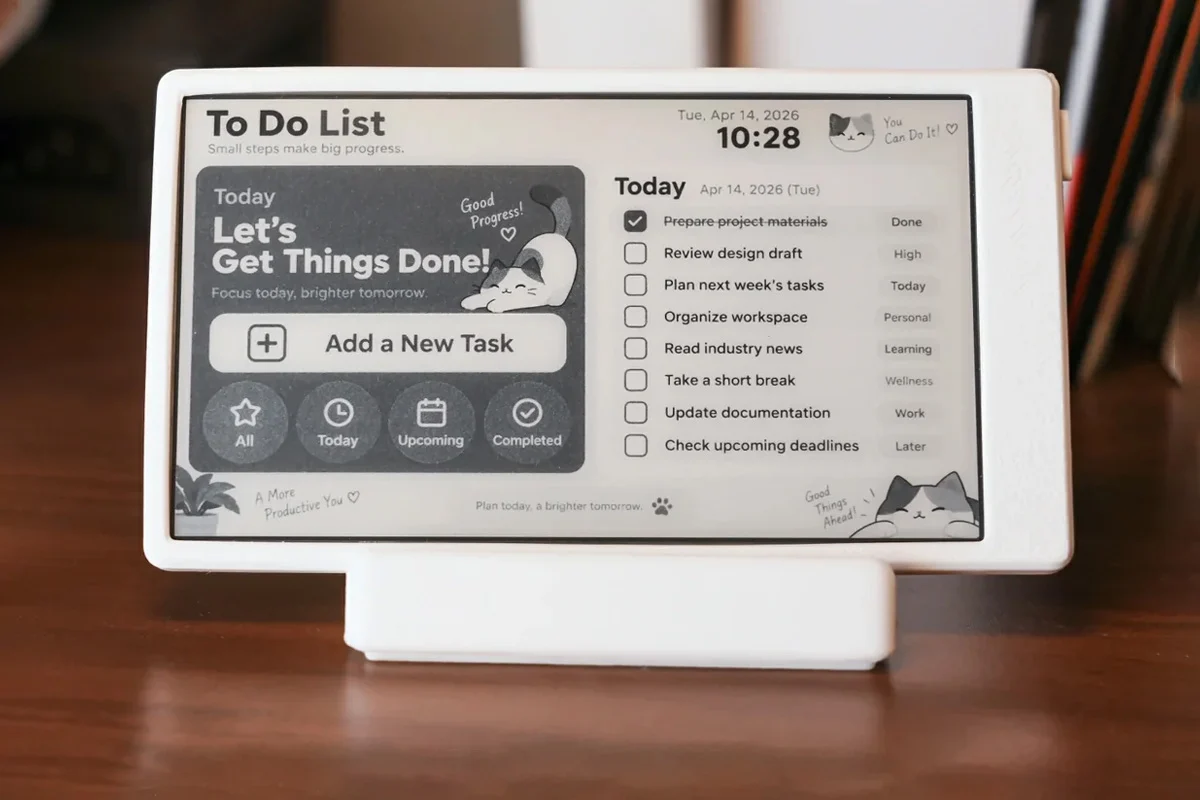
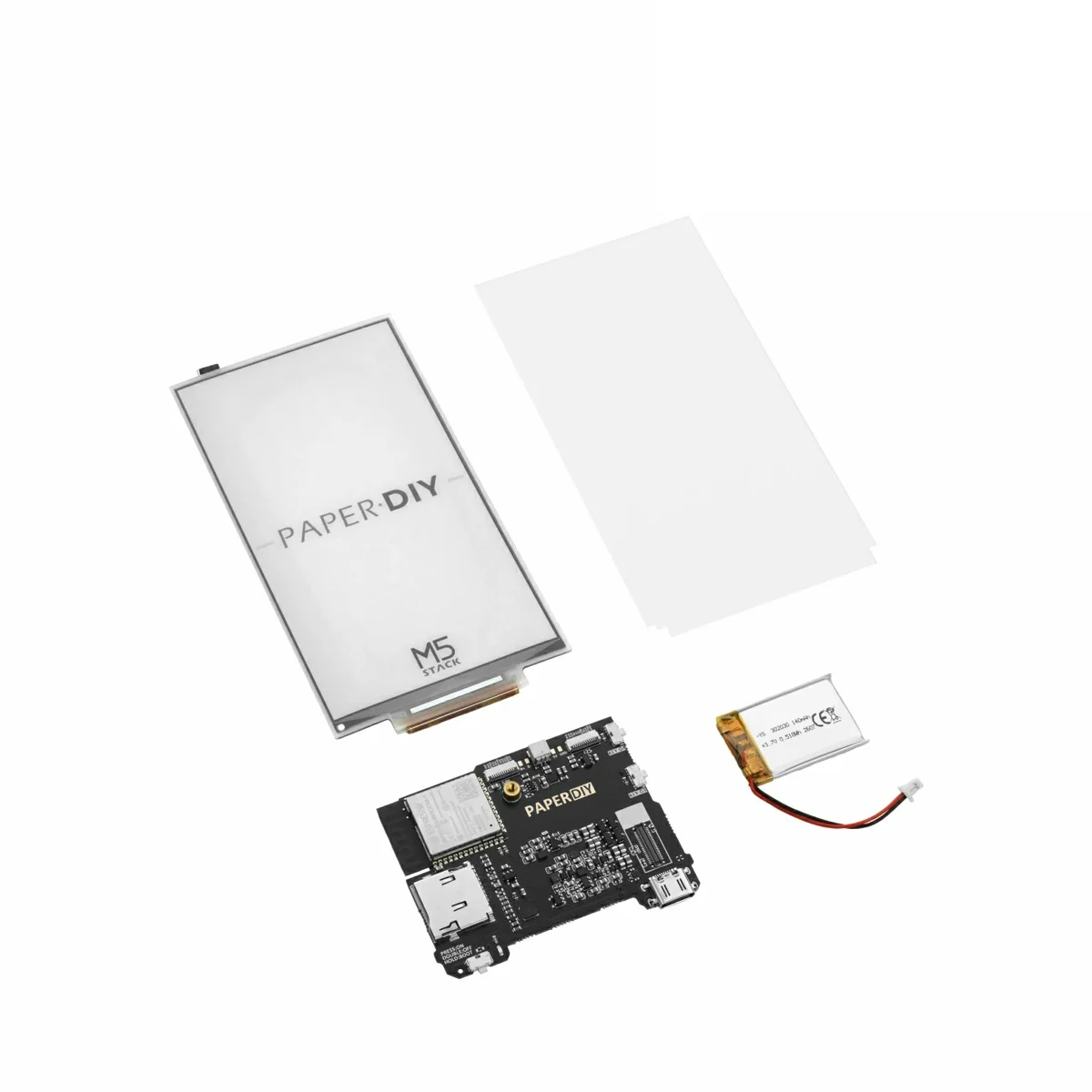
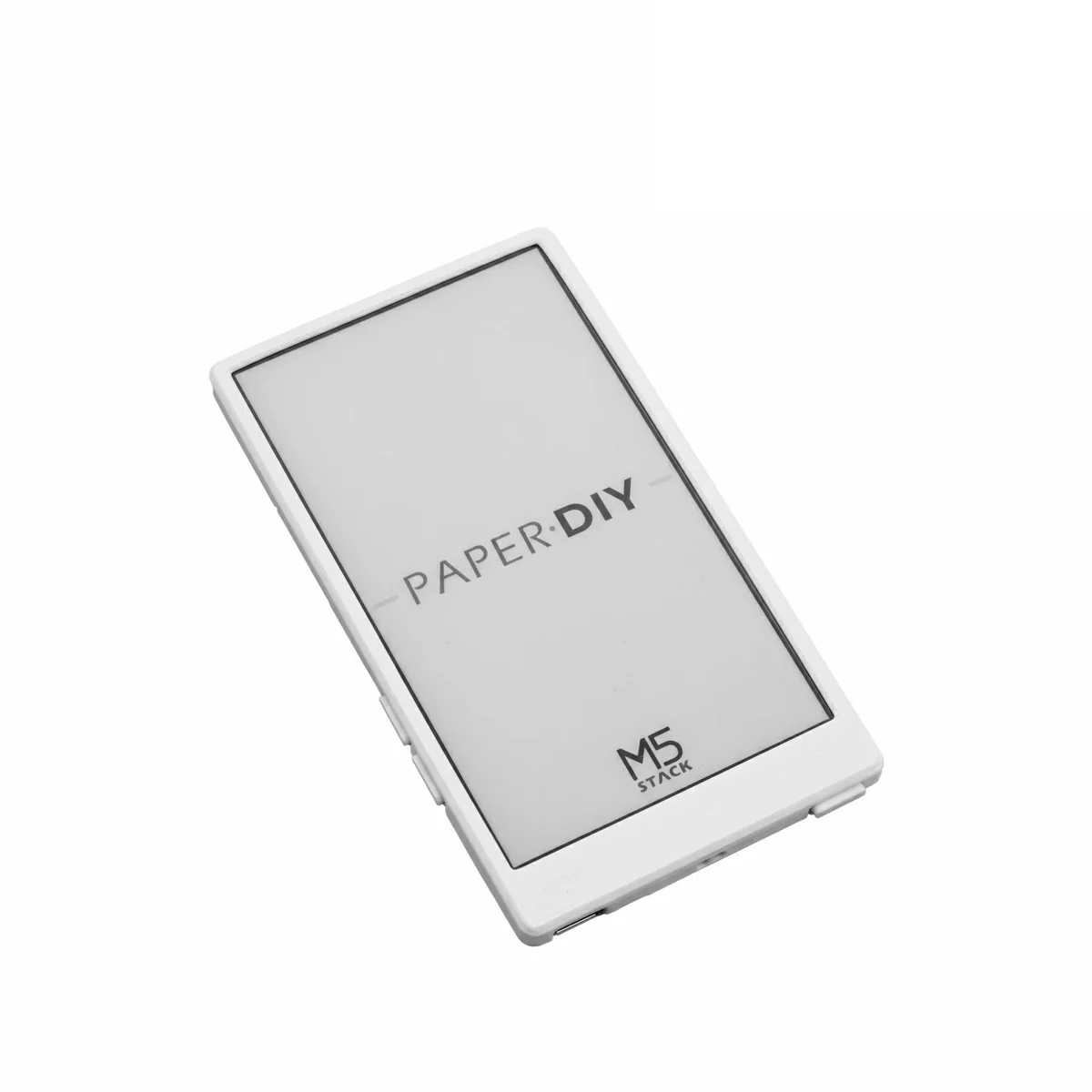
Photos: M5Stack via CNX Software
Key Facts
- Module: ESP32-S3-WROOM-1-N16R8 (16 MB flash, 8 MB PSRAM)
- Display: 4.7in ET047TC1 e-paper, 960x540, 16 grey levels, no touch
- Power: 140 mAh battery included, M5PM1 power-management IC, USB-C
- Extras: microSD, 3 buttons, 2x 12-pin FPC expansion
- Price: Assembly Kit $25; Complete Kit $29.90 (out of stock Oct 20)
- Software: Arduino (M5Unified, M5GFX, M5PM1), ESP-IDF factory firmware, UiFlow2
About This Project
PaperDIY is M5Stack's October 2026 follow-up to its 2020 M5Paper: an ESP32-S3 development kit built around a 4.7-inch, 960x540 e-paper panel (ET047TC1) with 16 levels of grey. The board uses an ESP32-S3-WROOM-1-N16R8 module (16 MB flash, 8 MB octal PSRAM, 2.4 GHz Wi-Fi), adds a microSD slot, USB-C, a power button plus two user buttons, two 12-pin FPC expansion connectors and M5Stack's M5PM1 power-management chip, which watches the battery and switches the e-paper boost circuit. There are two versions. The M5Stack PaperDIY Assembly Kit is the bare board, panel, acrylic pressure plate and 140 mAh battery that you put together yourself, listed at $25 on the M5Stack store. The PaperDIY Complete Kit ships factory-assembled in a 3D-printed PLA case (the case files are open source) and was listed at $29.90 but out of stock on October 20. Unlike the old M5Paper, the screen is not touch, and there are no onboard sensors. On the software side M5Stack supports the Arduino IDE with its M5Unified and M5GFX libraries plus an M5PM1 library, publishes ESP-IDF factory-firmware source with examples for the battery, Wi-Fi scan, microSD and buttons, and has a UiFlow2 tutorial. M5Stack pitches it for desk information displays, electronic labels and signage. If you want the same panel with other options, CNX Software points to the LilyGO T5 4.7 inch E-Paper S3 Pro, which uses the same ET047TC1 display and ESP32-S3. One warning from M5Stack's docs: the Complete Kit's M2 mounting holes need screws with less than 3 mm of thread, or you can press into and permanently damage the e-paper.
Source & Attribution
Parts Needed
- M5Stack PaperDIY Assembly Kit
- USB-C data cable
- microSD card (optional)
Steps
- 1
Assemble
Connect the e-paper panel and the 140 mAh battery (SH1.0-2P connector) to the main board and fit the acrylic pressure plate. Handle the panel by its edges.
- 2
Power and buttons
Single-click the power button to turn on or reset, double-click to power off, and long-press to enter download mode for flashing.
- 3
Pick a toolchain
Arduino IDE with M5Stack's M5Unified, M5GFX and M5PM1 libraries; UiFlow2 (M5Stack has a PaperDIY tutorial); or the ESP-IDF factory firmware source, which has battery, Wi-Fi scan, microSD and button examples.
- 4
Build your screen
Draw your dashboard, label or sign in 16 greys at 960x540. E-paper only needs power when the picture changes, so refresh on a timer or on a button press.
- 5
Case it
Design your own enclosure, or print M5Stack's open-source Complete Kit case. If you use its M2 holes, keep screw threads under 3 mm so they don't press on the panel.
Available as a complete kit
ESP32-S3 + 4.7in e-paper + 140 mAh battery kit, $25 on the M5Stack store (Oct 20, 2026)
Part details in our parts libraryRelated Projects