Quad Board: e-paper kitchen dashboard for the Seeed reTerminal E1001
A 7.5in e-paper kitchen dashboard for the Seeed reTerminal E1001: weather, news and markets, your teams' scores, and the plane flying overhead.
What it is
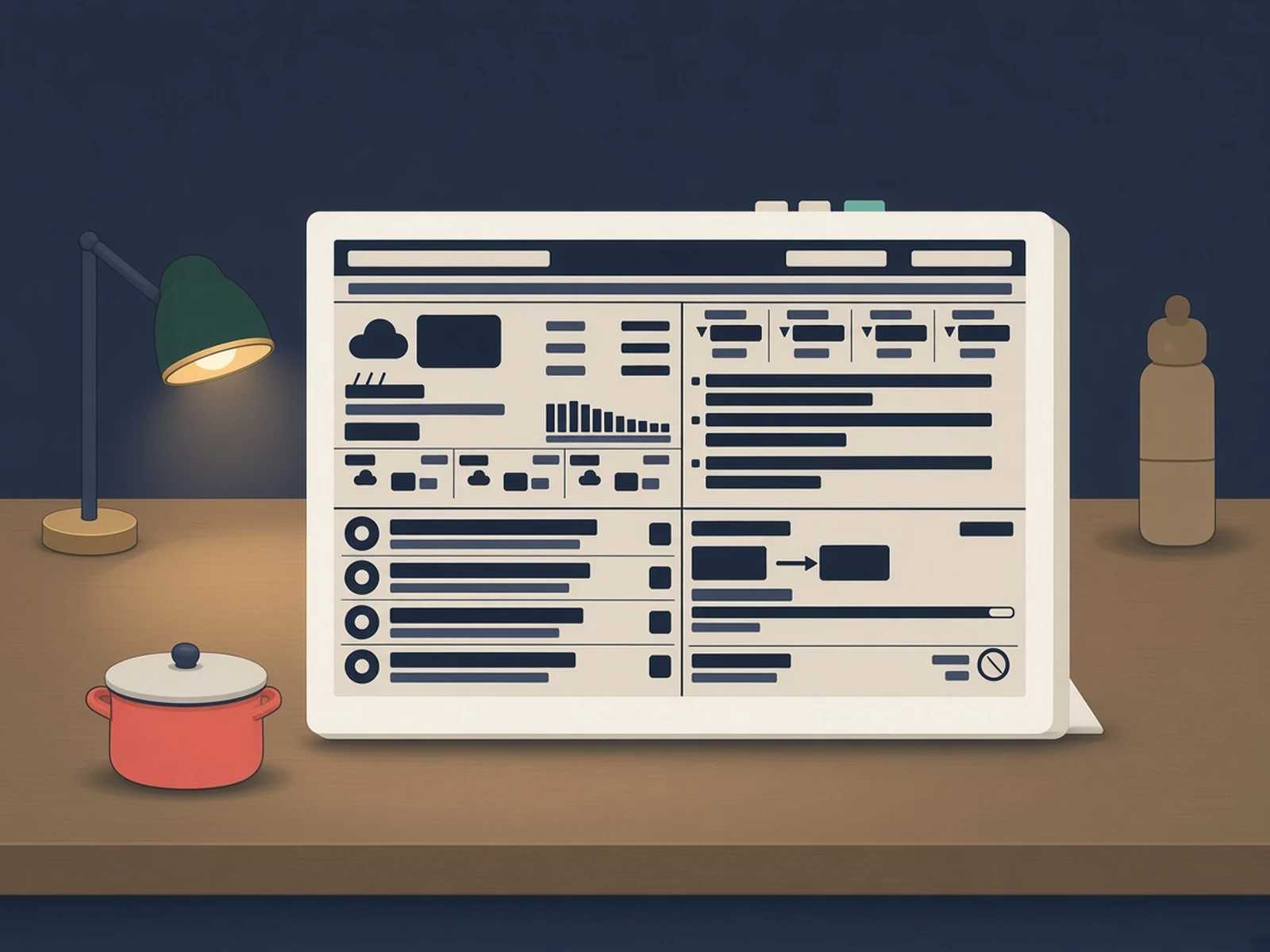
Firmware plus a small Python server that turn the Seeed reTerminal E1001 e-paper display into a four-corner kitchen dashboard: weather, news and markets, sports scores and the plane overhead.
What you need
- Seeed reTerminal E1001
- An always-on machine for the server (VPS, Raspberry Pi or NAS) reachable over HTTPS
- PlatformIO to flash the firmware
How hard
Intermediate. No soldering: you flash the board with PlatformIO, but you also run a Python server behind an HTTPS reverse proxy (nginx or Caddy) and edit a JSON config for your city and teams.
Photos
Photos: J-Rod-Ay/eink-quad
Key Facts
- Hardware: Seeed reTerminal E1001 (ESP32-S3, 7.5in 800×480 mono e-paper, battery)
- Server: Python + Pillow renders every pixel; the board only draws changed rectangles
- Refresh: ~1 s partial updates, a 4-grey full refresh on schedule, an anti-ghosting flash every couple of hours
- Data: keyless sources (Open-Meteo, api.weather.gov, ESPN, adsb.lol, CelesTrak, Launch Library 2)
- Firmware: PlatformIO / Arduino, Wi-Fi setup portal on first boot
- Needs an always-on server reachable over HTTPS
About This Project
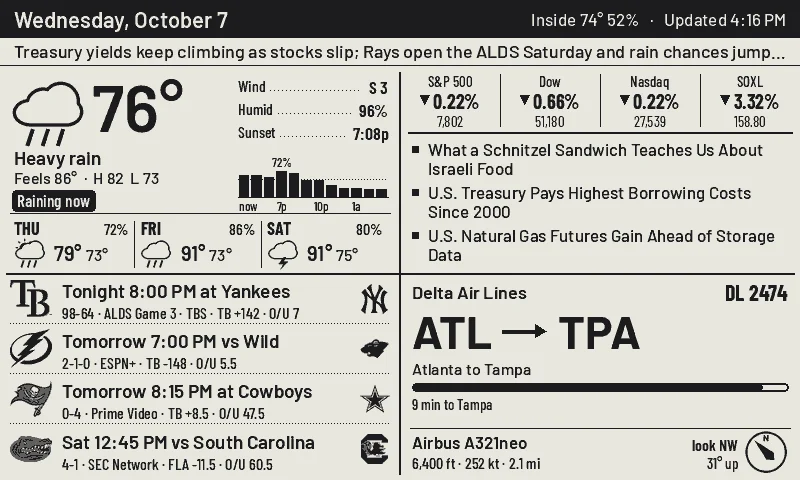
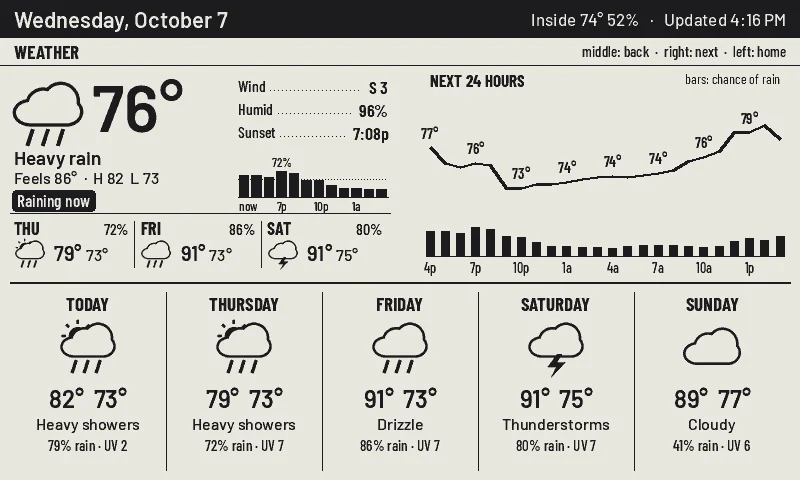
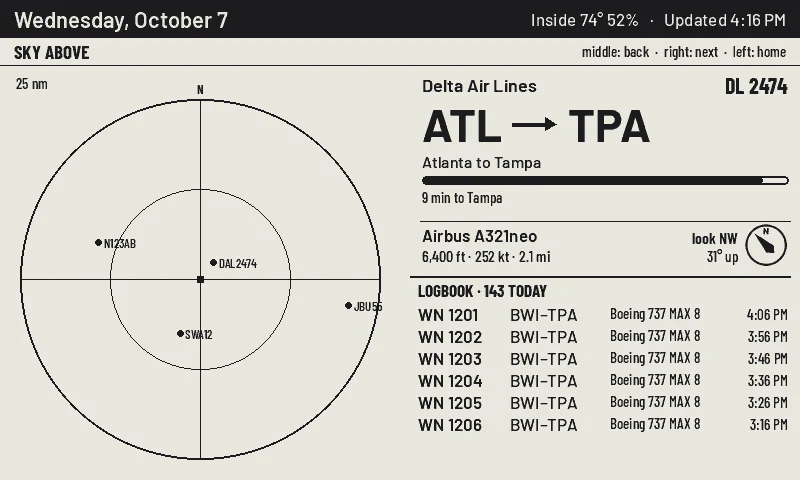
Quad Board turns the Seeed reTerminal E1001 into a kitchen dashboard with four corners: the weather (current conditions, rain chance, a 3-day forecast, a 15-minute rain nowcast and NWS alerts), news and markets (ticker moves and rotating WSJ headlines), your teams (live score, last result or next game for any ESPN team), and whatever plane is flying over the house, with airline, route, altitude and which way to look from live ADS-B. An ISS pass or a visible rocket launch takes that corner over. A strip under the header carries one line: your pinned message, a severe weather alert, or an optional one-sentence brief from the Claude CLI. The three buttons on top work as home, previous and next, and each corner has its own detail page. The screen doesn't decide anything: a small Python server renders every pixel with Pillow, diffs it against what's already on the glass and sends only the changed rectangles, which the board shows as roughly one-second partial refreshes. It long-polls over HTTPS, or deep-sleeps between checks on battery. Layout, cadence and data sources are settings on the server's web dashboard, so changes never mean reflashing. All data sources are keyless.
Source & Attribution
Parts Needed
- Seeed reTerminal E1001
- Always-on server (VPS, Raspberry Pi or NAS) behind nginx or Caddy for HTTPS
- PlatformIO
Steps
- 1
Run the server
In server/, pip install -r requirements.txt, copy quad.env.example to quad.env and set QUAD_TOKEN and QUAD_ADMIN, load it, and run python app.py (it listens on 127.0.0.1:8740). Put it behind nginx or Caddy for HTTPS; a self-signed certificate works.
- 2
Configure
Open http://127.0.0.1:8740/?k=<QUAD_ADMIN> to set location, units, feeds, tickers, teams, panel order and refresh cadence. Add your own teams in config.json with ESPN's sport, league and team id.
- 3
Preview without hardware
python cases.py renders every screen with live data to PNG files.
- 4
Flash the board
In firmware/, copy src/secrets.example.h to src/secrets.h with your server host and QUAD_TOKEN, then pio run -t upload --upload-port <your port>.
- 5
First boot
The board opens a Wi-Fi setup portal named QuadBoard-XXXX. Join it from your phone and pick your network. Hold the right button and tap the left one to get back to it later.
Available as a complete kit
7.5in ESP32-S3 e-paper display terminal with battery
Part details in our parts libraryHeads up: some Buy links are affiliate links. If you buy through one, MCU Atlas may earn a small commission at no extra cost to you. It never changes which parts we list. How this works
Related Projects