SparkFun OpenLog: Arduino-compatible data logger
A tiny ATmega328-based logger that writes serial data to a microSD card with almost no host code.

Photos
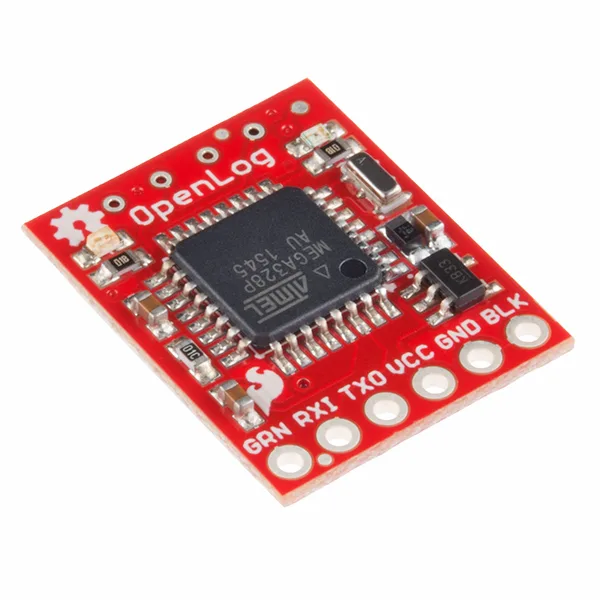
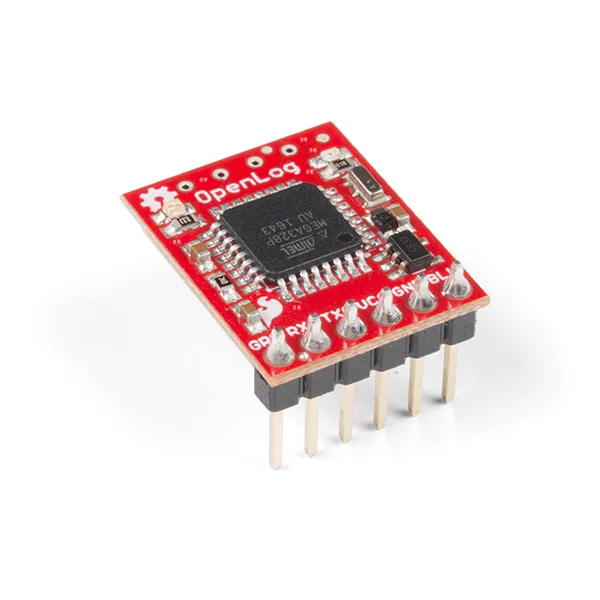
Photos: sparkfun/OpenLog
Key Facts
- Chip: ATmega328P
- Interface: UART serial
- Storage: microSD
- Use: drop-in serial logger
About This Project
OpenLog is a SparkFun open-hardware board that listens on a UART and writes everything to a microSD card. Any microcontroller that can print serial can log data without implementing an SD library. The firmware is open and the board is useful for GPS tracks, sensor dumps and debugging. A classic Arduino-family accessory.
Source & Attribution
Parts Needed
- SparkFun OpenLog
- microSD card (FAT16/FAT32, up to 64GB on recent firmware)
- Host microcontroller or serial device
- 3.3-12V power
Steps
- 1
Wire it
Connect VCC and GND, and wire your device's TX to OpenLog's RX. Connect OpenLog's TX to your RX only if you want to send commands.
- 2
Insert the card
Format the microSD card as FAT32 and insert it. On power-up, OpenLog creates a new LOGxxxxx.TXT file and starts logging.
- 3
Set the baud rate
Edit config.txt on the card to set the baud rate, escape character and mode so they match your device (9600 baud by default).
- 4
Command mode (optional)
Send the escape character (three Ctrl+Z by default) to enter command mode, where you can create, read or append to files.
- 5
Update firmware (optional)
The Firmware folder holds the Arduino sketch. Flash it through the FTDI header with the Arduino IDE, selecting an Uno-compatible board, after installing the libraries from the Libraries folder.
Not included: 3D-printed case, wire, solder, USB cable
Related Projects