Wi-Fi Sensing Kit: three ESP32-S3 boards that tell what you're doing from Wi-Fi
Three ESP32-S3 boards learn to recognise sitting, walking, squatting and more from Wi-Fi signals alone, with your webcam as the teacher.
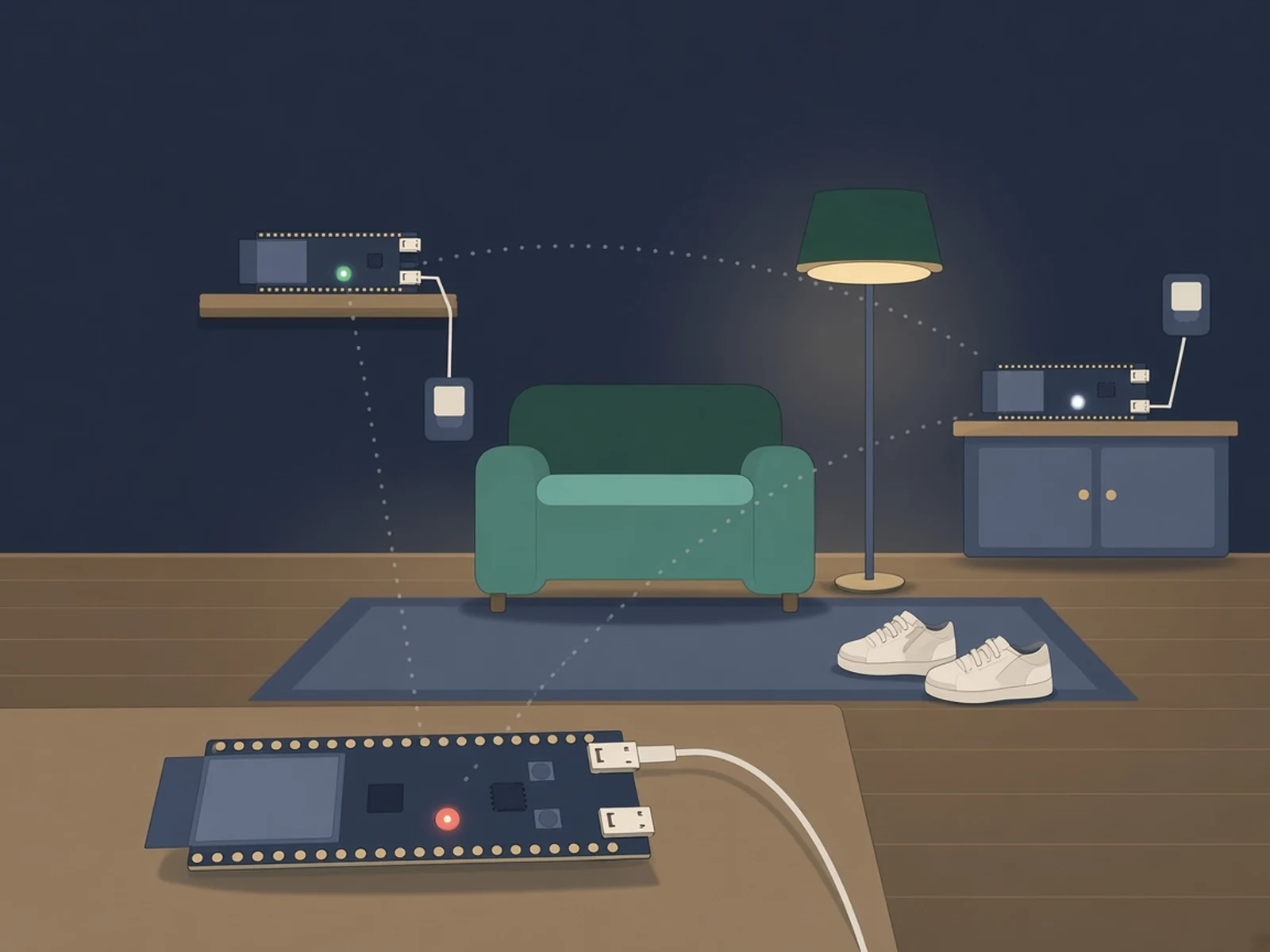
What it is
A kit that turns three ESP32-S3 boards into Wi-Fi motion sensors. After a webcam-supervised training session they recognise what you're doing (sitting, walking, squatting, jumping, or nobody home) from Wi-Fi alone.
What you need
- 3 × ESP32-S3-DevKitC-1 (N16R8) or any ESP32-S3 with 8 MB+ flash
- 3 × USB data cables
- 3 × USB chargers
- A 2.4 GHz Wi-Fi network
- A Mac or Linux computer with a webcam
How hard
Intermediate. No soldering, but you build and flash ESP-IDF firmware through the kit's Python scripts, edit a YAML config and spend about an hour on setup and training (including roughly 10 minutes of squats).
Key Facts
- Boards: 3 × ESP32-S3 with at least 8 MB flash, e.g. ESP32-S3-DevKitC-1 (N16R8)
- Firmware: RuView esp32-csi-node v0.8.8 plus this kit's patch, built with ESP-IDF 5.4 or 5.5
- Network: 2.4 GHz Wi-Fi only (the boards can't join 5 GHz)
- Author's result: 79.5% correct over 8 movements (guessing: 12.5%)
- Training: webcam + in-browser MediaPipe pose model, about 9 minutes of prompts
- Host: macOS or Linux (Windows works for the dashboards)
About This Project
Wi-Fi Sensing Kit teaches three ESP32-S3 boards to recognise what you're doing in a room (sitting, squatting, spinning, walking, jumping, standing, or nobody home) from Wi-Fi channel state information alone. It is built on RuView's open-source CSI firmware with two changes: each board lights up in its own colour, and the boards measure each other as well as the router, so the sensing links cross the room instead of all fanning out from the router. While you train, your webcam is the teacher: a MediaPipe pose model runs in the browser and labels your movements, then you cover the camera and the Wi-Fi keeps guessing. In the author's test (one person, one living room, a separate test session) it got 79.5% right across 8 movements, against 12.5% for guessing; router links alone scored 76.3%. It does not draw a skeleton, track your exact position or carry over to another room, another person or boards that have moved; you retrain. Three local dashboards show live CSI heatmaps, a room map where each link lights up as you cross it, and the movement model. Wi-Fi sensing works through walls, so only point it at people who know about it.
Source & Attribution
Illustration
Parts Needed
- 3 × ESP32-S3-DevKitC-1 (N16R8) or other ESP32-S3 boards with 8 MB+ flash
- 3 × USB data cable
- 3 × USB wall charger
- 2.4 GHz Wi-Fi network
- macOS or Linux computer with a webcam and ESP-IDF 5.4 or 5.5
Steps
- 1
Install
Clone the repo, create a Python virtual environment and run install.py. It installs the Python packages and downloads the pose model (about 28 MB). Copy config.example.yaml to config.yaml.
- 2
Wi-Fi details
Save your Wi-Fi password alone in a text file (default ~/.wifi-sensing-pass) and chmod 600 it. Put the network name in config.yaml.
- 3
Find, build and flash
Plug all three boards in over their native USB port and run firmware/discover.py, then paste the boards list into config.yaml. firmware/build.py downloads RuView v0.8.8, applies the patch and builds; firmware/flash.py flashes each board, which joins your Wi-Fi and lights up in its colour.
- 4
Router address
Run firmware/discover.py --router, set router_bssid in config.yaml, then rebuild and flash once more with --app-only.
- 5
Place the boards
Put the boards around the room at chest height on chargers, with nothing metal in between.
- 6
Train and test
Run kit/server.py and open http://127.0.0.1:8932. On the Movement page, frame yourself head to feet, record three training rounds (about 9 minutes), then a test round. Cover the camera to see Wi-Fi alone, and run kit/evaluate.py for your accuracy.
Bill of Materials
Parts list
3 parts · 2 linked
Heads up: some Buy links are affiliate links. If you buy through one, MCU Atlas may earn a small commission at no extra cost to you. It never changes which parts we list. How this works



Not included: 2.4 GHz Wi-Fi router, Computer with a webcam (macOS or Linux)
Related Projects