BlueRetro: Bluetooth controllers on retro consoles
Pair up to 7 Bluetooth controllers with retro consoles from NES to GameCube — one open-source ESP32 adapter, one DB25 port, web-BLE mapping, buy it or build it.
What it is
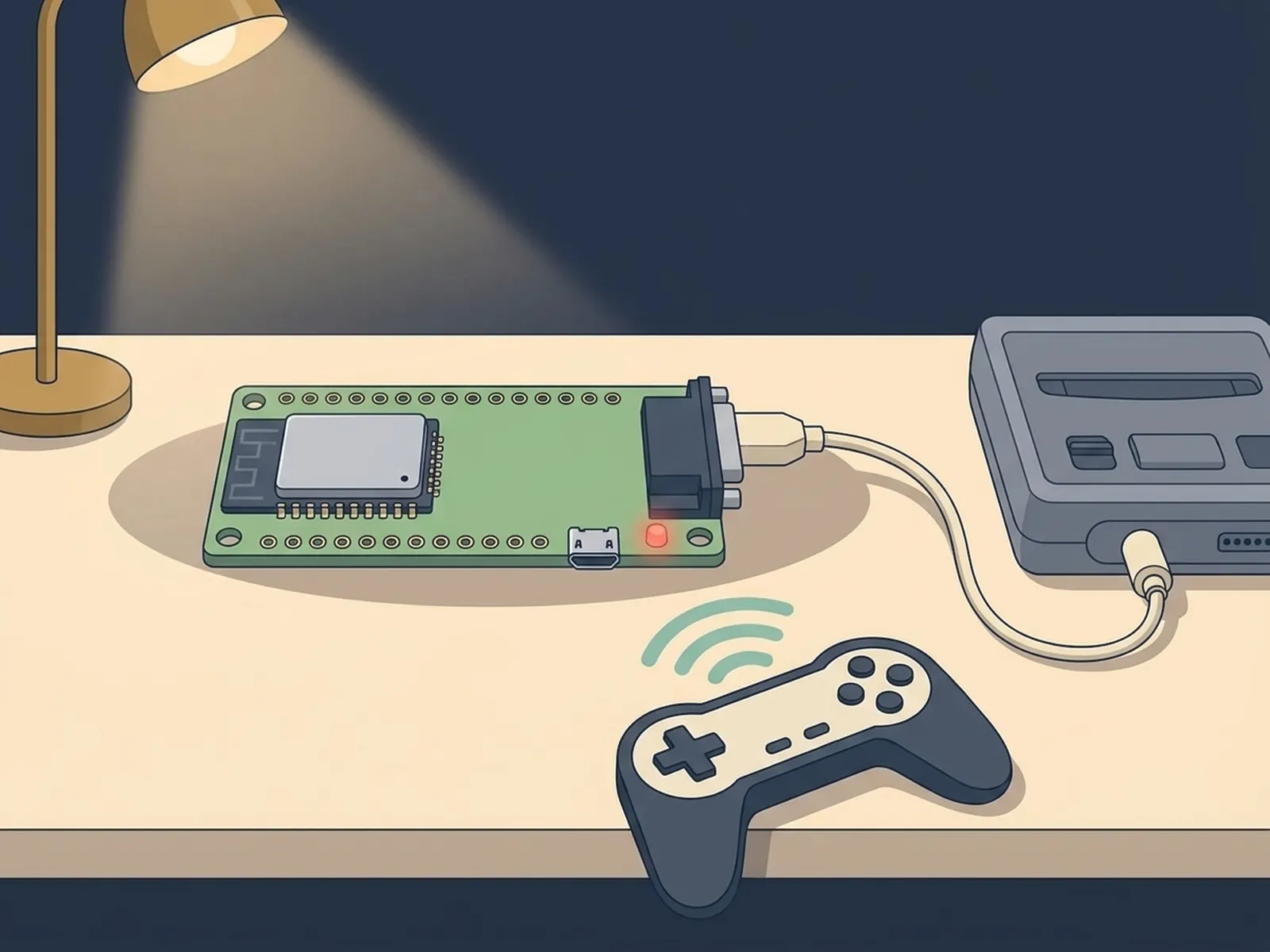
An open-source multiplayer Bluetooth controller adapter for retro game consoles by Jacques Gagnon (darthcloud): one ESP32 board with a single DB25 port speaks each console's native controller-port protocol while the ESP32's other core handles the Bluetooth controllers — up to 7 pads at once. Software Apache-2.0, hardware CERN-OHL-P-2.0; buy it pre-flashed or build the HW1 yourself. Archived December 2025: complete and stable, but no upstream development.
What you need
- ESP32-DevKitC (ESP32-WROOM-32) linked — the DIY route's board, the wiki's named part
- DB-25 female connector (solder cup) unlinked — the adapter's single console I/O port
- One per-console cable (DB25 to the console's controller plug) unlinked — mostly passive; a few consoles need level shifting; built per the wiki cable guide
- Or: a pre-flashed adapter (Laser Bear, Humble Bazooka, RetroOnyx, RetroTime) the beginner route — plug in, pair, play
How hard
Beginner via the pre-flashed route: plug in the cable, pair your controller, play. A first DIY HW1 build is intermediate — DB25 solder-cup wiring plus one cable — a weekend including cable soldering; the wiki's own advice is "build HW1!" (HW2 is not for novices). Difficulty and time are our editorial estimates; no sourced build-time figure exists in the docs.
Photos
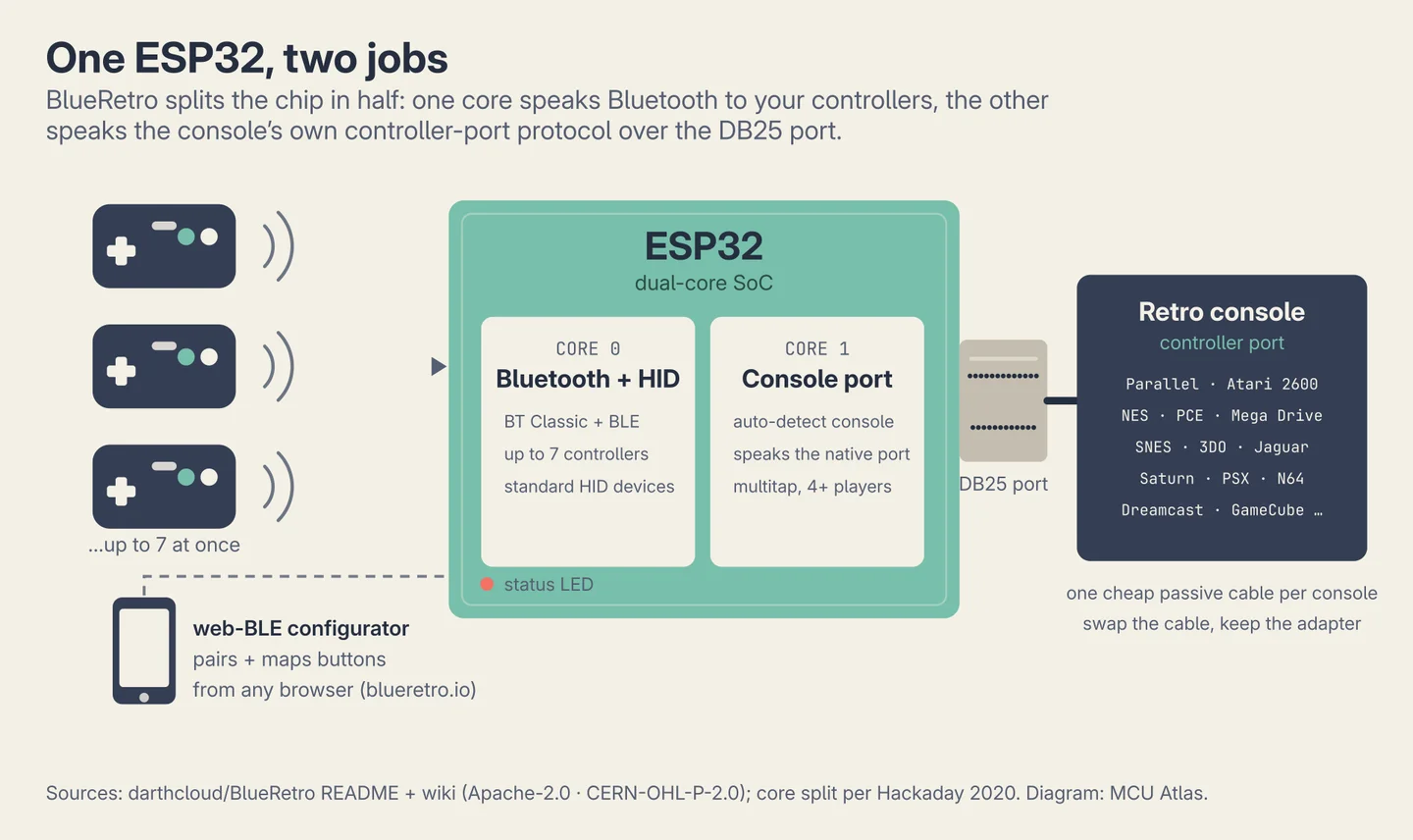
Photos: MCU Atlas (original diagram)
Key Facts
- Open-source multiplayer Bluetooth controller adapter for retro consoles, by Jacques Gagnon (darthcloud) — software Apache-2.0, hardware CERN-OHL-P-2.0 (both verified from licence files, 2026-11-20)
- ESP32 dual-core design: Bluetooth/HID decoding on one core, console controller-port protocol on the other
- Up to 7 Bluetooth controllers simultaneously on one adapter, with multitap emulation on most systems
- Controllers: Wii, Switch, PS3/PS4/PS5, Xbox One, Xbox Series X|S, generic HID (BR/EDR & BLE); consoles from Atari 2600-era parallel ports through NES, SNES, Mega Drive, N64, PlayStation, Dreamcast, PS2, GameCube and more
- Single DB25 port + cheap, mostly passive per-console cables (level shifting on a few consoles); adapter auto-detects the connected system
- Configured entirely via web Bluetooth at blueretro.io — mapping (axes↔buttons, curves, scaling), presets, OTA updates, N64 pak / DC VMU managers
- Project archived December 2025: code stays available as-is, no upstream bug fixes or PRs; fork under the licence to extend
- Beginner path: pre-flashed adapter (Laser Bear, Humble Bazooka, RetroOnyx, RetroTime — all live 2026-11-20) + one console cable; DIY HW1 path is ESP32-DevKitC + DB25 solder cup + one cable
- Firmware: free, GitHub releases (HW1/HW2 flavours) or OTA; the old itch.io download page is dead (404, 2026-11-20) — don't follow old tutorials there
About This Project
One ESP32, one DB25 port on the console's controller port, and the Bluetooth controllers you already own: BlueRetro puts modern wireless pads on retro systems from the NES to the GameCube — with up to seven players through a single adapter.
What BlueRetro is
BlueRetro is Jacques Gagnon's (darthcloud) open-source multiplayer Bluetooth controller adapter for retro game consoles and computers. In the project's own words: "Lost or broken controllers? Reproduction too expensive? Need those rare and obscure accessories? Just use the Bluetooth devices you already got!" It runs on the popular ESP32 chip, and the split that makes it work is elegant: as Hackaday put it when they featured the project, "One core of the ESP32 is used to speak Bluetooth and handle controller interfacing, while the other processor core handles speaking to the attached console." That second core is what lets one design speak each console's native controller-port protocol.
On the hardware side the design goal was simplicity: "A unique module with a ESP32 and one connector (DB-25 so far) should be the core of the solution." The same project page adds that "Most system will only need a straight cable adapter or an adapter only including level shifter." So the adapter itself stays one small board, and each console just needs a cheap, mostly passive cable from the DB25 to that console's controller plug — a few consoles need a cable with level shifting. Up to seven Bluetooth controllers can pair at once — per the project page, "Up to 7 controllers can be connected simultaneously on a single adapter for multiplayer games." That also means BlueRetro stands in for the multitap accessories that 3+ player retro games required; Hackaday calls it "capable of emulating multitap adapters for up to 7-player action".
It's genuinely open: the firmware is Apache-2.0 and the hardware is CERN-OHL-P-2.0 (both verified from the projects' own licence files), so you can build, sell, or fork it.
State of the project, honestly. BlueRetro is finished, not abandoned-but-rotting — but it is archived. After the December 2025 archive, the maker's notice reads: "After 6 years working on BlueRetro, the time has come for me to move on and focus on my family and my real job." And, in the next breath: "The code remains available as-is for reference, learning, and community use, but no new features, bug fixes, or pull requests will be accepted." In practice: the documentation, firmware releases, web configurator and third-party makers' hardware all remain available (all checked live 2026-11-20), but nobody is fixing bugs upstream — anyone building on it should expect to fork under the licence, exactly as the notice invites.
What we verified vs what we didn't (our honesty split): repo and licence state, wiki build instructions, web configurator and the four maker stores below were checked against live sources on 2026-11-20. We have not built BlueRetro on hardware; the workflow below is upstream's documented flow, not our bench run, and performance figures are not measured by us.
Key specs at a glance
One ESP32 does the computing — dual-core; one core BT/HID, one core console protocol. Wireless is Bluetooth HID, Classic (BR/EDR) and BLE, with up to 7 controllers simultaneously (multitap emulation on most systems). Console I/O is a single DB25 port plus mostly passive per-console cables — a few consoles need level shifting. Configuration happens in the web Bluetooth UI at blueretro.io (mobile & desktop). Firmware is free, from GitHub releases (HW1/HW2 flavours) or OTA. Licenses: software Apache-2.0, hardware CERN-OHL-P-2.0. Project state: archived December 2025 — code as-is, no upstream fixes.
Controllers and consoles it supports
On the wireless side, the repo lists Wii, Switch, PS3, PS4, PS5, Xbox One, Xbox Series X|S and generic HID Bluetooth (BR/EDR & LE) devices — gamepads, plus mouse, keyboard and trackball accessories on systems that had them. On the console side the supported list spans Parallel 1P/2P systems (Atari 2600/7800, Master System, computers, Neo Geo, JAMMA/Supergun), NES, PC Engine/TG16, Mega Drive/Genesis, SNES, CD-i, 3DO, Jaguar, Saturn, PlayStation, PC-FX, JVS arcade, Virtual Boy, N64, Dreamcast, PS2, GameCube and Wii extension. One adapter auto-detects the system it's plugged into — you only switch the cable between consoles.
The easy route: buy it pre-flashed
The README lists makers selling BlueRetro adapters — Laser Bear Industries, Humble Bazooka, RetroOnyx and RetroTime (all four stores reachable when checked 2026-11-20). For a first-timer this is genuinely a two-item shopping list: one adapter for your console, plus that console's cable. Plug in, pair your controller, play. (Prices change — check the makers' stores; we don't quote unverified figures.)
The DIY route: board + connector and cable
The wiki's beginner build (HW1) needs only an "ESP32-DEVKITC-32E with ESP-WROOM-32" and a "DB-25 Female connector solder cup" — our catalog page for that board: /parts/esp32-devkitc-v4/ — plus one mostly passive console cable built per the wiki's cable guide (a few consoles need a level shifter in the cable). Flash the firmware over USB serial, wire the DB25, build the cable, pair. If you're wondering which hardware spec to build, the wiki answers directly: "If you are not sure if you should build HW1 or HW2: the answer is build HW1!" HW2 (which adds port detection for internal installs) "is not recommended for novice in electronic at all."
Difficulty and time are our editorial estimates, not the maker's: pre-flashed is beginner-level; a first DIY HW1 build is intermediate — a weekend including cable soldering. No sourced time figure exists in the docs.
Firmware and mapping: the web-BLE workflow
BlueRetro's configuration lives in a web Bluetooth UI at blueretro.io (live when checked 2026-11-20): open it in a BLE-capable browser on phone or desktop, connect to the adapter, and you get the mapping tool, per-game presets, a system manager, an OTA firmware updater, a files manager, and system-specific extras like the N64 controller-pak and Dreamcast VMU managers. Config mode is only available while no controller is connected.
The mapping depth is the quiet superpower Hackaday highlighted: axes can be mapped to buttons and vice versa — essential when one controller must serve very different consoles — with scaling and response-curve options for axes and triggers, and presets that remap every player at once with a few taps. The wiki's mapping reference documents the combinations.
Pairing is zero-config by default: with no controller connected the adapter is always in pairing mode; you pair via inquiry (the controller's SYNC/pairing mode) the first time, and later connections are a single button press. Firmware updates ship via GitHub releases — 60 of them across the project's life — in HW1 (external adapter) and HW2 (internal install) flavours, and the OTA page refuses cross-flashing between them. One trap for readers following older tutorials: the former itch.io download page is gone (404 when checked); GitHub releases and the OTA updater are the current sources.
Where to go next
The wiki is the real manual — hardware builds, cable wiring per console, pairing guide, web-config manuals, debug traces. The community section of the README points at 3D-printed cases and N64 mounts, through-hole "AIO" base-plus-cable PCBs, internal-install guides, a GameCube HW2 board, and community latency-testing docs. Questions go to the repo's GitHub discussions. Hackaday's 2020 write-up and the hackaday.io project page are the best third-party overviews.
Source & Attribution
Bill of Materials
Parts list
3 parts · 3 linked
Heads up: some Buy links are affiliate links. If you buy through one, MCU Atlas may earn a small commission at no extra cost to you. It never changes which parts we list. How this works


1× DB-25 Female connector solder cup
1× Per-console cable (DB25 to the console's controller plug)
Learn
Docs & guides
Read these before you buy. These pages explain things; they don't sell anything.
- darthcloud/BlueRetro (software repo, Apache-2.0)Firmware source, releases (60, HW1/HW2 flavours), the archive notice and the community section.Docs
- darthcloud/BlueRetroHW (hardware repo, CERN-OHL-P-2.0)KiCad hardware files for the adapter boards.Docs
- BlueRetro wiki — the real manualHardware builds, cable wiring per console, pairing guide, web-config manuals, debug traces.Docs
- blueretro.io web configuratorWeb Bluetooth UI: mapping tool, per-game presets, system manager, OTA firmware updater, N64 pak / Dreamcast VMU managers.Docs
- Hackaday: BlueRetro is the ultimate console controller adapterThe 2020 feature that explains the dual-core design and multitap emulation.Docs
- hackaday.io project pageThe maker's own project log — hardware goals and the 7-controller claim.Docs
Related Projects