Braino!: a 40-game learning console on the Cheap Yellow Display
Turn a Cheap Yellow Display board into a kid-friendly learning handheld: forty offline games, browser flashing with no toolchain, and no ads, accounts or cloud.
What it is
Free GPL-3.0 firmware by Ankush Pandit that turns a Cheap Yellow Display-family ESP32 touchscreen into a kids' learning handheld: forty offline games — maths, flags, the periodic table, cursive handwriting, full-rules chess, Go and backgammon — five player profiles with parental gating, and optional Bluetooth console-to-console multiplayer. Flashed from a desktop browser over Web Serial (Chrome, Edge or Opera) with no toolchain, no ads, no accounts and no cloud; current release v5.14.0.
What you need
- A supported CYD-family board (2.8–4in) Freenove FNK0104B is the exact catalog match; the E32R28T-1/E32R32P/E32R40T and dual-USB 2432S028 also work — the classic micro-USB 2432S028R does NOT
- USB-C data cable for flashing and charging
- 3.7 V single-cell LiPo, ~3000 mAh, protected (optional) connector not specified in maker docs — check your board's battery plug before buying
- 20 mm speaker, JST 1.25mm (optional) without it the RGB LED still gives right/wrong feedback
How hard
Beginner (MCU Atlas editorial estimate, per the Hackster guide's own assembly heading): no soldering — battery and speaker plug in — and flashing is a browser button over Web Serial. The only real trap is buying an unsupported board.
Photos
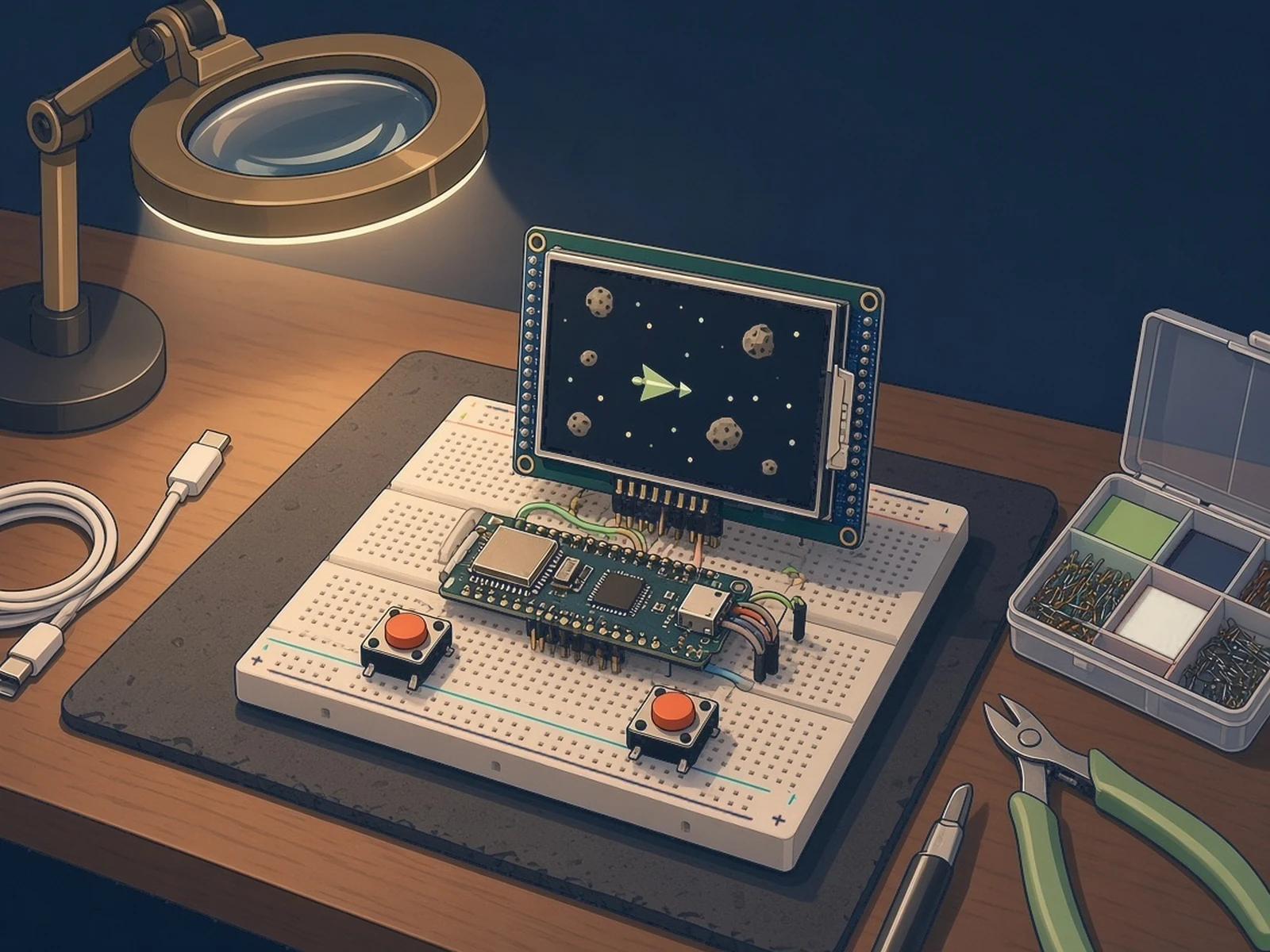
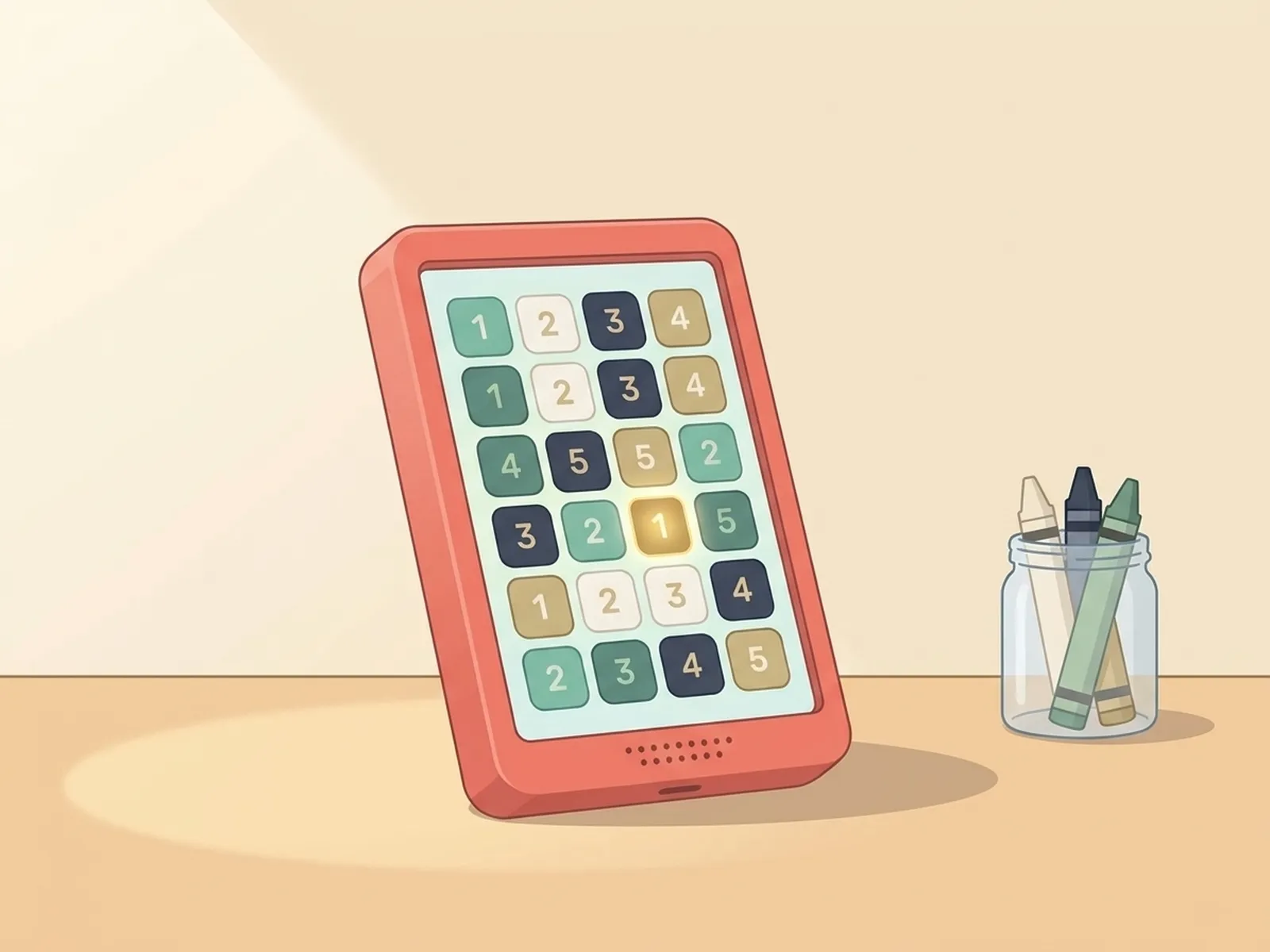
Photos: 1-2 by MCU Atlas (original diagram); 3-4 by Ankush Pandit, Braino! (GPL-3.0), github.com/iamankushpandit/Gume
Key Facts
- Free GPL-3.0 firmware (LICENSE-file verified) that turns a CYD-family ESP32 touchscreen into a kids' learning handheld; current release v5.14.0 (2026-11-20)
- 40 games, counted from the README's own tables: 11 maths, 15 world knowledge, 14 logic/memory — plus system screens
- Full-rules chess, Go, backgammon, Ludo and Sea Battle; finger-traced cursive and print handwriting; 195-flag flags game
- Six supported boards (2.0–4in; the five 2.8–4in CYD-family boards flash from the browser installer); the classic micro-USB 2432S028R CYD is NOT among them
- Browser flashing over Web Serial — Chrome/Edge/Opera only, no toolchain, nothing to install
- No ads, no accounts, no cloud, no telemetry; scores stay on the device
- Optional BLE console-to-console multiplayer (off by default); Ludo seats four consoles
- Five player profiles; any game can be hidden per profile (parental gating)
- No soldering: battery and speaker plug in (Hackster assembly heading); printable case files in the repo (cases/ has a folder per board)
About This Project
A Cheap Yellow Display board, one free firmware flash from your browser, and your kid has a pocket console with forty learning games — and zero ads.
Braino! is free, GPL-3.0 firmware that turns an ESP32 touchscreen board from the Cheap Yellow Display family into a handheld learning console for kids. It is the work of Ankush Pandit (Hackaday's spelling; the maker's own profiles go by iamankushpandit), published at the Gume repository with a current release of v5.14.0 (November 2026; the Hackster guide describes v5.12.3, now behind). Forty games plus system screens fit in about 2.7 MB of C++17, and the whole thing flashes onto the board from a web browser. The maker is upfront that the code and docs were "drafted with AI coding tools, directed, reviewed and tested on the boards by the author" — stated openly in the README and NOTICE file.
Why it fits our audience
If you read MCU Atlas, you probably already own a CYD — and this is the most newcomer-friendly build path we have seen: buy a board, open a web page in Chrome, press a button. Nothing installs on your computer. It is also the rare kids' gadget with a clean privacy story, and when your kid outgrows it, the board is still a CYD: it re-flashes into any other CYD project whenever you want.
The six supported boards — and one trap
"Six boards are supported, and all six have run on hardware" — the Attaky Core most recently. Tell them apart by screen size, touch type and USB ports. The Freenove FNK0104B (also sold as LCDWIKI ES3C28P) has a 2.8in capacitive screen and one USB-C port; the E32R28T-1 (the reference board) is 2.8in resistive with one USB-C; the E32R32P is 3.2in resistive with one USB-C; the E32R40T is 4in resistive with one USB-C; the ESP32-2432S028 dual-USB (inverted panel) is 2.8in resistive with both USB-C and micro-USB; and the Attaky Core 1.0 (inside Attaky's Cyber Deck Plus) is 2.0in capacitive with one USB-C.
Two cautions from the maker's docs. The classic micro-USB ESP32-2432S028R CYD — the one most of us own — is not on the list: "If your board is not in this table, it is not supported". And the dual-USB 2432S028 has "no battery sense line, so no battery badge and no low-battery warning" — run it from USB power. Beyond the CYD lane, the sixth board — the Attaky Core — installs from Attaky's firmware store, not this installer; v5.14 also ships a Braino card image for the Anbernic RG40XX V handheld.
Quickstart: flash it from Chrome
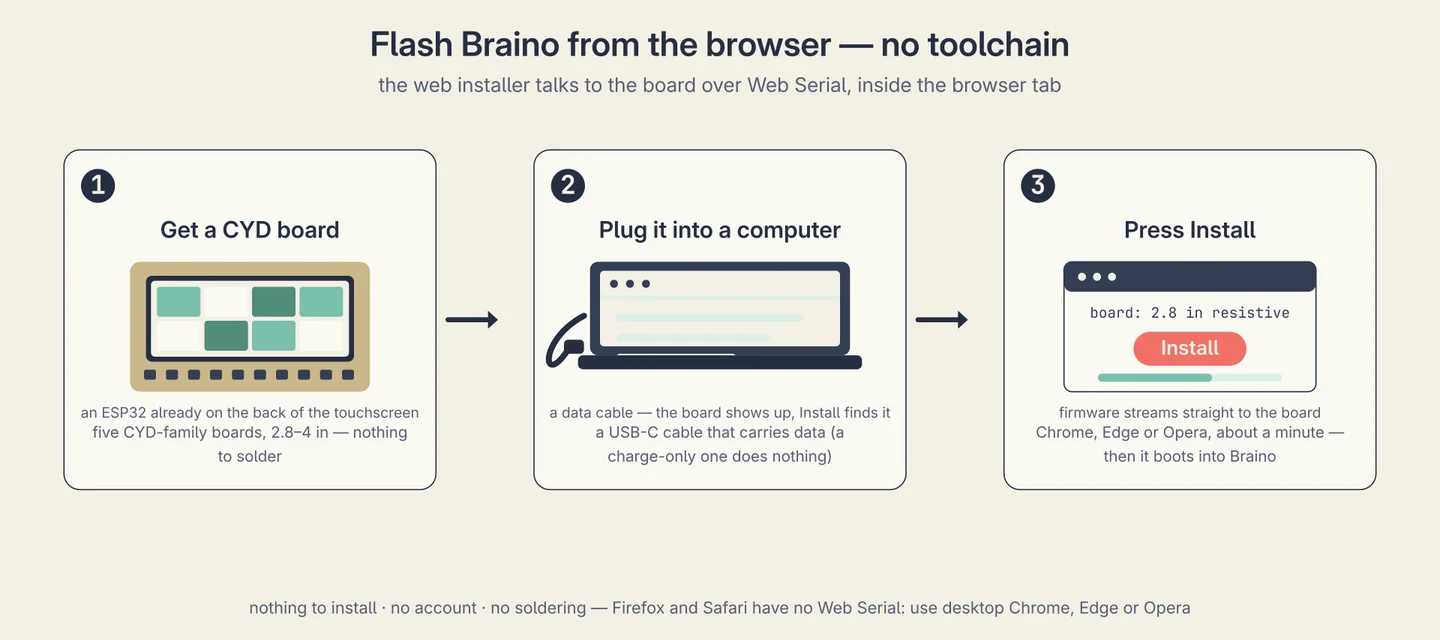
1. Get one of the five CYD-family boards above, plus its USB-C data cable.
2. Optionally plug in the battery and speaker — the guide's assembly section is titled "Simple no soldering, just connect the speaker and the battery".
3. On a desktop computer, open the installer at iamankushpandit.github.io/Gume in Chrome, Edge or Opera (Web Serial; Firefox and Safari don't implement it).
4. Pick the exact board you have — the wrong image gives "inverted colours, dead touch or a blank screen rather than an error."
5. Plug the board into USB and press the button. The README's promise: "Nothing to install".
6. Hand it to a kid.
The forty games
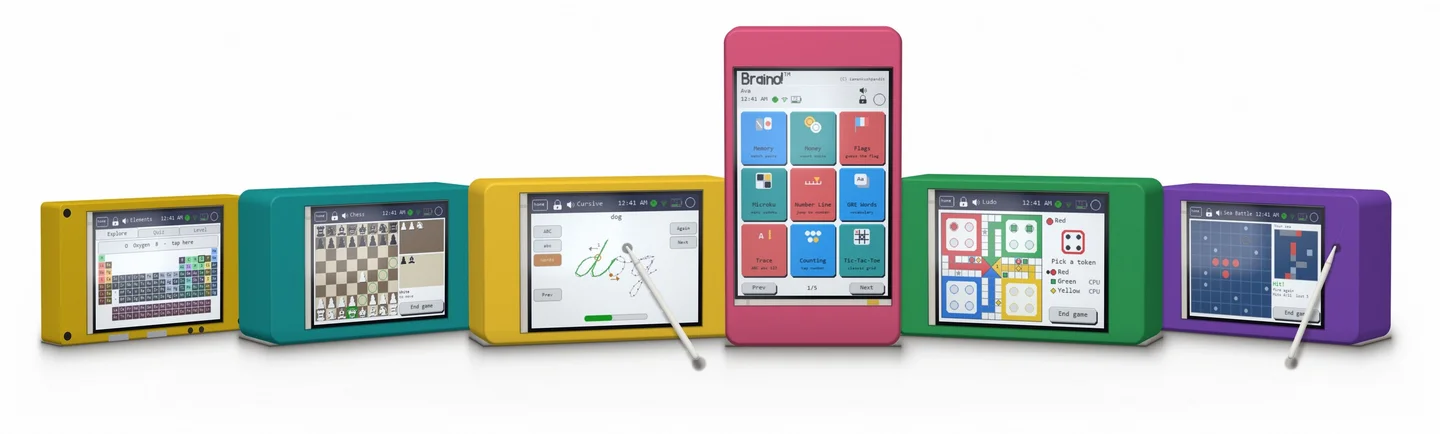
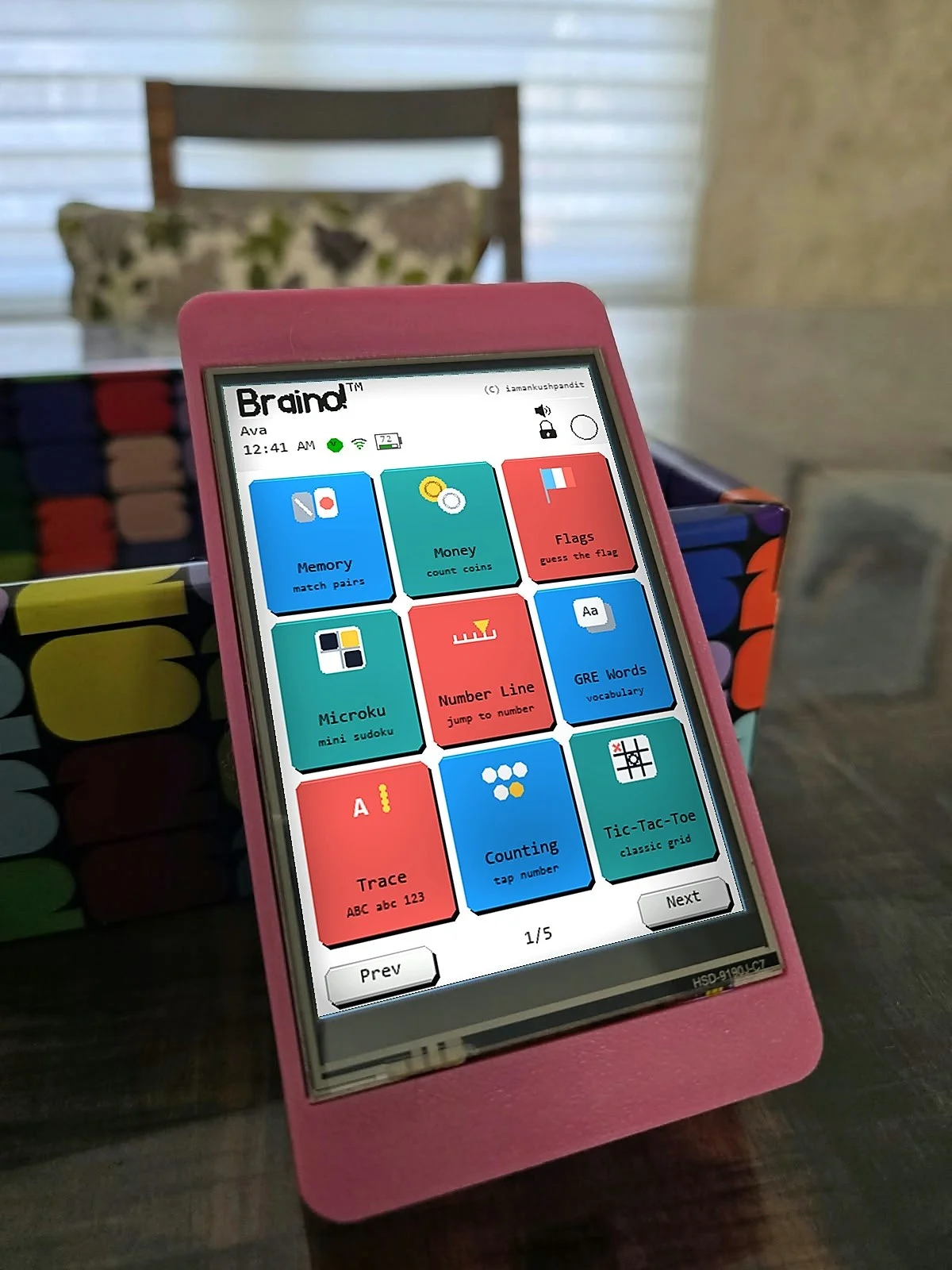
Grouped the way the README groups them, counted from its own tables: numbers and early maths (11) — counting, arithmetic, fractions, money, percents, sorting, Roman numerals, with word problems from level 2; world knowledge (15) — a flags game covering 195 flags, US states and maps, calendar, time, space, the real 118-cell periodic table, piano, chess, Sea Battle, cursive handwriting, Ludo, backgammon, Go; logic, memory and attention (14) — memory pairs, mazes, sliding puzzles, whack-a-mole, tic-tac-toe, tracing, vocabulary, dice and coin flips. The board games are the headline: chess follows "the full rules" including castling and en passant, Go plays 9x9 with five rule sets, and backgammon and Ludo are complete too. Handwriting is real finger-tracing practice — joined-up cursive plus printed letters.
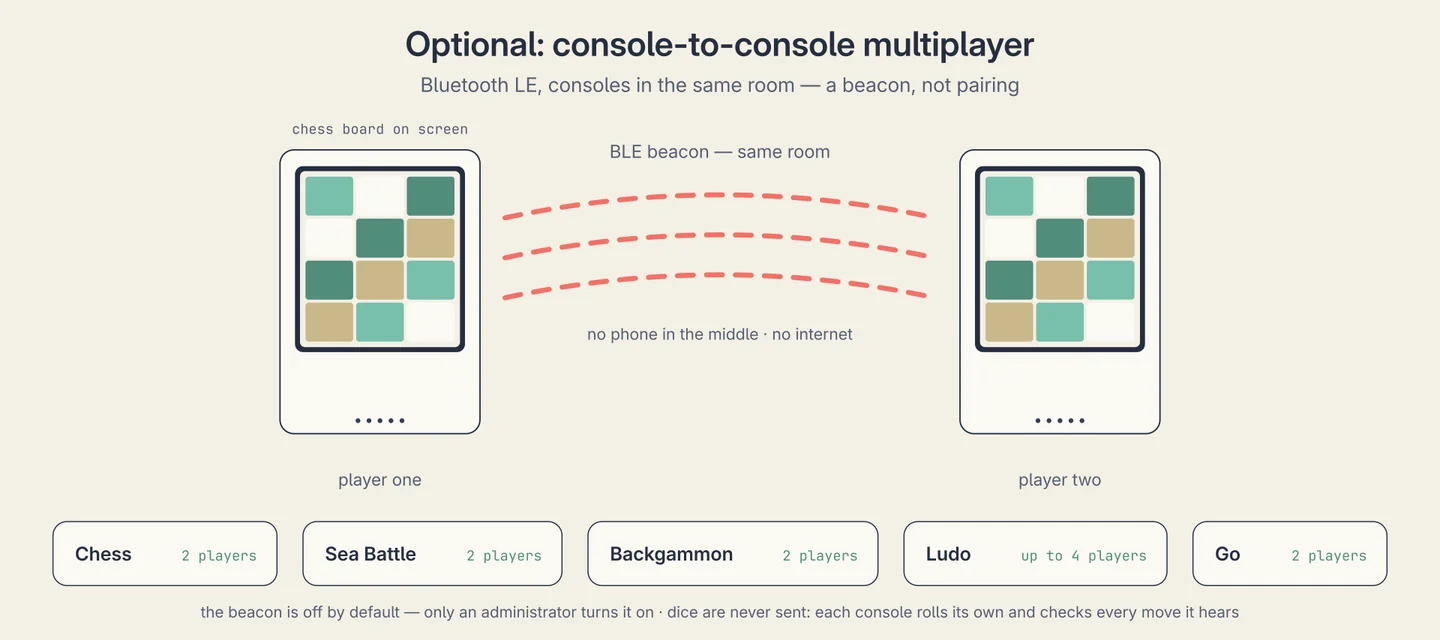
Two family features: five player profiles with saved scores, and any game can be hidden per profile (parental gating, admin-only). Optional console-to-console multiplayer works over Bluetooth for the board games — off by default, no pairing, and per the maker's forum post, "Nothing identifying travels with a move: no name, no profile, no score."
Parts list and cost
The parts you need: one supported CYD-family board plus its USB-C data cable, and — optionally — a 3.7 V single-cell LiPo of about 3000 mAh with protection and a 20 mm speaker with a JST 1.25mm plug. The battery connector is not specified in the maker's docs — check your board's battery plug before buying. The Freenove FNK0104B is our exact catalog match (also sold as LCDWIKI ES3C28P); the E32R28T-1, E32R32P, E32R40T and dual-USB 2432S028 are alternatives — pick one board only. Without the speaker, the RGB LED still gives right/wrong feedback. The line-by-line list with our notes is in the Parts list on the page.
On cost: the maker publishes no build total anywhere — the Hackster parts list carries no prices. Figures floating around the Hackaday comments (cheap CYDs versus a second-hand Android phone) are commenters' estimates, not verified listings, so we don't repeat them as fact.
License and philosophy
GPL-3.0, verified from the LICENSE file itself. The philosophy is the appealing part for parents: per the README's privacy section, "No accounts, analytics, telemetry, or personal-data collection" — and "Scores and mastery data live in the console's own storage and never leave it." Wi-Fi, if you turn it on, only fetches the time, guesses the time zone once and checks daily for a newer Braino — and you can skip it entirely; there are no ads and nothing to sign up for.
Trademark note: Braino!, the game names and GoodTime Micro Company™ are trademarks of the maker. This MCU Atlas page is an independent guide, not affiliated with or endorsed by the project.
Honesty split
MCU Atlas has not run Braino on hardware. What we verified ourselves, on 2026-11-26: the README's game tables still count exactly forty games (11 + 15 + 14, parsed programmatically from the raw README), the browser-installer page is live, the current release is v5.14.0, and the six-board list and flashing steps above quote the maker's README and Hackster guide verbatim. Everything else — gameplay, battery behaviour, multiplayer feel — is the maker's own documentation, cited in the Links section.
Source & Attribution
Bill of Materials
Parts list
5 parts · 0 linked
Heads up: some Buy links are affiliate links. If you buy through one, MCU Atlas may earn a small commission at no extra cost to you. It never changes which parts we list. How this works
1× E32R28T-1 / E32R32P / E32R40T / dual-USB 2432S028 (alternative boards)
1× 3.7 V single-cell LiPo, about 3000 mAh, with protection
1× 20 mm speaker, JST 1.25mm
1× USB-C data cable
Not included: The classic micro-USB ESP32-2432S028R CYD is NOT supported — "If your board is not in this table, it is not supported", Nothing to buy beyond parts: the browser installer flashes the firmware over Web Serial — no app, no account, no cloud
Learn
Docs & guides
Read these before you buy. These pages explain things; they don't sell anything.
- Project repository (Gume — README, game tables, cases)iamankushpandit/Gume — the Braino! firmware source, GPL-3.0Docs
- Browser installer (Web Serial flash)Pick your board, plug in USB, press the button — desktop Chrome, Edge or OperaDocs
- Hackaday: Braino Takes The Cheap Yellow Display To SchoolTom Nardi's write-up of the project (and its comment thread)Docs
- Hackster guide + BOMThe maker's step-by-step guide with the parts list (describes v5.12.3 — the repo is current)Docs
- Arduino forum showcase threadThe maker's own showcase post, including the multiplayer privacy quoteDocs
- hackaday.io project pageProject logs, files and the printable case filesDocs
Related Projects