DIVINER: occult synth firmware for the M5Stack Cardputer ADV
MIT-licensed firmware that turns the M5Stack Cardputer ADV into a pocket synth, ASCII-visual machine and gentle network explorer — no toolchain, no soldering.
What it is
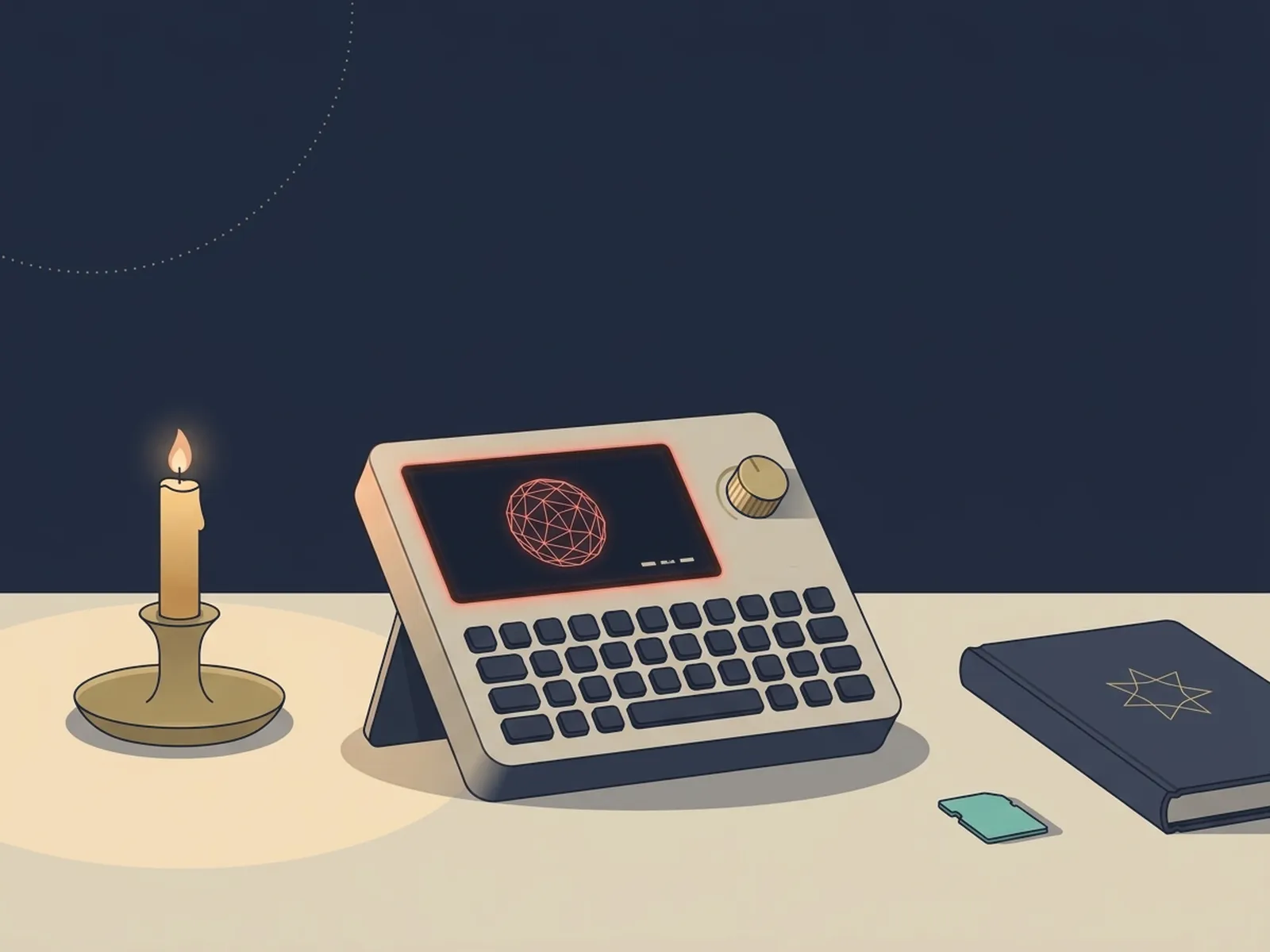
Free MIT-licensed firmware by numbpill3d that turns the M5Stack Cardputer ADV into a pocket audiovisual instrument: 16 'rites' across sound (drone synth, groovebox, bytebeat livecoder), sight (ASCII 3D, plasma and glyph-rain screens), the wired (gentle, look-only Wi-Fi/BT/LAN exploration) and wards (IR remote). Installs like an app from the bmorcelli Launcher — no toolchain, no soldering.
What you need
- M5Stack Cardputer ADV the whole build — ESP32-S3, keyboard, screen, audio codec and battery on one board (ADV only, not the original Cardputer)
- Any microSD card carries the prebuilt firmware.bin for the Launcher install; not needed if you flash in a browser
How hard
Beginner: one purchase, nothing to solder, nothing to compile — copy a file to the SD card and install it from the Launcher, then play. Budget ten minutes.
Photos
Photos: numbpill3d (MIT)
Key Facts
- 16 rites across four domains — sound, sight, the wired, and wards: drone synth, groovebox, bytebeat livecoder, ASCII 3D, Wi-Fi constellation, IR remote and more
- MIT license, by numbpill3d — v0.1.0 "First public preview" released 2026-10-26, repo active through 2026-11-11
- No toolchain: the prebuilt firmware.bin installs from the bmorcelli Launcher off a microSD card, or flash the full image in a browser with esptool-js
- Beginner build: one device, no soldering, no accessories — Cardputer ADV only (the original Cardputer is a different board)
- Networked rites are look-only-or-benign by design; the project's NOTICE excludes deauth, flooding and phishing attacks outright
About This Project
DIVINER is free, MIT-licensed firmware for the M5Stack Cardputer ADV by numbpill3d (on hackaday.io as voidrane Splicer). Its own README calls it a "Daedric / Lain-core skinned companion firmware for the M5Stack Cardputer ADV, booted by the Launcher. Sixteen 'rites' across four domains — sound, sight, the wired, and wards." Under the occult skin it's an open-source C++ project built with PlatformIO on the M5Stack ecosystem: a synthesizer, a visual toy box, and a set of look-don't-break network tools, all navigated from the Cardputer's keyboard and 1.14-inch screen.
The Cardputer ADV it runs on is, as Hackaday put it, "essentially a tiny ESP32-S3 dev kit with an even tinier screen, keyboard, some GPIOs, I2C, and an audio jack" — with a battery, speaker and headphone jack built in. DIVINER's audio path uses the board's ES8311 codec at 24 kHz, so the sound apps are real instruments, not beeps. First release v0.1.0 landed 2026-10-26; the repo has been actively updated since (latest commit to main checked 2026-11-11).
Why it's a good first project
Everything about DIVINER is aimed at the person who doesn't own a soldering iron. One purchase, nothing else: a Cardputer ADV and any microSD card are the whole bill of materials — no toolchain, no compiling, no wiring (today's price is on the Parts list below). It installs like an app: the repo ships prebuilt firmware images, so getting DIVINER onto the board is a file copy and a menu pick. The payoff is instant — the first thing you can do after booting it is play an instrument: hold a chord on the drone synth and the device makes sound, where most microcontroller first projects end in an LED. And it's hard to misuse: the networked rites are deliberately look-only-or-benign, and the project's NOTICE flatly refuses the destructive stuff (see the DIVINER vs Bruce section below).
One honest correction to what you may have read elsewhere: some blogs claim DIVINER has a browser-based simulator you can try with zero hardware. It doesn't. The simulator DIVINER ships is a desktop SDL2 application you build yourself with PlatformIO ("Open-source C++ firmware with a native desktop simulator" is how the project puts it) — great if you're already a developer, but it is not a click-and-play web page. The zero-risk first step for a newcomer is the Launcher install path on real hardware, which involves no build tools at all.
The hardware
You need exactly one thing: the M5Stack Cardputer ADV (part page in the Parts list below) — an ESP32-S3FN8 board with a 1.14-inch LCD, 56-key keyboard, ES8311 codec plus mic and speaker, 3.5 mm jack and a 1500 mAh battery. Add any microSD card if you want the easy Launcher install.
Two caveats that matter. ADV only: the original Cardputer is a different board; DIVINER "should not be assumed compatible with earlier Cardputer models without additional porting work." And no accessories required: M5Stack sells LoRa and CC1101/NFC caps for the ADV, but DIVINER's rites don't use them — don't buy anything beyond the board.
Installing it: no toolchain, two routes
DIVINER boots from the community Launcher (bmorcelli/Launcher) and ships prebuilt images in the repo's dist/ directory, so you never open Arduino IDE or PlatformIO.
Route A — Launcher on the ADV (recommended, keeps your setup): have the bmorcelli Launcher running on your Cardputer ADV (it's the standard community menu for this board), download DIVINER's prebuilt firmware.bin from the repo's dist/ directory and copy it to the SD card. The README's instruction, in one line: "Copy firmware.bin to the SD card and install it from the Launcher, or push it over USB serial while the Launcher is running" — the Launcher grows the app partition to fit.
Route B — flash the full image in a browser: if anything is already on the board, back it up first: "The ADV is a full wipe from the factory firmware — back up first with esptool read-flash 0 0x800000 backup.bin." That warning is the README's, and we repeat it because it means what it says. Then open esptool-js (Espressif's Web Serial flasher, Chrome/Edge), drag in the merged factory image daedric-grimoire-cardputer-adv.bin, and flash at offset 0x0. The repo publishes SHA256 checksums alongside the images so you can verify the download.
Either way, budget ten minutes. If you later want to hack on DIVINER itself, that's when PlatformIO enters your life — including the desktop simulator (pio run -e native).
A tour of the rites
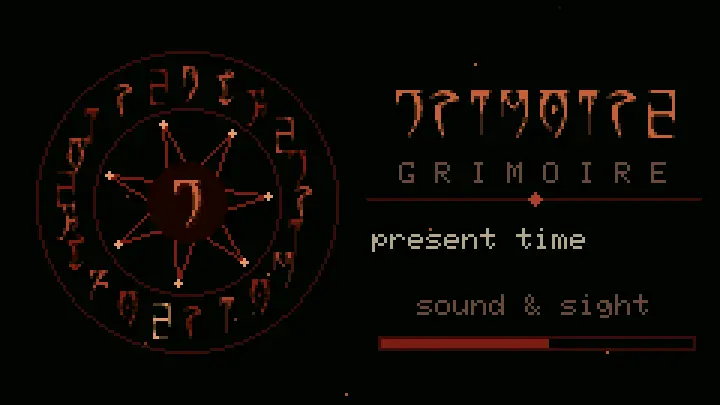
Sixteen apps, one visual language ("Sixteen applications share the same visual language" — the menu's Daedric-styled names dissolve into English as you select). The standouts for a first evening:
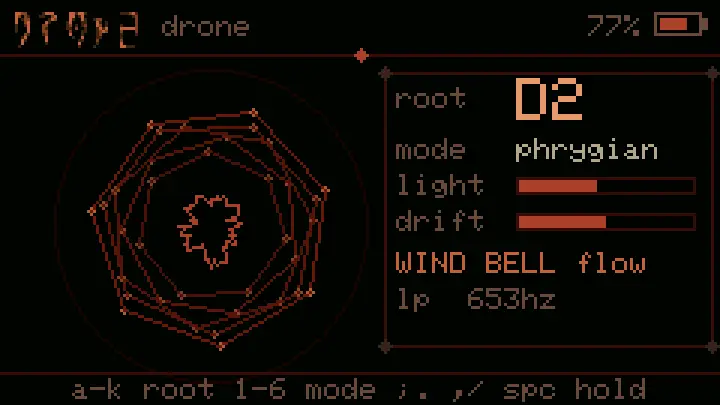
Sound. drone is the headline act: a "generative drone box: 5 drifting voices, resonant LP, wind, bells, dark delay" — five slowly evolving voices you conduct from the keyboard, an ambient instrument you can get lost in. seq is a full "groovebox: kick/snare/hat/acid, euclid fills, 4 pattern banks + song mode + save/load". And beat is a "bytebeat livecoder: type a C expression in t, hear it instantly" — one line of code becomes a chiptune, which is the most honest fun-per-character any programming language offers.
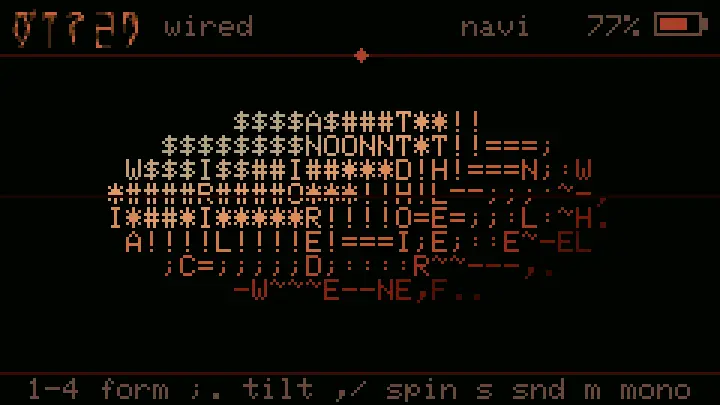
Sight. wired draws "ASCII 3D: torus, navi sphere, wireframe solids, tunnel" on the little LCD. visions is a suite of "plasma, Oblivion gate, ash-fire, Daedric glyph-rain, heptagram kaleidoscope" screens. oracle will "cast three runes with bell chimes" when you need a decision made for you.
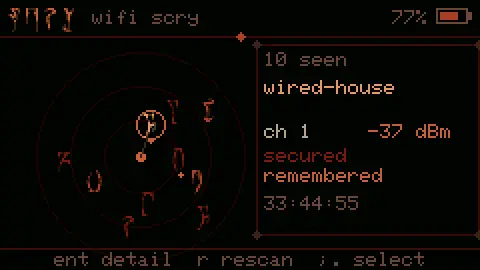
The wired (network, gently). link joins Wi-Fi (remembers networks, detects captive portals and clicks through — 2.4 GHz only). scry renders nearby "Wi-Fi networks as a constellation". listen is a "receive-only channel monitor you can hear" — it does not transmit interference. kin shows "Bluetooth devices as drifting familiars". net will "map the LAN: hosts, names, open ports". And gemini is a "gemtext browser over TLS (+ posting)" — a browser for the small, quiet Gemini protocol, which the project describes by noting "Gemini is a lightweight document-oriented protocol". (Despite what some coverage claimed, this is not an AI chat client — the name is the protocol.)
Wards. sentinel "learns a baseline, then alarms on unknown devices; flags likely drones" — heuristic hints, not proof of anything. pulse is "Wi-Fi CSI motion / presence radar (experimental)", which the author describes as an "experimental sensing system rather than a calibrated motion detector". probe does "active HTTP recon + default-credential check on an authorized host". And when the séance is over, banish is an "IR remote: TV power/volume across 5 protocols" for the living room.
DIVINER vs Bruce
If you've read our Bruce page you know the other famous firmware for this board, and the two get compared. Bruce describes itself as "a versatile ESP32 firmware packed with offensive-security tools, built to make Red Team operations fast and portable", and its feature list ships the attack tools to match: deauth floods, evil portals, beacon spam, jammers. It's AGPL-licensed, and it's aimed at security professionals.
DIVINER is the opposite posture on the same hardware. It's a creative audiovisual environment first, and where it touches networks its NOTICE is explicit: "This project deliberately does not implement denial-of-service or phishing attacks" — specifically excluding "Wi-Fi deauth/beacon/BLE flooding, evil/captive portals" — and limiting the networked and IR rites to "networks and devices you own or have explicit written permission to test… such as a CTF or a sanctioned engagement." MIT-licensed, built for playing music and seeing your Wi-Fi as a constellation.
Neither project references the other; they aren't forks or rivals. They're two very different answers to the question of what a pocket computer can be — and both install through the same bmorcelli Launcher ecosystem, so you can carry both on one SD card.
Safety and honest limits
Authorized use only: the banner is the project's own — use the networked and IR rites only on "networks and devices you own or have explicit written permission to test… such as a CTF or a sanctioned engagement." It's brand new: v0.1.0, released 2026-10-26, one author — expect rough edges, and don't build a job around pulse or sentinel; the author himself labels drone detection heuristic-only and pulse experimental. ADV-only, 2.4 GHz Wi-Fi only, and flashing the full image wipes the factory firmware (back up first — see install route B). No browser simulator exists; trying DIVINER before buying hardware means building the desktop simulator yourself. MCU Atlas has not run this firmware on hardware; every behavioral claim above is the project's own documentation, cited below. Not affiliated with numbpill3d, M5Stack, or the Bruce project.
License: MIT — verified from the LICENSE file itself (canonical MIT text carrying "Copyright (c) 2026 numbpill3d"), pinned at commit 8e6155e. GitHub's licence badge shows NOASSERTION only because a third-party-components addendum shares the LICENSE file; the license terms are canonical MIT. Repo preview images are covered by that same MIT license (© numbpill3d).
Source & Attribution
How to Build It
Parts Needed
- An M5Stack Cardputer ADV (ESP32-S3, SKU K132-ADV) — the original Cardputer is a different board and not supported
- Any microSD card (for the recommended Launcher install)
- A USB-C data cable (only for the browser-flash route or USB-serial push)
Steps
- 1
Get the board
Buy an M5Stack Cardputer ADV (SKU K132-ADV). DIVINER runs on the ADV only — the project says it "should not be assumed compatible with earlier Cardputer models without additional porting work."
- 2
Pick your install route
Route A installs DIVINER as an app from the bmorcelli Launcher and keeps your existing setup. Route B flashes the full factory image from a browser and wipes whatever is on the board — back up first if you go that way.
- 3
Route A: install from the Launcher
Have the bmorcelli Launcher running on your Cardputer ADV (the standard community menu for this board). Download DIVINER's prebuilt firmware.bin from the repo's dist/ directory, copy it to the SD card, and install it from the Launcher — or push it over USB serial while the Launcher is running. The Launcher grows the app partition to fit.
- 4
Route B: back up, then flash in a browser
The README's warning first: "The ADV is a full wipe from the factory firmware — back up first with esptool read-flash 0 0x800000 backup.bin." Then open esptool-js (Espressif's Web Serial flasher, Chrome/Edge), drag in the merged factory image daedric-grimoire-cardputer-adv.bin, and flash at offset 0x0. The repo publishes SHA256 checksums alongside the images so you can verify the download.
- 5
First boot and first sounds
The Daedric-styled menu appears; rite names dissolve into English as you select them. Try drone first — the generative drone box with five drifting voices — then beat, where one C expression in t becomes a chiptune, and wired for ASCII 3D on the little screen.
- 6
Stay within the project's rules
Use the networked and IR rites only on "networks and devices you own or have explicit written permission to test… such as a CTF or a sanctioned engagement" — the project's NOTICE excludes deauth, flooding and phishing outright. pulse and sentinel are experimental heuristics, not calibrated instruments.
- 7
Optional: hack on it
DIVINER is a PlatformIO C++ project with a native desktop simulator (pio run -e native) — the developers' path for trying changes without hardware. There is no browser simulator.
Bill of Materials
Parts list
3 parts · 0 linked
Heads up: some Buy links are affiliate links. If you buy through one, MCU Atlas may earn a small commission at no extra cost to you. It never changes which parts we list. How this works
1× microSD card
1× USB-C data cable
Not included: M5Stack's LoRa and CC1101/NFC caps for the ADV — DIVINER's rites don't use them, Nothing to solder, no tools, no compile toolchain — the prebuilt images install without any
Learn
Docs & guides
Read these before you buy. These pages explain things; they don't sell anything.
- Project repo (Source)numbpill3d/cardputer-adv-diviner — the rites, dist/ prebuilt images and docsDocs
- README + flashing docsInstall routes (Launcher and browser flash), the 16-rite table, dist/FLASHING.mdDocs
- Hackaday write-up2026-11-14 article with the author's context and screenshotsDocs
- hackaday.io project pageBuild logs, details essay and media by voidrane SplicerDocs
Related Projects