ESP-AnalogRadio: FM stereo, AM and SSB on an ESP32
ESP-AnalogRadio turns an ESP32 or ESP8266's Wi-Fi radio into a two-way analog rig: flash a sketch, open a browser, talk FM stereo, AM or SSB between two boards.
What it is
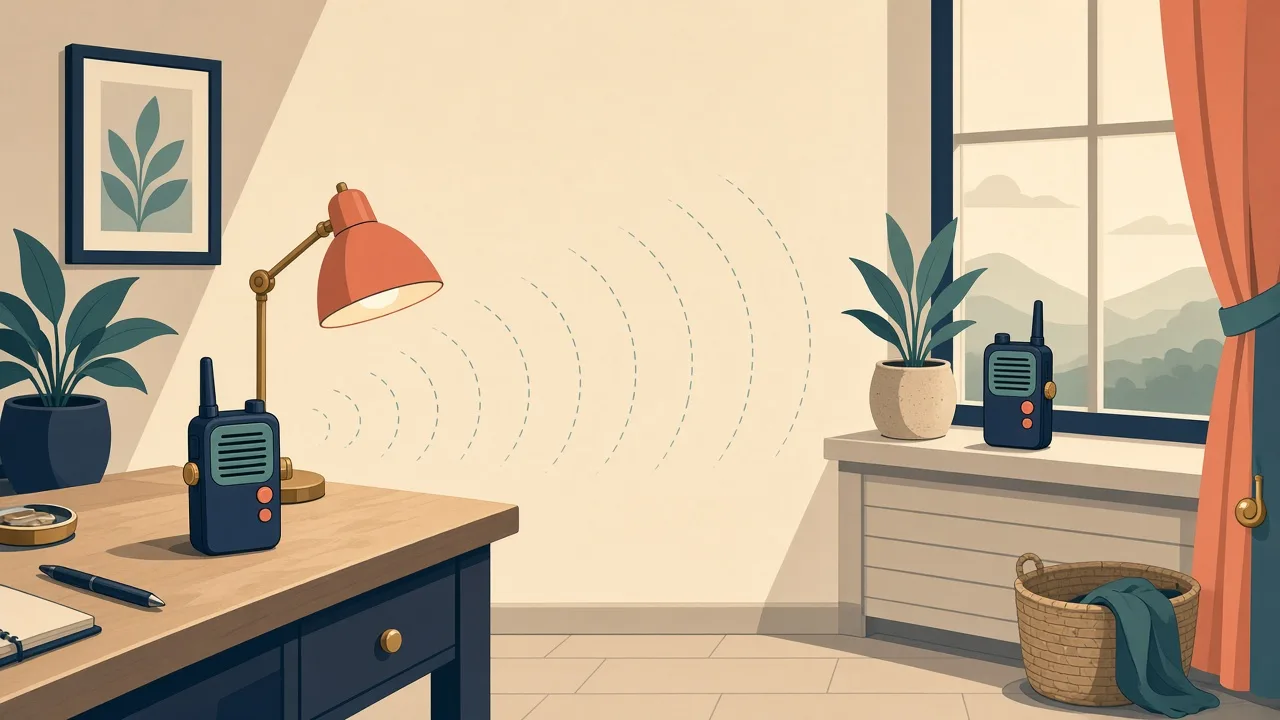
An Arduino-sketch collection by kaboom748 that coaxes the Wi-Fi radio inside an ESP32 or ESP8266 into the classic analog modes — FM stereo, AM and SSB — with browser-based Web Serial players. Two boards make an ESP-to-ESP voice link: no extra components, no soldering.
What you need
- One supported ESP board per station (two to talk) ESP8266 D1 mini (the README's starter), classic ESP32, ESP32-C6, or ESP32-C5 for the 5 GHz band
- A reliable USB data cable for each Web Serial builds want a USB-UART bridge and driver that sustain 2,000,000 baud, 8N1
- Desktop Chrome or Edge the players talk to the boards over Web Serial; the browser's own mic and speakers are the audio path
How hard
Beginner: flash a sketch, open a browser, push to talk — with the transmit-legality caveat read first, the 2,000,000-baud serial spec noted, and the player controls labelled in French.
Key Facts
- Four boards supported — ESP8266, classic ESP32, ESP32-C6 and dual-band ESP32-C5 — with the FM stereo transceiver (C.B. V15) on all four; AM on the ESP8266 and C5; SSB transmit on the ESP8266 or C5; the standalone SSB receiver is ESP8266-only (an ESP32-C5 can receive 5 GHz FM stereo through the C.B. project)
- Every mode ships as a ready-to-run Arduino sketch, not a library you assemble — "No soldering, no extra components" (README)
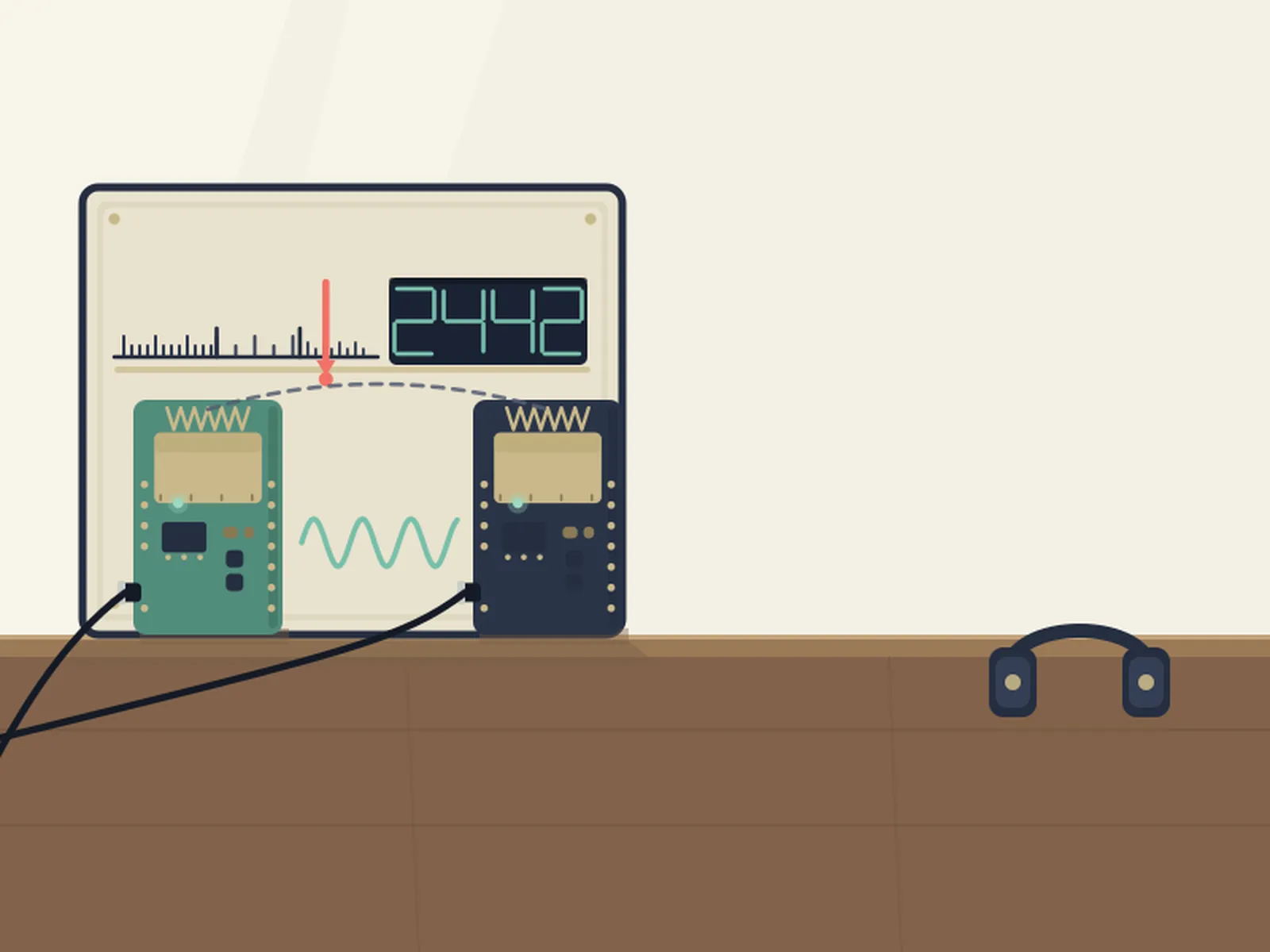
- All builds live in the 2.4 GHz ISM band (default test frequency 2442.3125 MHz); only the ESP32-C5 adds a second band at 5 GHz — standard AM/FM broadcast radios cannot hear any of it
- C.B. FM Stereo V15 moves the whole stereo encoder into the ESP: voice over USB serial as 12-bit PCM, with the 19 kHz stereo pilot and RDS data generated on-chip
- Players run in desktop Chrome or Edge over Web Serial — the universal page at 1,500,000 baud 8N1; the Web Serial builds want a USB-to-UART bridge and driver that sustain 2,000,000 baud
- GPL-3.0 (verified from the repo's LICENSE file, not just the README) — the SSB techniques build on SP8ESA's MIT-licensed ESP8266 2.4 GHz SSB transceiver, and the README points to per-sketch upstream attribution notices
- Bench figures are the maker's own HackRF-quoted measurements: 27.49 dB mono tone SNR, 30.90 dB L→R separation at 997 Hz, FM residual 70.4 Hz RMS (ESP8266, the cleanest) to 165.9 Hz RMS (C5 at 5745 MHz); synthesizer steps 78.125 kHz (ESP8266) and 39.0625 kHz (ESP32s)
- Transmitting is regulated: 47 CFR § 15.249 (US) and ERC Recommendation 70-03 (much of Europe) permit low-power unlicensed operation in the 2.4 GHz band within strict limits — and the board's Wi-Fi certification covers digital Wi-Fi only, not analog transmission. Read the caveat callouts before you transmit
- Repo live and active at our check (created 2026-11-07, pushed 2026-11-25, not archived, single contributor); Hackaday feature by Jenny List, 2026-11-23
About This Project
You already own a radio. If there is an ESP32 or an ESP8266 in your parts drawer, the Wi-Fi radio inside that chip can be coaxed into speaking the classic analog modes — FM stereo, AM, even SSB — with no extra components. That is the whole idea of ESP-AnalogRadio, which kaboom748 published in November 2026: "Turn a pocket-sized ESP board into an analog radio station." Hackaday's Jenny List covered it just over two weeks later, and her framing is the honest one: "The repository has ready-to-go software, in both transmit and receive", and "these hacks work on the ESP8266 as well as the ESP32 series". For a newcomer who wants a first radio, that last sentence is the point — the cheapest board you own is already the rig.
The README's headline is blunt: "RX AND TX SUPPORTED". Four boards are supported — the ESP8266, the classic ESP32, the ESP32-C6 and the dual-band ESP32-C5 — and every mode ships as a ready-to-run Arduino sketch, not a library you have to assemble. The current flagship, C.B. FM Stereo V15, moves the whole stereo encoder into the ESP: your voice travels over USB serial as 12-bit PCM, and the chip generates the 19 kHz stereo pilot and RDS data on-chip. In the maker's own words, "No soldering, no extra components: all you need is an ESP8266 D1 Mini and its serial port to broadcast analog FM stereo."
One nuance keeps the summary honest. Project-level, every mode transmits and receives; per board, the guide's table narrows it: the current stereo-FM transceiver (C.B. V15) runs on all four boards; AM has ESP8266 and C5 builds; the standalone SSB receiver is ESP8266-only (an ESP32-C5 can receive 5 GHz FM stereo through the C.B. project). Check the project guide for your exact board before you flash.
There is a bigger catch, and it is about where, not how well, it works. The radio transmits where the chip's silicon allows — Hackaday puts it plainly: the hacks are "restricted to whatever frequency the chip supports, so without a converter you are stuck with 2.4 or 5 GHz." Every build lives in the 2.4 GHz ISM band (the default test frequency is 2442.3125 MHz), and only the C5 adds a second band at 5 GHz. A standard AM/FM broadcast radio cannot hear any of it: "This project transmits AM and FM signals in the 2.4 GHz band, outside the tuning range of standard AM/FM radios." You listen with a 2.4 GHz-capable software-defined radio — stereo decode needs a 19 kHz-pilot MPX decoder — or, far more simply, with a second ESP board.
Known upstream issue**Transmitting is a regulated activity — read this before you hit PTT.** ESP-AnalogRadio transmits on Wi-Fi-chip frequencies, not the AM/FM broadcast band. Whether that's legal depends on where you live: in the US, 47 CFR § 15.249 allows low-power unlicensed operation inside 2400–2483.5 MHz and 5725–5875 MHz within strict field-strength limits; in much of Europe, ERC Recommendation 70-03 permits non-specific short-range devices in those bands at 25 mW e.i.r.p. (some countries less); other regions differ. The default project frequency (2442.3125 MHz) is inside the 2.4 GHz band, but wideband FM stereo may still not be lawful where you are, and the board's radio is *not* certified for analog transmission — its Wi-Fi certification covers digital Wi-Fi only. The project's own advice: keep the signal in a shielded bench setup at first, know that the sketches start a CW carrier at boot, and check your local rules before anything leaves your desk. (FCC § 15.249 · ERC Rec 70-03 · the repo's README "Caution" — links below.)
What you'll need
The short list is the pitch: one supported ESP board per station (an ESP8266 D1 mini, a classic ESP32 dev board, an ESP32-C6, or an ESP32-C5 if you want the 5 GHz band), a reliable USB **data** cable for each, and desktop Chrome or Edge on your computer — the players talk to the boards over Web Serial. Audio in and out is your browser's own microphone and speakers; if you want to route a file or a second app instead, the README recommends the free VB-Cable virtual audio device.
No antenna hardware: every build uses the module's own PCB antenna, and the README's warning is to leave it that way — keep metal away and "Preserve the module's antenna keep-out area." A heatsink is a high-power option, not a starter item: "A heatsink is only required at high transmit power, when APWR is set close to 0." One spec matters for the serial link: the Web Serial builds want a USB-to-UART bridge and driver that sustain 2,000,000 baud, 8N1. For flashing, the documented path is the Arduino IDE (on the ESP8266, the ESP8266 Arduino core 3.1.2 with the board CPU set to 160 MHz; one sketch file, one matching folder, upload, close the Serial Monitor). Optionally, a 2.4 GHz-capable SDR such as a HackRF if you want a third ear on the air.
Quick start: two boards, one browser tab
The easiest current path is C.B. FM Stereo V15: flash the matching V15 firmware onto each board (the README links per-board builds), open a local copy of the CB_FM_STEREO-Universal.html player in desktop Chrome or Edge — one tab per station, the universal page runs at 1,500,000 baud, 8N1, and reads each board's capabilities by itself — then connect each board to its own serial port and set both stations to the same RF frequency. The README says to "Start at 2442.3125 MHz for a common 2.4 GHz test." Use two C5 boards for an ESP-to-ESP link at 5 GHz.
Known upstream issue**The legality caveat again, because the next step is where you transmit.** Keep the power low, stay inside the band the firmware occupies — 2400–2483.5 MHz for every build, and only the ESP32-C5's 5 GHz mode outside it — and check your local regulations before anything radiates. And one mechanical trap the README flags in bold: "All four Web Serial sketches start a CW carrier at boot," before your browser ever connects. Its own instruction: "Set up RF containment before flashing, resetting, or powering the board." Stop the carrier with the ARRÊT RF button (the player controls are labelled in French) or by removing power, and keep the player tab in the foreground — background throttling kills the serial stream.
With that caveat read, hold the spacebar or the on-screen microphone to transmit, and release to listen. Two boards make an ESP-to-ESP voice link; one board plus an SDR also works. What you hear on the other board comes out of the browser's speakers. To serve the players properly rather than open files directly, the README's one-liner works: python -m http.server 8000 --bind 127.0.0.1, then open the player page from http://localhost:8000/.
What you'll learn
This project's lesson is radio itself, not wiring. You meet the three classic analog modes on real hardware — amplitude modulation, frequency modulation, and single sideband in USB and LSB flavors — and see why an SSB signal is so much narrower than AM. FM stereo teaches the multiplex trick: the 19 kHz pilot tone, the L−R sideband riding above it, RDS data slots — all generated on-chip by V15. Two-way operation introduces real radio discipline: matching frequencies on both stations, push-to-talk, and the maker's simplex file modem adds forward error correction with a SHA-256 checksum, so a file has to survive — or not — an RF link.
The maker's bench measurements come from a HackRF-based setup — his numbers, not ours: 27.49 dB tone SNR for mono FM, 30.90 dB of L→R separation at 997 Hz for stereo, and per-board FM residual from 70.4 Hz RMS on the ESP8266 (the cleanest of the four) to 165.9 Hz RMS for the C5 at 5745 MHz. The synthesizer steps in 78.125 kHz on the ESP8266 and 39.0625 kHz on the ESP32s — a concrete lesson in why your tuning grid is only as fine as your clock math.
Going further
The FM flagship is the doorway, not the house. The same repo walks outward: AM transmitter and receiver builds, the standalone SSB transceiver (transmit on the ESP8266 or C5, receive on the ESP8266), C.B. Duplex Voice V7 beta, which "alternates short TX and RX slots on one 2.4 GHz carrier, including on the C5", so two people can actually converse, and the simplex file modem with its FEC and checksum. A Wi-Fi-only variant keeps a clip in LittleFS flash and plays it over RF with the Wi-Fi briefly offline, hosting its own HTTP page. If you run sustained transmissions, reread the heatsink guidance — "Install a suitable heatsink before continuous operation" — and for the RF-curious, the repo ships out-of-band characterization PDFs for each of the four chips.
And when you want to see the spectrum instead of talking through it, we have a page for that. Our ESP-SDR Zephyr project covers the general-purpose side of the same Espressif radio-hack wave — a spectrum and I/Q tool for GNU Radio users on the ESP32-S3, C6 and C5 — while ESP-AnalogRadio is the ready-to-run side: flash one sketch, open a browser, and talk between two boards, no SDR host software required. The two projects even disagree usefully about transmitting: the ESP-SDR page's rule is "Don't transmit over the air; for development, connect two boards by coax through an RF attenuator of 30 to 60 dB", while this one treats transmission as a documented, guarded feature with the legality caveat front and center. Start at /projects/esp-sdr-zephyr-2-4-ghz-software-defined-radio-on-the-esp32-s3/.
Honesty split
What we verified first-hand on 2026-11-26: the repository is live, active and unarchived (GitHub API, single-day re-read), its license is GPL-3.0 (read from the LICENSE file itself, not just the README), the README at the current HEAD commit is the one every quote above was checked against, the Hackaday feature and the three regulator sources (US 47 CFR § 15.249, CEPT/ERC Recommendation 70-03, and the ISED pages the README itself cites) were fetched and read, and every link on this page returned HTTP 200 the same day — that is the whole of our methodology, a source-and-link check with saved copies, no hardware involved. We did not build the project, did not flash a board, did not transmit, and measured nothing. Every performance figure on this page is the maker's own HackRF-quoted bench measurement, attributed as such, and every board-support claim is the README's or Hackaday's, not ours.
(MCU Atlas is not affiliated with kaboom748 or the ESP-AnalogRadio project. ESP32, ESP8266 and ESP32-C5/C6 are trademarks of Espressif Systems; HackRF is a Great Scott Gadgets product name; Hackaday and other product names are trademarks of their owners.)
Source & Attribution
Illustration
How to Build It
Parts Needed
- One supported ESP board per station — an ESP8266 D1 mini (the README's starter board), a classic ESP32 dev board, an ESP32-C6, or an ESP32-C5 if you want the 5 GHz band (catalog links are in the page's Parts list)
- A reliable USB data cable for each board — the Web Serial builds want a USB-to-UART bridge and driver that sustain 2,000,000 baud, 8N1
- A computer with desktop Chrome or Edge (the players talk to the boards over Web Serial) with its own microphone and speakers
- Optional: a 2.4 GHz-capable SDR for a third ear on the air (stereo decode needs a 19 kHz-pilot MPX decoder)
Steps
- 1
Flash the V15 firmware on each board
The documented path is the Arduino IDE: on the ESP8266, install the ESP8266 Arduino core 3.1.2 and set the board CPU to 160 MHz; keep one sketch file in one matching folder, upload, then close the Serial Monitor. The README links the per-board builds for C.B. FM Stereo V15 — check the project guide's mode-by-board table for your exact board before you flash.
- 2
Serve the players locally
Rather than opening the player files directly, the README's one-liner works: python -m http.server 8000 --bind 127.0.0.1 — then open the player page from http://localhost:8000/.
- 3
Open the player in desktop Chrome or Edge, one tab per station
Open a local copy of the CB_FM_STEREO-Universal.html player — one tab per station. The universal page runs at 1,500,000 baud, 8N1, and reads each board's capabilities by itself. Keep the player tab in the foreground: background throttling kills the serial stream. The player controls are labelled in French — ARRÊT RF means "RF stop".
- 4
Connect each board and set the same frequency
Connect each board to its own serial port and set both stations to the same RF frequency. The README says to "Start at 2442.3125 MHz for a common 2.4 GHz test." Use two C5 boards for an ESP-to-ESP link at 5 GHz.
- 5
Read this before you transmit
All four Web Serial sketches start a CW carrier at boot — before your browser ever connects. The README's own instruction: "Set up RF containment before flashing, resetting, or powering the board." Stop the carrier with the ARRÊT RF button (the player controls are labelled in French) or by removing power. Keep the power low, stay inside the band the firmware occupies — 2400–2483.5 MHz for every build, and only the ESP32-C5's 5 GHz mode outside it — and check your local regulations before anything radiates: in the US, 47 CFR § 15.249; in much of Europe, ERC Recommendation 70-03 (links on the page's Docs & guides cards).
- 6
Hold the spacebar to transmit, release to listen
With that caveat read, hold the spacebar or the on-screen microphone to transmit, and release to listen. Two boards make an ESP-to-ESP voice link; one board plus an SDR also works. What you hear on the other board comes out of the browser's speakers.
Bill of Materials
Parts list
8 parts · 5 linked
Heads up: some Buy links are affiliate links. If you buy through one, MCU Atlas may earn a small commission at no extra cost to you. It never changes which parts we list. How this works


1× USB data cable + power supply, reliable
1× Heatsink
1× 2.4 GHz-capable SDR (e.g. HackRF) — optional third ear, and the only way standard gear listens
1× VB-Cable virtual audio device
Not included: A computer with desktop Chrome or Edge, a microphone and speakers — the players talk to the boards over Web Serial; not a BOM part, No antenna hardware: every build uses the module's own PCB antenna (keep metal away; "Preserve the module's antenna keep-out area."), Nothing to buy to listen — a second ESP board is the simplest receiver
Learn
Docs & guides
Read these before you buy. These pages explain things; they don't sell anything.
- Project repo (GitHub)kaboom748/ESP-AnalogRadio — the sketches and players (GPL-3.0). The README's credit note: "See the notices in the individual sketches for upstream attribution" — the SSB techniques build on SP8ESA's MIT-licensed ESP8266 2.4 GHz SSB transceiver and kaboom748's ESPBoOm8266Docs
- Hackaday feature"ESP Microcontrollers As Analog Radios" — Jenny List, 2026-11-23Docs
- US: 47 CFR § 15.249The Cornell LII text of the field-strength rule the transmit caveat citesDocs
- Europe: ERC Recommendation 70-03CEPT's short-range device recommendation (ARCEP copy also linked below)Docs
- Canada: ISED RSS-GenGeneral requirements — cited by the README's own Caution blockDocs
- Canada: ISED RSS-247Digital transmission systems — the other ISED standard the README citesDocs
- Web Serial in ChromeThe browser API the players are built onDocs
- ESP8266 Arduino core 3.1.2The documented flashing path for the ESP8266 builds (CPU at 160 MHz)Docs
- VB-CableThe free virtual audio device the README recommends for routing audioDocs
- SP8ESA's ESP8266 2.4 GHz SSB transceiverThe MIT-licensed upstream of the SSB techniquesDocs
- Our ESP-SDR Zephyr pageThe general-purpose side of the same Espressif radio-hack wave — spectrum and I/Q for GNU Radio usersDocs
Related Projects