AirPlay 2 surround (5.1 / 7.1) with one ESP32-S3 per speaker
Firmware that turns each speaker into its own AirPlay 2 receiver on an ESP32-S3, so an Apple TV can play 5.1 or 7.1 surround to a set of wireless speakers with no AV receiver. Needs an Apple TV. The repo has no licence file.
What it is
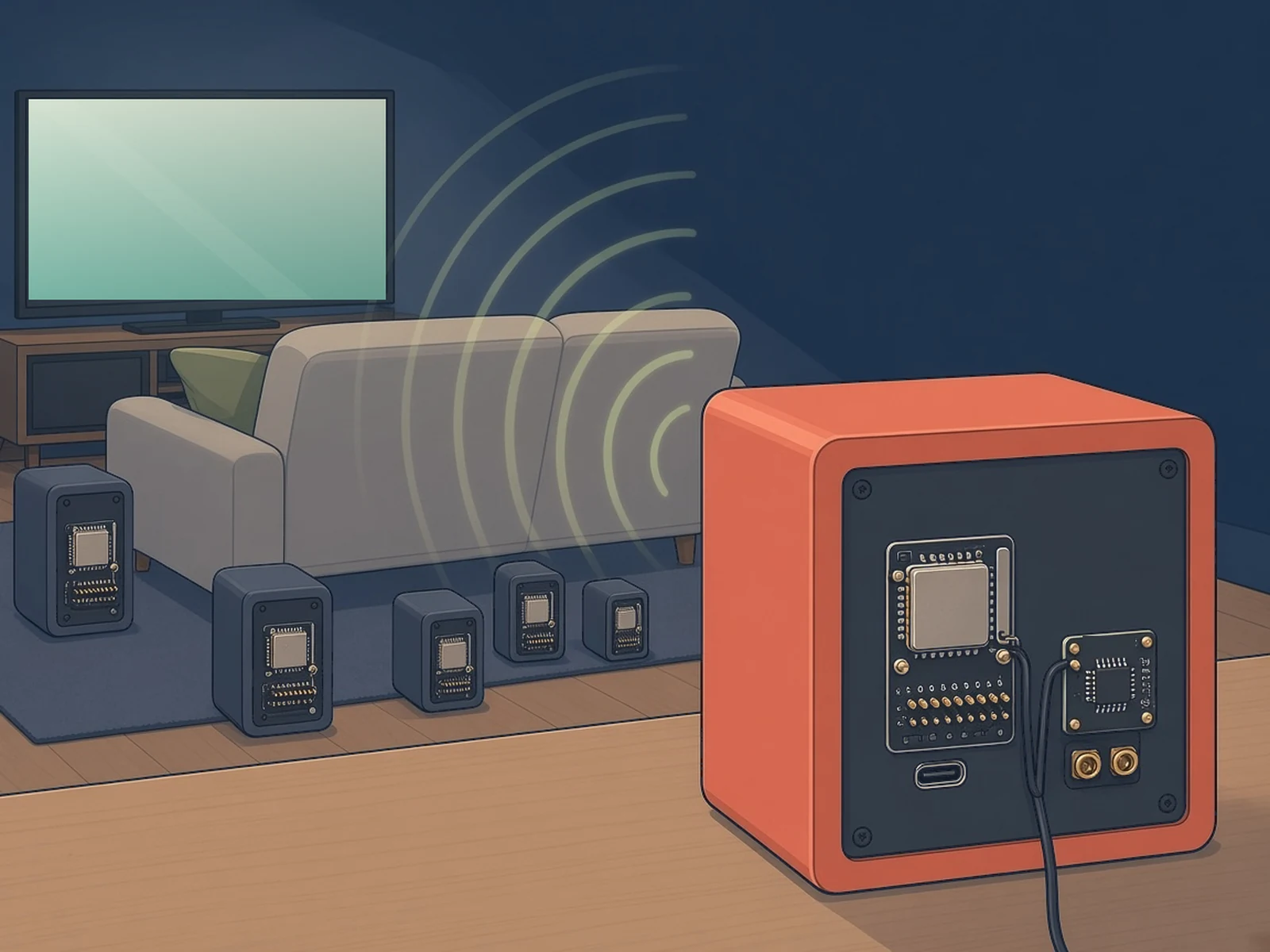
Wireless 5.1 or 7.1 surround from an Apple TV: each speaker gets its own ESP32-S3 AirPlay 2 receiver, with no AV receiver.
What you need
- ESP32-S3-DevKitC-1 N8R8 one per speaker; PSRAM required
- MAX98357A I2S amp or a PCM5102A DAC + analogue amp
- Speaker, 4–8 Ω
- An Apple TV required; not included
How hard
Advanced. You build the firmware with ESP-IDF for every board, wire an amp or DAC per speaker and set each position and EQ in the web page. Experimental, and it needs an Apple TV.
Key Facts
- Needs an Apple TV: only the Apple TV sends 5.1 / 7.1; iPhone, iPad and Mac send stereo
- One ESP32-S3 N8R8 (8 MB flash, 8 MB PSRAM) per speaker; PSRAM is required
- 5.1 = 6 boards, 7.1 = 8 boards; start with 2–3
- Audio: MAX98357A I2S amp (about 3 W) or PCM5102A I2S DAC + any analogue amp
- Boards sync from AirPlay 2's PTP clock; no AV receiver or hub
- Needs 2.4 GHz Wi-Fi at every speaker
- Build with ESP-IDF v6.0.2; later updates over Wi-Fi
- No licence file in the repo; the bundled FDK AAC decoder is under the FDK license
About This Project
esp32-airplay2-surround, by Kristian Dimitrov (Kristian8606), builds a wireless 5.1 or 7.1 surround system from one ESP32-S3 board per speaker. Every board is a full AirPlay 2 receiver that decodes only its own channel, and the boards stay in sync through AirPlay 2's PTP clock, so they never talk to each other and there's no AV receiver or hub. It needs an Apple TV: only the Apple TV sends surround, and an iPhone, iPad or Mac sends stereo to these boards. It also needs a 2.4 GHz Wi-Fi network with good coverage at every speaker. Surround arrives as 5.1 or 7.1 AAC (for example Apple Music Dolby Atmos or films); stereo works too, as ALAC 44.1 kHz/16-bit, lossless 48 kHz/24-bit and AAC, and the Apple TV can switch formats on the fly. Each board needs an ESP32-S3 with 8 MB flash and 8 MB PSRAM (N8R8), because the stream buffer alone takes 6 MB, plus either a MAX98357A I2S amplifier (the simplest, about 3 W) or a PCM5102A I2S DAC feeding any analogue amplifier. 5.1 takes 6 boards and 7.1 takes 8, but you can start with 2 or 3. A web page on each board sets its speaker position, a 2 × 24-band parametric EQ and crossover, loudness, latency, Wi-Fi and over-the-air updates, with live logs and a Wi-Fi speed test. The author measured about 31–34 % of one CPU core for one 7.1 speaker, using a patched Fraunhofer FDK AAC decoder. You build and flash it yourself with ESP-IDF v6.0.2. The author calls it experimental and under active development, tested with one Apple TV. The Subwoofer position plays only the LFE channel (no bass management). Licence: the repo has no licence file, so no licence is granted beyond viewing it on GitHub; the bundled Fraunhofer FDK AAC decoder has its own FDK license, which grants no patent rights. It is based on rbouteiller/airplay-esp32, and it isn't affiliated with Apple.
Source & Attribution
Illustration
Parts Needed
- ESP32-S3 N8R8 board (one per speaker)
- MAX98357A I2S amp, or PCM5102A I2S DAC + analogue amp
- 4–8 Ω speaker
- 5 V USB supply (≥ 1 A) per board
- Jumper wires
- An Apple TV
Steps
- 1
Wire each speaker
MAX98357A: GPIO5 → BCLK, GPIO6 → LRC, GPIO4 → DIN, 5V → VIN, GND, with SD and GAIN unconnected. PCM5102A: the same GPIOs, SCK to GND, FLT, DEMP and FMT low, XSMT high.
- 2
Build and flash
Install ESP-IDF v6.0.2, clone the repo, run idf.py set-target esp32s3 (and menuconfig if you want), then idf.py build and flash each board over USB.
- 3
Join Wi-Fi
Each new board opens the ESP32-AirPlay-Setup access point. Join it, pick your 2.4 GHz network and connect.
- 4
Name and place
Open http://<board-ip>/, give the board a clear AirPlay name, then choose its speaker position on the /eq page.
- 5
Group on the Apple TV
In the Apple TV's Control Center open the AirPlay audio output and tick every board, then play something in surround. Set a tweeter's high-pass before playing loud.
Bill of Materials
Parts list
8 parts · 5 linked
Heads up: some Buy links are affiliate links. If you buy through one, MCU Atlas may earn a small commission at no extra cost to you. It never changes which parts we list. How this works
1 per speaker× ESP32-S3-DevKitC-1
Get the N8R8 version (8 MB flash, 8 MB PSRAM)



1 per speaker× MAX98357A I2S class-D amp
1 per speaker× PCM5102A I2S DAC
1 per speaker× Analogue amplifier (PAM8403, TPA3110 / TPA3116, TDA7498 or a subwoofer plate amp)
1 per board× Speaker, 4–8 Ω
1 per board× USB power supply
Not included: An Apple TV (required for surround), A 2.4 GHz Wi-Fi network with good coverage at every speaker, An enclosure per speaker: 3D-printed, wooden or an existing speaker box, A computer with ESP-IDF v6.0.2 to build and flash the firmware
Related Projects