Muzi Works Base Uno: a solar-ready Meshtastic base node for off-grid check-ins
A matchbox-size Meshtastic node that ships with a solar-ready charger: add battery and panel and your household keeps a text channel when cell dies.
What it is
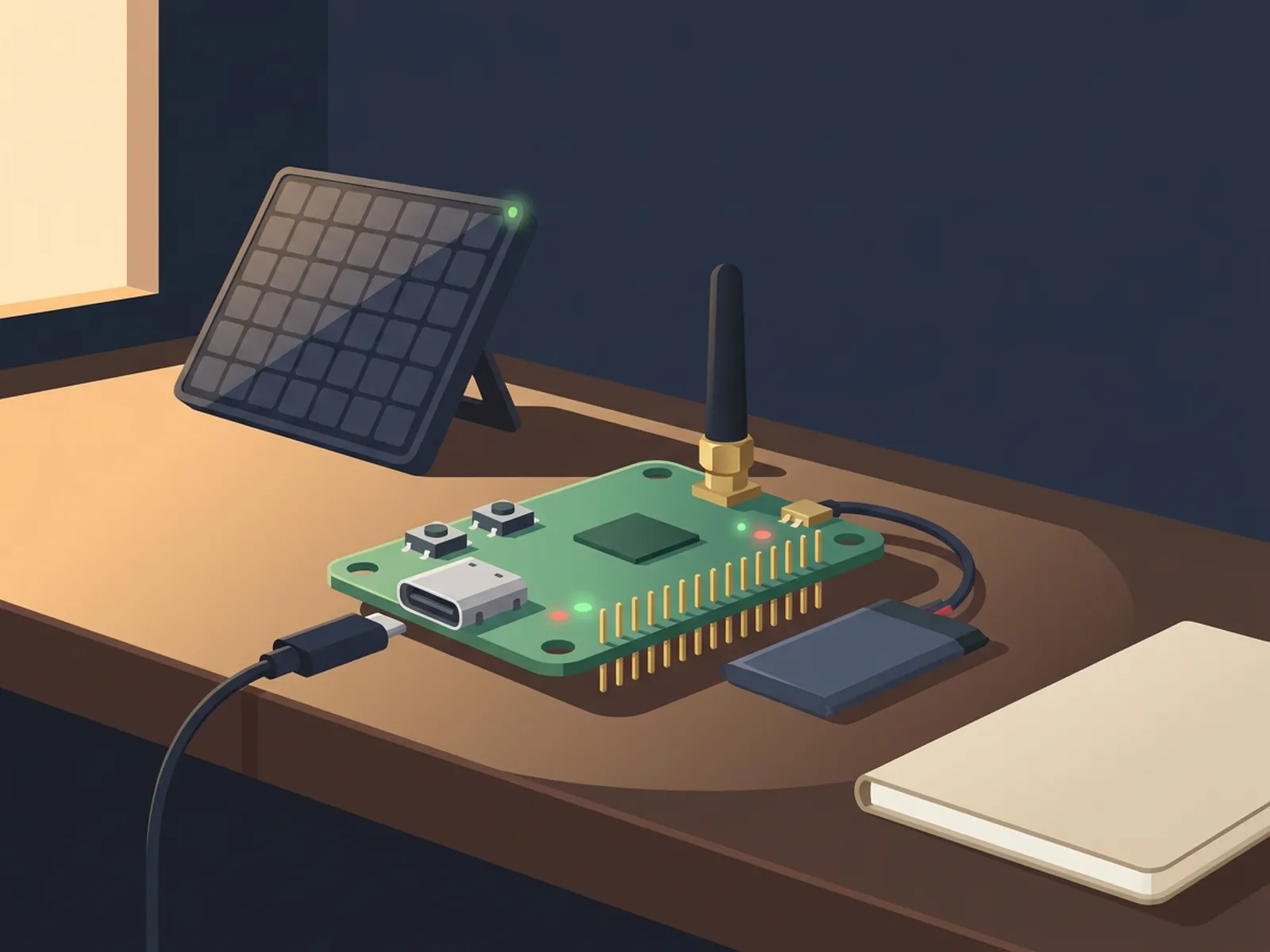
A solar-ready Meshtastic board with the firmware pre-installed: leave it powered at home and the household keeps a text channel that works without cell or internet.
What you need
- Muzi Works Base Uno band for your region
- Li-ion/LiPo or LiFePO4 battery 3-pin Molex PicoBlade; not included
- Small 5-6 V solar panel or a 5 V USB solar charger
- Or build: Heltec WiFi LoRa 32 V3 flash Meshtastic yourself
How hard
Beginner: no flashing and no soldering. Screw on the antenna, plug in a battery, press the button and pair from the Meshtastic app.
Key Facts
- Pre-flashed and licensed: official Meshtastic firmware is installed at the factory; Meshtastic's hardware pages list the Base Uno and Base Duo as fully supported through the Backer Program
- nRF52840 (Bluetooth 5 LE) with a Semtech SX1262 LoRa radio, single band 868 MHz or 915 MHz, up to 20 dBm; 2 MB QSPI flash; 42×32 mm and 10 g
- Solar-ready power: BQ28185 charger IC with a dedicated solar input and VDPM, USB-C charging (500 mA default, 1 A fast charge), powerpath, and over-voltage, under-voltage, short, over-current and thermal protections
- Takes Li-ion/LiPo or LiFePO4 batteries on a 3-pin Molex PicoBlade connector; no battery is included with the board
- No display or GPS: it is a fixed node to leave powered. LED codes from the user guide: blue message received, green Meshtastic heartbeat, red charging. User button turns it on; hold 5 seconds to turn it off
- Pair over Bluetooth with code 123456 (no-display default). Firmware updates via the Meshtastic web flasher: double-press reset for DFU mode and pick the 'muzi Base' device; the Uno and Duo share one firmware that auto-detects the board
- Expansion: QWIIC/STEMMA QT I2C port, 8 GPIO + 2 power pins, UART, a 25-pin 0.1in header and 3× M2 mounting holes; muzi works publishes an open-source case design
- A hobby LoRa mesh is not emergency communications: messages only reach other Meshtastic nodes within radio range. In an emergency, call your local emergency number
About This Project
The Base Uno is muzi works' entry-level Meshtastic board, part of the BASE System. Inside the 42×32 mm, 10 g board are an nRF52840 microcontroller (Bluetooth 5 LE) and a Semtech SX1262 LoRa radio for a single band, 868 or 915 MHz, up to 20 dBm. It ships with official Meshtastic firmware already flashed and licensed — Meshtastic's hardware pages list the Base Uno and Base Duo as fully supported through the Backer Program — so there is nothing to compile: screw on the included stubby antenna, press the user button, and pair from the Meshtastic app over Bluetooth (the user guide's pairing code for boards without a display is 123456). The board had a public demo this week from Vivian van Zyl (@LoRaMeshDevices), who showed it running as "one compact board, a small solar panel, and mesh communication over a mile" — real range always depends on terrain, antenna placement and what stands between nodes.
What makes it interesting as a base node is the power system. A BQ28185 charger IC handles a dedicated solar input with VDPM (voltage and dynamic power management), USB-C charging at 500 mA by default or 1 A fast charge, and a powerpath that runs the board from the power source while it's there instead of draining the battery. It takes Li-ion/LiPo or LiFePO4 batteries on a 3-pin Molex PicoBlade connector, with input over-voltage, battery under-voltage, short, over-current and thermal protections. Add a battery and a small solar panel and it becomes a fixed node that stays on through an outage: no router, no internet account, nothing to pay monthly. One caveat we check below: muzi works' user guide still lists its detailed solar page as "coming soon", so exact solar-input sizing isn't published yet — charging over USB-C from a 5 V USB solar charger is the route today's documents support.
Why bother: the UK government's Be Ready campaign, relaunched on 22 October 2026, asks households to be ready for three days of disruption, and ready-messaging advice comes down to having more than one way to reach people. A solar node is not that on its own — a LoRa mesh only reaches other Meshtastic nodes in range, and it is never a way to call emergency services — but as a neighbourhood or family check-in channel it runs for free, on the air, with phones paired over Bluetooth. The Base Uno has no screen and no GPS: it's a node you set up once and leave powered, with LEDs that say what it's doing (blue message received, green Meshtastic heartbeat, red charging). MCU Atlas is not affiliated with Meshtastic or muzi works; Meshtastic is a registered trademark of Meshtastic LLC.
Source & Attribution
Illustration
How to Build It
Parts Needed
- Muzi Works Base Uno in the band your region uses (868 MHz or 915 MHz)
- Li-ion/LiPo or LiFePO4 battery with a 3-pin Molex PicoBlade plug
- USB-C cable (included) and, for solar, a 5 V USB solar charger
- A phone with the Meshtastic app
Steps
- 1
Check the band and fit the antenna
Make sure the board you ordered matches your region's band, 868 MHz or 915 MHz. Screw the included sub-GHz stubby antenna onto the SMA connector before powering anything: transmitting without an antenna can damage the radio.
- 2
Add power
The board takes Li-ion/LiPo or LiFePO4 batteries on its 3-pin Molex PicoBlade connector; no battery ships with it. Press the user button to turn the node on, and hold it for five seconds to turn it off. A red LED means charging.
- 3
Pair with the Meshtastic app
Open the Meshtastic app on your phone, connect to the node over Bluetooth and enter the pairing code 123456 (the user guide's default for boards without a display). Set your radio region when the app asks, and pick or create the channel your household will use.
- 4
Put it high and leave it on
A base node works best where it can hear and be heard: a window sill, shelf or attic beats a basement. The LEDs tell you what it is doing: blue for a message received, green for the Meshtastic heartbeat, red for charging. Everyone else's phone-paired nodes and handhelds join the same channel.
- 5
Add solar
For a node that rides out a multi-day outage, keep the battery charged: USB-C accepts any 5 V USB solar source (500 mA default, 1 A fast charge). The board also has a dedicated solar input with VDPM power management, but muzi works' solar setup page was still marked 'coming soon' when we checked, so follow their published specs before wiring a bare panel to it.
- 6
Keep the firmware current
Meshtastic firmware updates come through the Meshtastic web flasher: double-press the reset button next to the USB-C port to enter DFU mode and choose the 'muzi Base' device. The Base Uno and Base Duo share one firmware that auto-detects the board.
Bill of Materials
Parts list
5 parts · 2 linked
Heads up: some Buy links are affiliate links. If you buy through one, MCU Atlas may earn a small commission at no extra cost to you. It never changes which parts we list. How this works
1× Li-ion/LiPo or LiFePO4 battery (3-pin Molex PicoBlade)

Not included: A phone with the Meshtastic app (Android, iOS or the web client) to set the node up over Bluetooth, A mount: 3× M2 holes on the board; muzi works publishes an open-source case design and community cases exist on Printables, Other Meshtastic nodes in range — a mesh needs at least one other node to talk to
Learn
Docs & guides
Read these before you buy. These pages explain things; they don't sell anything.
Related Projects