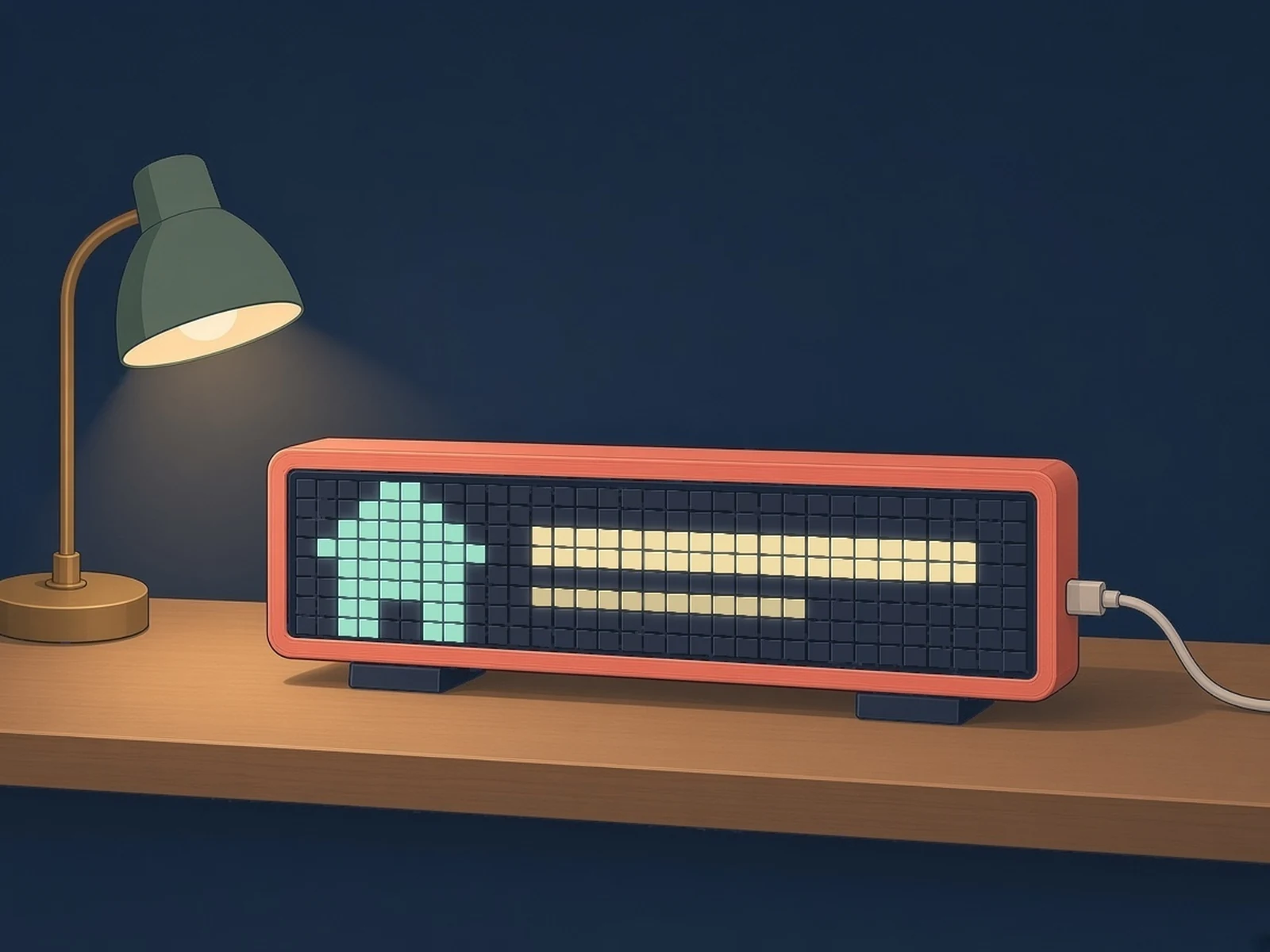
Phosphor: retro VFD desk gadget for an ESP32-S3 bar screen
GPL-3.0 firmware that turns a Waveshare ESP32-S3 bar display into a retro desk companion — clock, weather, radio and games — flashed from a browser tab.
What it is
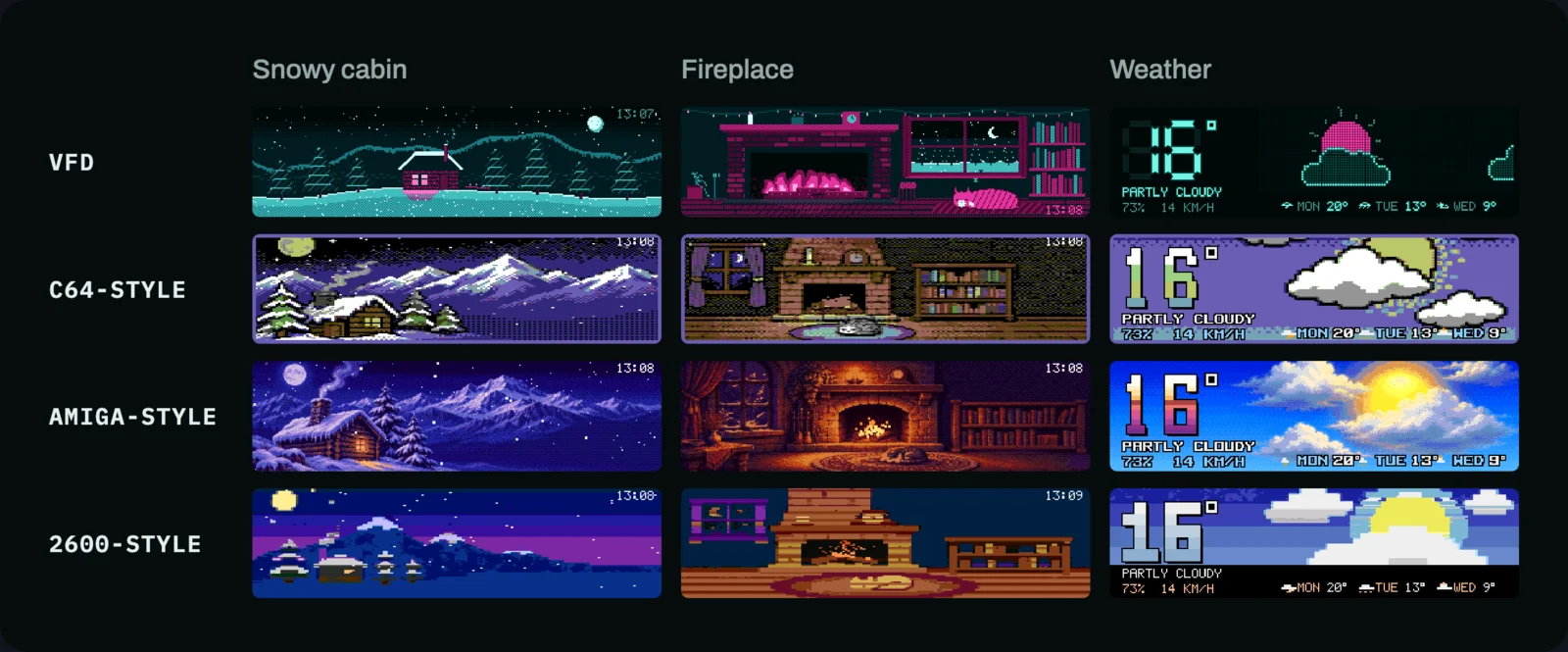
Open-source GPL-3.0 firmware by Melih Koray that turns the Waveshare ESP32-S3-Touch-LCD-3.49 — a 3.49-inch 172×640 touch bar display — into a retro desk gadget: clock, weather, internet radio, timers, pixel scenes, three games and desk tools, with every page drawn four ways (VFD, C64-style, Amiga-style, 2600-style). Flashed from a browser tab — no soldering, no tools.
What you need
- Waveshare ESP32-S3-Touch-LCD-3.49 built and tested on V2; V1 untested
- USB-C data cable must carry data — many cables only charge
- 2.4 GHz Wi-Fi the ESP32 does not do 5 GHz
- A phone for first setup joins the board's Phosphor-Setup-XXXX Wi-Fi
How hard
Beginner: one board, one USB-C data cable, zero soldering. The install is a browser tab (Chrome or Edge) — no Arduino IDE, no PlatformIO, no drivers — and first setup happens from your phone.
Photos
Photos: melihkoray (GPL-3.0)
Key Facts
- Open-source firmware, GPL-3.0 (verified from the LICENSE file) — remix and resale rights apply; see the licence callout above
- Hardware: Waveshare ESP32-S3-Touch-LCD-3.49 — 3.49-inch IPS capacitive touch, 172×640, ESP32-S3R8 dual-core — plus a USB-C data cable; zero soldering, no other parts
- Board revision: built and tested on V2 (V2 sticker, Rev1.1 printed on the board; shipping since June 2026); V1 untested, with its own code path
- Board price: $29.99 – $31.99 displayed range on Waveshare's product page (checked 2026-11-23, re-verified 2026-11-25); in stock at both checks
- Every page drawn four ways — VFD, C64-style, Amiga-style, 2600-style — redrawn per machine, "not just recolored"
- Features: clock + alarm that wakes you with internet radio, Open-Meteo weather (no API key), touch timer, pomodoro focus timer, internet radio editable from your phone, pixel scenes, three games, desk tools
- Installs from Chrome or Edge via the browser installer — no Arduino IDE, no PlatformIO, no drivers
- Current release v2.0.3 (2026-11-24); UI in English or Turkish
- Home-network device by design: no password on the local API, no microphone code, no cloud account — do not port-forward it
- Creator: Melih Koray (melihkoray.com); repo and installer links below
About This Project
The glow of a vacuum-fluorescent display, the chunky pixels of a Commodore 64, an Amiga, an Atari 2600 — all of it on a 3.49-inch bar screen you flash from a browser tab, with no soldering and no tools.
Phosphor is open-source firmware by Melih Koray that turns the Waveshare ESP32-S3-Touch-LCD-3.49 — a 3.49-inch, 172×640 IPS touch bar display — into a retro desk gadget: clock with an alarm that wakes you with internet radio, weather, timers, pixel-art scenes, three small games and a handful of desk tools. It is young, moving fast and already gathering press: featured on the Adafruit blog on 23 November 2026, with write-ups on FOSSWire and XDA Developers and the author's announcement thread on the r/esp32 subreddit. First released 20 November 2026, current release v2.0.3 (24 November 2026). Everything below is the project's own README and docs — MCU Atlas verified the installer page is live, the licence and the board listing (2026-11-23) and re-verified the repo, releases and installer on 2026-11-25, but we have not run it on hardware.
The party trick: every page is drawn four times — a VFD look, a C64-style look, an Amiga-style look and a 2600-style look — and the looks are redrawn at each machine's resolution and colours, "not just recolored": 16 colours on the C64, 32 out of 4096 on the Amiga, 4 per line on the 2600. You switch themes in Settings > Theme on the board itself. XDA's write-up caught the same angle: "best of all, you can just install it from your browser".
What's on the screen
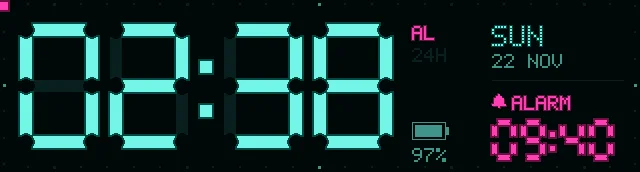
Clock: big segment digits, date, battery, 12/24 h; set the alarm by tapping, and it wakes you with the radio.
Weather: current conditions plus the next three days for your city via Open-Meteo, with no API key to sign up for; tap for further days.
Timer: add or remove 1/5/10 minutes by touch, up to 99; it rings.
Focus timer: pomodoro rounds "in a little study room".
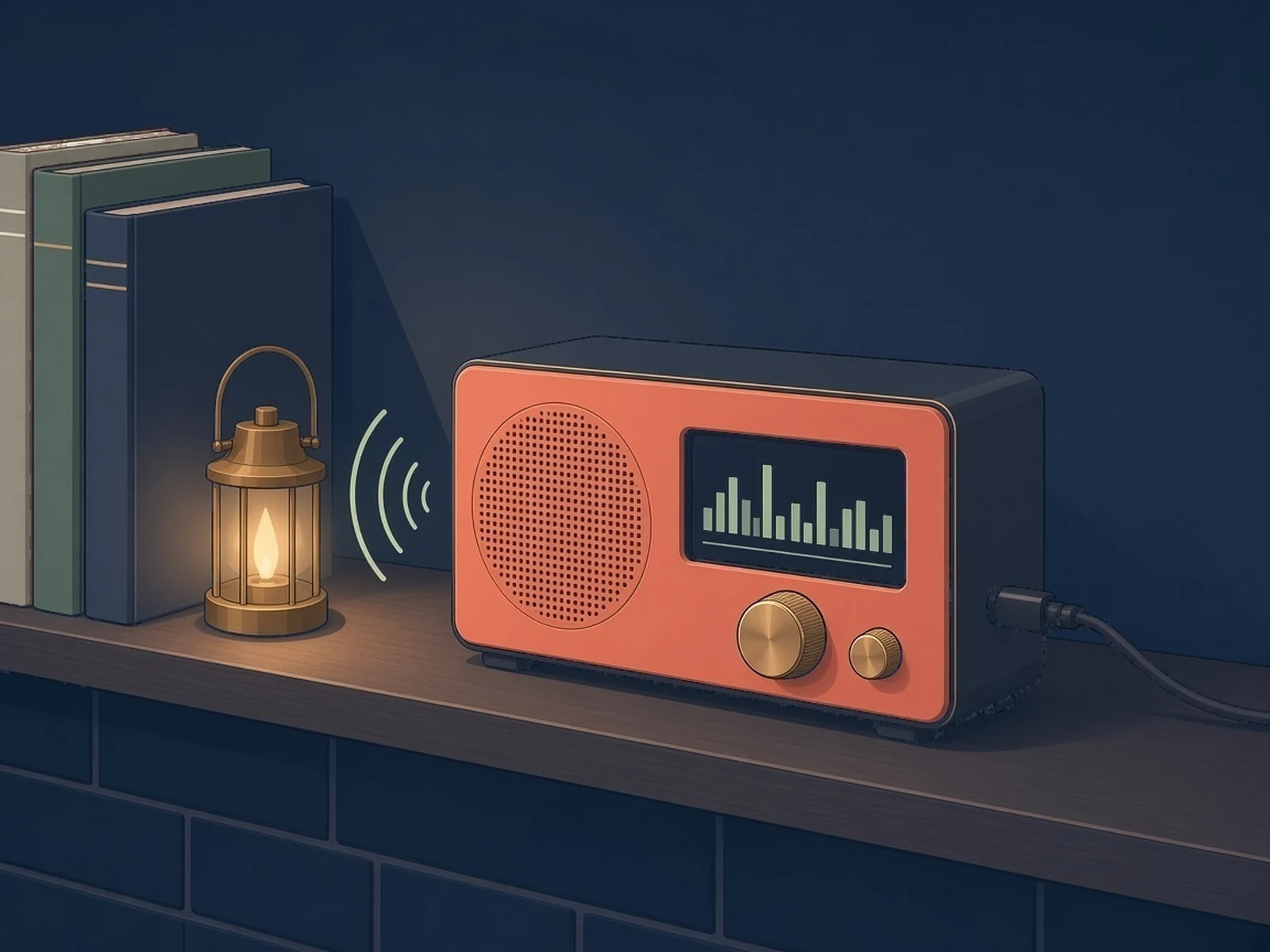
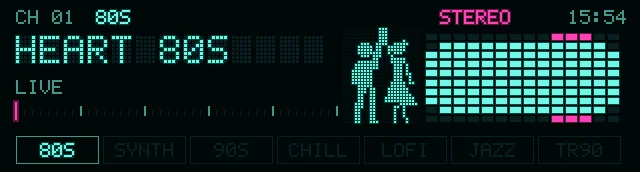
Internet radio: up to seven genre buttons; tap again for the next station. Find stations via radio-browser.info or paste your own MP3/AAC stream URL, and edit the list from your phone. Dancers and an equalizer move with the music.
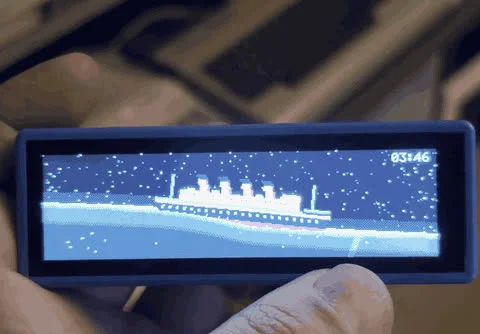
Pixel scenes: a fish tank (tap to feed, hold for night, "Once a day a rare visitor"), a snowy cabin (hold for a snow globe; holiday lights in winter), a fireplace with a sleeping cat (tap to wake it, tilt for yarn, hold to add a log), a lighthouse that follows the time of day (hold for a storm), an ocean liner that tilts with the board (hold for the fog horn; "now and then a whale"), a lava lamp, and an hourglass you flip by tilting.
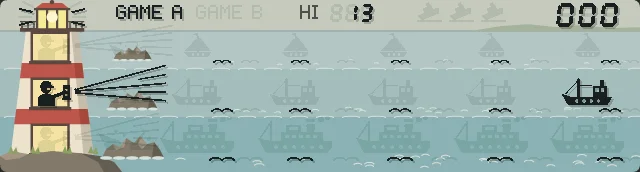
Games (Play menu): three games: 21, a blackjack game against a cartoon dealer where you knock on the table once to stand and twice to hit (the board's motion sensor feels your knuckles); Lighthouse Keeper, a 1980s handheld-LCD-style game with Game A and a faster Game B and three misses; and Runner, where you tap the top of the screen to jump and the bottom to duck, scenery changes every 400 m, and high scores are kept on the board.
Tools: spirit level (tap sets zero), coin flip (tap or shake), box breathing (4-4-4-4), scoreboard (+1 on tap, −1 on hold), screen lamp (tap for colour, swipe for brightness).
For power users: an HTTP API on your local network (GET /status for JSON state, POST /text to show a message, POST /cmd for radio/theme/app control, and more), plus on-board settings for look, clock style, temperature unit, language (English or Turkish), brightness, city, night dimming and Wi-Fi with a QR code.
Under the hood, per the author's build post on r/esp32 as indexed by search (the thread itself was unreachable from our network): the 8 MB of PSRAM holds the 640×172 framebuffers, the two cores split radio streaming and UI, and there is no LVGL — it is pixel art, not widgets.
The parts list: one board, one cable, zero soldering
That is genuinely the whole BOM. No case or enclosure exists — you live with a bare board on your desk (gadzhety.online's take: "living with an exposed ESP32-S3 board on your desk"), which is part of the charm. Use a USB-C cable that carries data, not just power: the README's troubleshooting warns that "many only charge", and charge-only cables are the number-one cause of a missing serial port during install.
One revision note before you buy: the firmware is "Built and tested on the V2 board" — a V2 sticker on the case, Rev1.1 printed on the board. Waveshare began shipping that revision in June 2026, per the Adafruit write-up, so a board bought new today should be a V2. The older V1 is untested: the README says V1 "should work" because "its pins and panel reset match Waveshare's own V1 demo", but nobody has confirmed it yet — the firmware detects the board version when it starts, and if you do run a V1, the author asks you to open an issue and say how it went. One early bug worth knowing: on v2.0.0 the brightness setting had no effect on V2 — updating past it fixes that.
Install it from a browser tab
The full walkthrough is in the tutorial below. The shape of it: open the installer page in Chrome or Edge, connect the board with a USB-C data cable, press Install Phosphor and pick the "USB JTAG/serial debug unit" entry; on a first install, tick Erase device for a clean start — know what that means, because installing Phosphor replaces whatever runs on the board (the Waveshare factory demo included), and it is not backed up and Phosphor cannot restore it. The board then restarts into a Phosphor-Setup-XXXX Wi-Fi with a QR code: join it from your phone (no password), pick your 2.4 GHz Wi-Fi, set a short device name, save.
Settings survive restarts and updates. Physical buttons: PWR turns the screen off and on (hold 3 s on battery to power off), BOOT cycles brightness (hold 5 s to forget Wi-Fi and reopen setup), RESET restarts. Swipe left/right for pages, up/down for volume — Settings > Help lists every gesture. Upgrading from v1.0.x to v2.x means installing once more from the browser over USB with Erase unticked (settings are kept); the flash-layout change means that step cannot happen over Wi-Fi. Published builds ship without an OTA token, so over-the-network updates are off unless you compile your own.
Licence: GPL-3.0, and that matters here
Known upstream issueGPL-3.0 — you can remix this, and even sell it. Phosphor's licence is GPL-3.0, verified from the LICENSE file itself, not just the README's say-so. You may run it for any purpose, study and modify it, and redistribute exact copies free or for a fee (selling pre-flashed boards is allowed) — including commercially. When you distribute a modified version you must make its source code available under GPL-3.0, keep copyright and licence notices, and state that you changed it. A private build flashed on your own board owes nothing — the obligations attach to distribution. Practical version: copy the palettes, scenes and game ideas freely; if you publish or sell your variant, publish its source under GPL-3.0 too.
One honesty note the project itself makes: the retro looks are style-only — "Commodore 64, Amiga and Atari 2600 are trademarks of their owners; the looks are only in their style." The 8×8 fonts were drawn for the project ("no ROM fonts are copied"), and the background art behind the retro looks is AI-generated, cut down to each machine's palette by the repo's convert.py. Phosphor is not affiliated with Waveshare.
Security expectations
Built for a home network: pages, radio, brightness and messages can be changed by anyone on the same Wi-Fi, without a password — only settings writes are fenced behind a custom header that blocks other websites in your browser. The README's own advice: "Do not expose the device to the internet." There is no microphone code and no cloud account; the firmware talks to Open-Meteo (weather), NTP, the radio streams you choose, and once a day the installer page for the version check. Since 22 November 2026, builds carry checksums and a signed build-provenance attestation, and the README states the v2.0.2 release binary scans clean on VirusTotal (0 of 61 engines) — that last one is the maker's claim, not our check.
How it stands apart from awtrix-ng and tinytron
Phosphor is the zero-solder, zero-config-tool entry in the open desk-gadget lane. AWTRIX NG targets LED pixel-matrix clocks (the Ulanzi TC001/TC002 and DIY ESP32 matrices) and is smart-home- and MQTT-centric — browser install exists for TC001/DIY, but the TC002 needs a USB installer, and GitHub lists no standard licence for it, so check before you build a product on it. Tinytron is a different toy entirely: a 1.69-inch mini-TV that plays video from a microSD or Wi-Fi, MIT-licensed but a wiring-and-build project that has been dormant since February 2026. Phosphor asks for one specific board and one USB-C cable, flashes from a browser tab, needs no smart-home stack and no assembly — and none of the three others competes on its four-looks retro redraw. On our own shelf it would sit with tinytron and the round-screen rempyradar flight radar — same buy-one-board-and-flash energy, different screens. If what you want is a desk companion you can also tinker with, gadzhety.online's framing fits: "enthusiast software makes setting up hardware simpler than dealing with bloated corporate smart displays".
Source & Attribution
How to Build It
Parts Needed
- A Waveshare ESP32-S3-Touch-LCD-3.49 — 3.49-inch IPS capacitive touch, 172×640, ESP32-S3R8; $29.99–$31.99 displayed range on Waveshare's page (checked 2026-11-23, re-verified 2026-11-25); built and tested on V2, V1 untested
- A USB-C cable that carries data (not charge-only — the README warns that many only charge)
- A phone or any device with Wi-Fi for first setup, and a 2.4 GHz Wi-Fi network (the ESP32 does not do 5 GHz)
- Chrome or Edge on the computer you flash from
Steps
- 1
Open the installer and connect the board
Open the installer page (https://melihkoray.github.io/phosphor/) in Chrome or Edge and connect the board with a USB-C data cable.
- 2
Press Install Phosphor and pick the port
Press Install Phosphor and pick the "USB JTAG/serial debug unit" port (cu.usbmodem… / COMx / ttyACM0); if in doubt, unplug and replug, and watch which entry disappears and returns.
- 3
First install: tick Erase device
On a first install, tick Erase device for a clean start — and accept that the factory demo it replaces is not backed up and cannot be restored.
- 4
Join the setup Wi-Fi from your phone
The board restarts into a Phosphor-Setup-XXXX Wi-Fi with a QR code. Join it from your phone (no password), pick your 2.4 GHz network, set a short device name, save.
- 5
Set city, language and stations
Back on your home Wi-Fi, open http://<name>.local/settings (some Androids can't do .local — use the board's IP from Settings > Wi-Fi) and set city (weather and timezone follow it), language, clock style, focus-timer lengths and radio stations.
- 6
Explore the four looks
Swipe through the pages, try Settings > Theme to switch between the four looks, and check Settings > Help for the full gesture list.
Bill of Materials
Parts list
2 parts · 1 linked
Heads up: some Buy links are affiliate links. If you buy through one, MCU Atlas may earn a small commission at no extra cost to you. It never changes which parts we list. How this works
1× Waveshare ESP32-S3-Touch-LCD-3.49
1× USB-C data cable
Not included: A phone (or any device with Wi-Fi) to join the Phosphor-Setup-XXXX network during first setup — not a BOM part, A 2.4 GHz Wi-Fi network — the ESP32 does not do 5 GHz, Nothing to solder and no tools: one board and one cable are the whole build
Learn
Docs & guides
Read these before you buy. These pages explain things; they don't sell anything.
- Project repo (GitHub)melihkoray/phosphor — firmware, browser installer, docsDocs
- Browser installerInstall Phosphor from Chrome or Edge — no tools, no IDEDocs
- Maker's project pageMelih Koray's own page, including the V1/V2 board FAQDocs
- Current release (v2.0.3)Release notes and signed build artifacts, 2026-11-24Docs
- Waveshare board pageThe ESP32-S3-Touch-LCD-3.49 product page (price checked 2026-11-23)Docs
- Adafruit blog feature (2026-11-23)Adafruit's write-up of the projectDocs
- FOSSWire write-upPress coverage of the retro skinsDocs
- XDA Developers write-upSimon Batt's write-up, 2026-11-22Docs
Related Projects