sanoTTS: neural text-to-speech on an ESP32-S3
Tiny neural text-to-speech: thirty voices in sixteen languages, running offline on an ESP32-S3, in your browser, or from Python.
What it is
A family of genuinely tiny neural text-to-speech voices (294k–2.27M parameters, GPL-3.0 with an MIT runtime split) by Ampixa: the same int8 engine runs offline on an ESP32-S3 at 2.6× real time (project-measured, Xtensa LX7 SIMD), live in your browser via WebAssembly, from Python, and as an Android system TTS engine. No cloud, no NPU.
What you need
- ESP32-S3 DevKitC-1 (N16R8) the board — 16 MB flash + PSRAM variant for the full talking-device firmware
- LM386 amp module (or MAX98357A) maker's reference is an LM386; the MAX98357A I2S DAC is the maker's named clean upgrade
- 8 Ω speaker any 8 Ω speaker completes the output stage
How hard
Beginner to hear it (browser demo, zero install; Python one-liner), intermediate to put it on a board (Arduino library + model blobs), advanced for the full ESP-IDF talking-device firmware.
Key Facts
- GPL-3.0 neural text-to-speech family (runtime itself MIT per LICENSE.MIT) that runs offline on an ESP32-S3, in the browser via WASM, from Python, and on Android — no cloud, no NPU
- 294k–2.27M-parameter voices; heart-nano is a complete TTS stack in 337 KB of int8 weights; on-chip engine is 567,008 parameters, ~680 KB
- Project-measured RTF 0.383 (2.6× faster than real time) on ESP32-S3 via Xtensa LX7 PIE SIMD kernels the Arduino library assembles by default; scalar C on the same setup is RTF 1.58 — SIMD is what crosses the real-time line
- Thirty voices across sixteen languages in the browser demo (pip: 27 voices, 13 languages); English, German, French, Spanish, Italian, Portuguese, Russian, Czech, Romanian, Turkish, Arabic, Nepali, Hindi, Vietnamese, Indonesian, Chinese
- Full hardware path documented: WiFi dashboard → on-chip espeak-ng G2P → int8 engine → LEDC-PWM on GPIO17 → RC low-pass → LM386 → 8 Ω speaker; MAX98357A I2S DAC is the maker's named drop-in upgrade
- Board guidance from the project's own measurements: ESP32-S3 real-time, ESP32-C3 5.7× slower, classic ESP32 short utterances only, RP2040 marginal, UNO R4 / MKR Zero do not fit
- Exceptional measurement hygiene: frozen-fixture correctness gates on every speed number, unmeasured cells marked as such, no listening test yet on any non-English voice, and a linked independent measurement that disagrees with the headline
- First-hand MCU Atlas verification 2026-11-20: pip package v0.5.4 synthesized a 2.24 s / 22,050 Hz WAV in a fresh venv (Python 3.14); repo host gate host_check.sh passed all phases, golden correlation 0.989179; no hardware testing done by us
About This Project
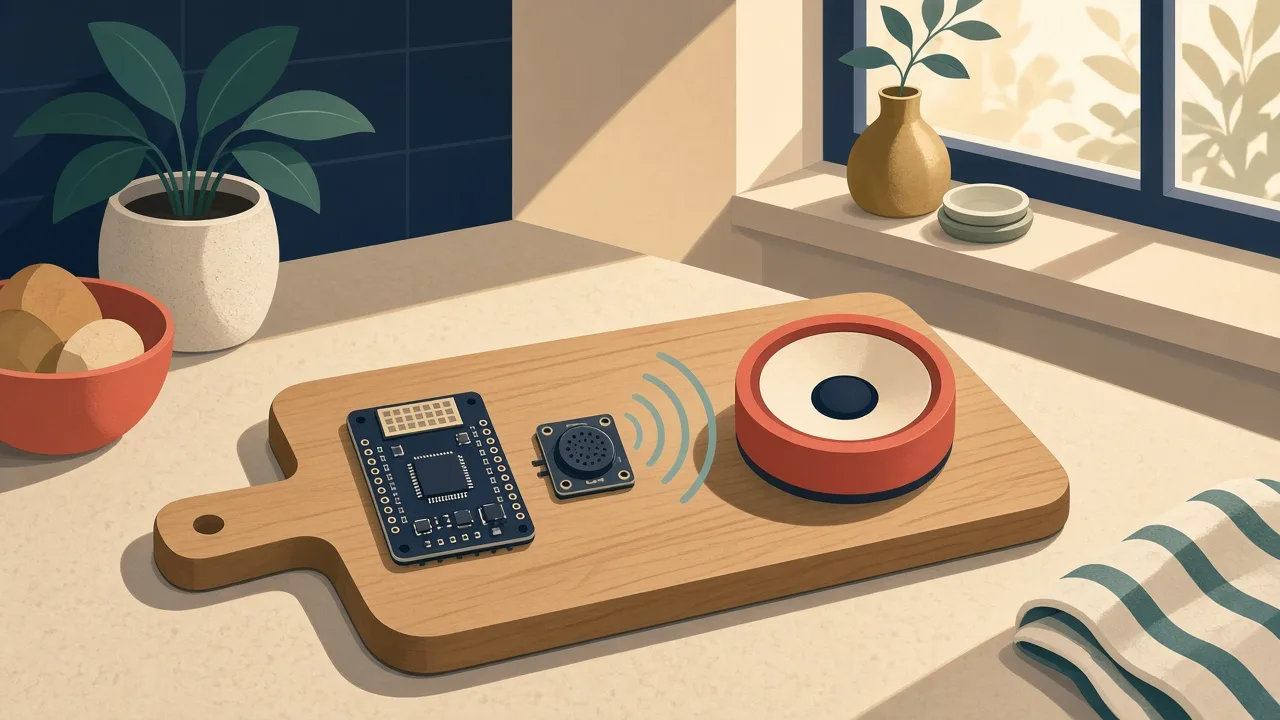
The name is the pitch: *sano* (सानो) is Nepali for "small." sanoTTS is Ampixa's family of genuinely tiny neural text-to-speech voices — from 294k to 2.27M parameters — that the project runs with "no cloud and no NPU": real-time on an ESP32-S3 microcontroller board, live in your browser via WebAssembly, or from Python. You can hear one thirty seconds from now without installing anything: the project's demo page synthesizes "every voice synthesizes your text live in the browser. No server, no upload" — the text is phonemized and spoken entirely on your own machine. It is the clearest AI-on-the-cheapest-possible-chip demo we can hand a newcomer, and underneath the party trick is a serious piece of embedded engineering.
A complete neural TTS stack — text in, 22 kHz (24 kHz for the newest voices) audio out — distilled into models small enough to live on a microcontroller. The signal path is classic three-stage TTS: espeak-ng turns text into phoneme IDs, a duration model predicts timing, an acoustic model predicts generator latents, and a decoder renders the waveform. What makes sanoTTS unusual is the size of those stages: the flagship **heart** voice is 2.27M parameters, and **heart-nano** is the same voice compressed to 294,279 parameters — "a complete text-to-speech stack, int8, in 337 KB."
It ships everywhere at once: a browser demo (WebAssembly, no server), a Python package (`pip install sanotts`), an npm package for embedding in your own site, an Android system-wide TTS engine that TalkBack can speak through, and an Arduino/PlatformIO library plus full ESP-IDF firmware that put the same int8 engine on an ESP32-S3. Thirty voices across sixteen languages are live in the browser demo — English, German, French, Spanish, Italian, Portuguese, Russian, Czech, Romanian, Turkish, Arabic, Nepali, Hindi, Vietnamese, Indonesian and Chinese; the pip package ships 27 of them across 13 languages (Nepali, Hindi and Chinese are browser-only for now).
Why it matters
Because of what the speed number proves. On an ESP32-S3, the Arduino library's default build — which assembles Xtensa LX7 PIE SIMD int8 kernels automatically on that target — measures RTF 0.383 on the 294,642-parameter model: 2.6× faster than real time, so the chip finishes synthesizing an utterance well before it finishes playing it. The same board and model on plain scalar C measure RTF 1.58 — slower than real time. In the project's own words, "SIMD is a 4.13x speedup and crosses the real-time line." That is the whole story of AI on small chips in one table: the neural network fits easily; it's the arithmetic throughput you have to engineer your way past, and the Xtensa LX7's vector unit is how they did it. (The deeper ESP-IDF port, with esp-nn's tuned dot, reaches RTF 0.185 on the same silicon.)
The second reason is the engineering culture, which is exactly what a newcomer should be exposed to early. Every board number ships with a correctness gate against a frozen golden fixture, and the repo states the rule in bold: "A speed number without a passing correctness gate is not a result." The measurement tables mark empty cells honestly — "An empty cell means unmeasured, not zero." — and the README warns that "No listening test has been run on any non-English voice." It even links an independent measurement of a related port that missed real-time on different silicon, "worth reading precisely because it does not agree with the headline", and draws the right conclusion: a real-time claim is a claim about a specific model on specific silicon with specific kernels. We agree, and we kept that framing throughout this page.
Key specs
- **Licence** — GPL-3.0 as a whole (verified from the LICENSE file); the portable inference runtime (`mcu/src/`, `mcu/include/`, `mobile/`) is MIT per LICENSE.MIT and embeddable in permissive projects. - **Model family** — 294k–2.27M parameters; heart 2.27M (24 kHz), heart-nano 294,279 (int8, 337 KB), on-chip engine 567,008 (int8, ~680 KB of weights). - **ESP32-S3 speed (project-measured)** — RTF 0.383 / 2.6× real time on the Arduino library, SIMD default, 294,642-param model (2026-09-04); scalar C on the same setup: RTF 1.58; ESP-IDF port with esp-nn: RTF 0.185. - **Talking-device firmware (project-measured)** — ~1.1× real time synthesis (whole-utterance PSRAM buffer + 2 s lead), Whisper WER 18.5% on-device vs 77% for naive letter-to-sound, ~7 s max utterance. - **Voices / languages** — 30 voices, 16 languages in the browser demo; pip package: 27 voices, 13 languages. - **Voice download sizes** — int8 337 KB (heart-nano) · fp16 ~3 MB · fp32 5.5–8.7 MB; browser wasm runtime ~700 KB gzipped. - **Runs on** — Browser (WASM), Python 3, npm/web, Android (system TTS engine, pre-alpha), Arduino/PlatformIO (22 targets build-verified), ESP-IDF firmware. - **Board guidance (the project's own)** — ESP32-S3 measured real-time; ESP32-C3 measured 5.7× slower; classic ESP32 runs short utterances on scalar kernels; RP2040 marginal; Arduino UNO R4 / MKR Zero do not fit. - **Project state** — Active; last push 2026-11-26 at our re-check.
The hardware path: from GPIO to a speaking speaker
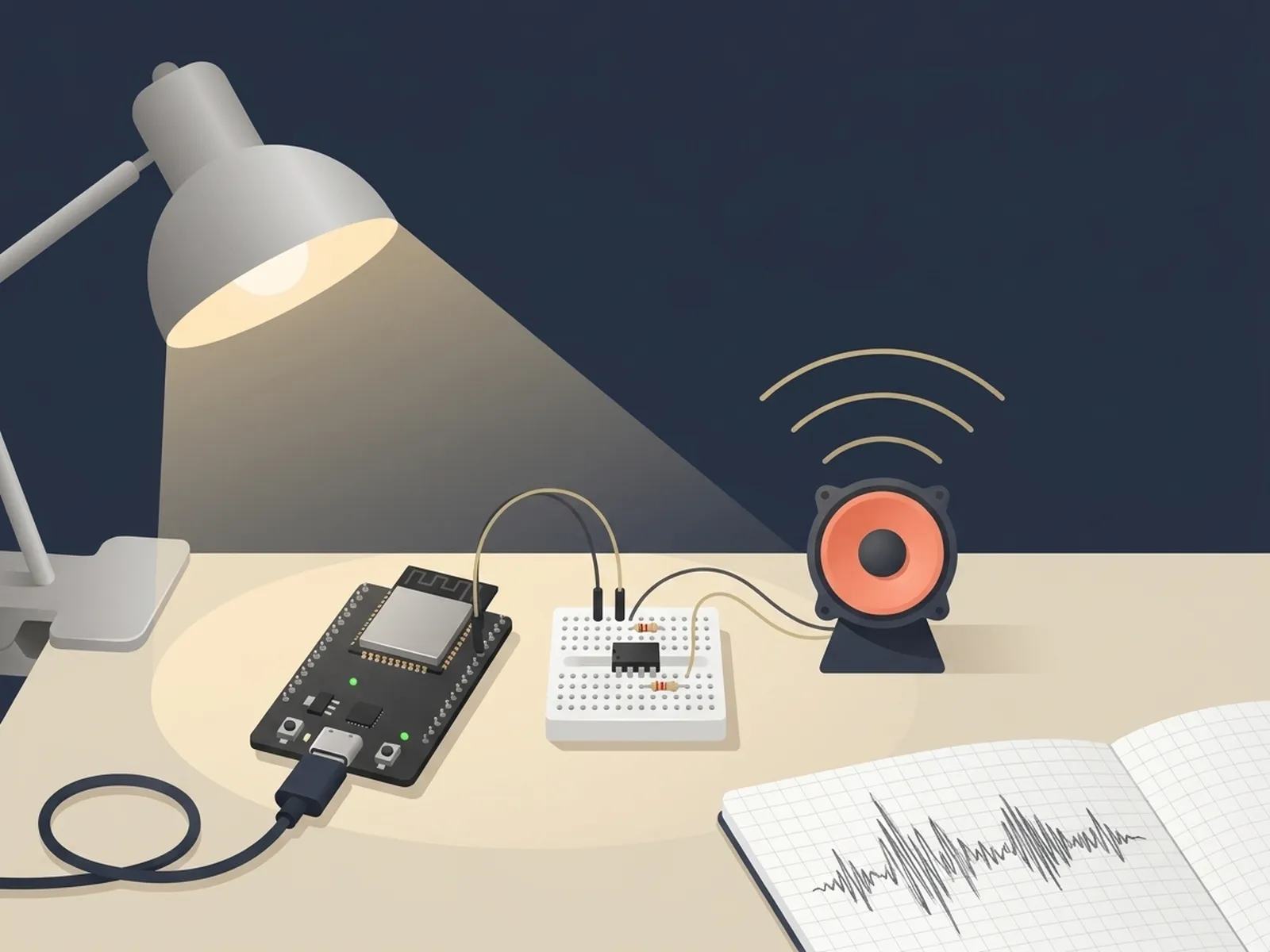
The reference build is a standalone talking device in `mcu/ports/esp32s3/`: you type text into a WiFi dashboard the board serves, and the board does everything else — "no cloud, no network phonemizer, no companion app." Real espeak-ng grapheme-to-phoneme runs on the chip (275 KB of en-US voice data on a SPIFFS partition), the int8 engine synthesizes 22 kHz PCM, and the audio leaves through a GPIO pin. The project's own block diagram of the chain:
browser text → http → ESP32-S3 → espeak-ng G2P → int8 TTS engine → LEDC-PWM on GPIO17 → RC low-pass → AC-couple → LM386 amp → 8 Ω speaker
The audio-out corner is a genuinely instructive piece of design. The firmware uses PWM at a 156 kHz carrier rather than I2S-PDM, because PDM's shaped noise sits in-band and the gain-200 LM386 amplifies it into a buzz; the RC filter after GPIO17 must cut below the 11 kHz Nyquist. The firmware needs a board with 16 MB physical flash (an 8 MB image) and PSRAM — the memory fight is documented in detail, including a measured 5.7× slowdown when weights live in PSRAM instead of internal SRAM, because the SIMD kernels only run correctly on internal-SRAM pointers. The project's own verdict on the resulting voice: "intelligible, a bit synthetic (small-model ceiling)". A MAX98357A I2S DAC module is the documented clean drop-in upgrade for the whole PWM/LM386 corner.
For our catalog-linked version of that parts list: an ESP32-S3 DevKitC-1 (/parts/esp32-s3-devkitc-1/) as the board, a MAX98357A I2S amp (/parts/max98357a-i2s-amp/) for the clean-audio path, and an 8 Ω speaker (/parts/mini-oval-speaker-8ohm-1w/). The maker's reference circuit uses an LM386 amp module instead of the MAX98357A — we don't have a catalog match for an LM386 board, so that line stays unlinked; any generic LM386 module from the maker's BOM works in its place.
Start with no hardware: the browser, then Python
The zero-install front door is the live demo — every voice synthesizes on the page, and nothing uploads to a server. If you can run one terminal command, the Python path is next: `pip install sanotts`, then `sanotts say "Hello" --voice amy -o hello.wav` writes a WAV; in code, `sanotts.synthesize("Hello world", voice="amy")` returns numpy audio at 22.05 kHz. Voices download on first use (from the project's Hugging Face space, with GitHub releases as fallback) and weigh 337 KB to 8.7 MB depending on voice and precision. There's also an npm package (`sanotts-web`) for embedding the same engine in your own site — copy the wasm runtime and a voices directory to any static host and it runs entirely in the visitor's browser.
We verified this path ourselves: on 2026-11-20, from a fresh venv on a stock Linux desktop (Python 3.14), `pip install sanotts` (v0.5.4) followed by `sanotts say "Hello from a tiny neural voice." --voice amy` wrote a 2.24 s mono WAV at 22,050 Hz on the first try.
Put it on a board: Arduino first, ESP-IDF for the full device
The Arduino library packages the int8 engine (567,008 parameters, ~680 KB of int8 weights) as a normal Arduino/PlatformIO library, and on an ESP32-S3 it assembles the SIMD kernels with nothing to configure. Two things a first-timer must know, both straight from the library's README: the shipped example will not run until you flash the model blobs (the two weight files ship in the voices-v1 release, ~760 KB), and `SanoTTS::synthesize()` takes Piper phoneme IDs, not text — the library itself does no grapheme-to-phoneme; you bake an ID array in from the bundled host tool, or wire up the on-chip espeak-ng port. Memory-wise the bare library fits the ESP32-S3's 512 KB internal SRAM with no PSRAM; recommended working arena is 320 KB, and a short utterance runs in as little as ~100 KB.
The full talking-device firmware (WiFi dashboard + on-chip phonemizer + audio out) is the ESP-IDF path in `mcu/ports/esp32s3/firmware/` — an `idf.py build` away for anyone already comfortable with ESP-IDF, with the engineering ledger in `docs/s3-audio-handoff.md`.
The DIY voice lane on MCU Atlas
This page joins a lane. If our DIY Alexa build (/projects/diy-alexa-on-device-wake-word-on-esp32-with-tensorflow-lite/) is the listening half of a homemade voice assistant — wake word, speech recognition — sanoTTS is the speaking half: the answer, spoken by the device, with no cloud in the loop. The ESPHome wake-word assistants page (/projects/esphome-wake-word-voice-assistants-for-home-assistant/) covers the Home Assistant route to the same goal, and XiaoZhi (/projects/xiaozhi-open-source-esp32-ai-voice-chatbot/) is the full conversational stack. What sanoTTS adds to the lane is focus: it does exactly one thing — tiny, fast, honest neural speech — and documents every measurement it rests on. Pair it with a wake-word build when you're ready for your device to answer back.
What we verified, and what we didn't
**What we verified (2026-11-20, this machine):** the repo, licence files (GPL-3.0 full text; LICENSE.MIT runtime split), README, BOARDS.md, Arduino and ESP32-S3 port READMEs — all fetched live and saved; every URL cited on this page returns 200; the Python package installs and synthesizes (v0.5.4, 2.24 s WAV at 22,050 Hz, fresh venv, Python 3.14); and the repo's own host gate `arduino/extras/host_check.sh` passes all three phases from a fresh sparse clone — every engine `.c` file compiles standalone and the raw C API reproduces the shipped golden fixture at correlation 0.989179 (34,304 samples; the README quotes 0.989148). One portability footnote from that run: the script's strict `-std=c99` flag trips over `M_PI` on our glibc toolchain; with `-std=gnu99` all phases pass unchanged.
**What we did not verify:** we ran nothing on any physical board. Every ESP32-S3, ESP32-C3 and classic-ESP32 figure above is the project's own measurement from BOARDS.md and the port READMEs, attributed as such — including the headline 2.6× real-time number. We ran no listening test; nor, as the project itself states, has anyone run one on any non-English voice.
Source & Attribution
Illustration
How to Build It
Parts Needed
- An ESP32-S3 DevKitC-1 — N16R8-class (16 MB flash, 8 MB PSRAM) for the full talking-device firmware; the bare Arduino library needs no PSRAM
- An LM386 amp module (maker's reference) or a MAX98357A I2S DAC module (the maker's named clean upgrade)
- An 8 Ω speaker
- A USB data cable for flashing
- Nothing at all for the browser and Python steps
Steps
- 1
Browser, ten minutes, free
Open the project's live demo (ampixa.github.io/sanoTTS). Pick a voice, type text, and it synthesizes in your browser — "every voice synthesizes your text live in the browser. No server, no upload" No install, no account.
- 2
Python, half an hour, free
pip install sanotts, then: sanotts say "Hello" --voice amy -o hello.wav. Voices download on first use (337 KB int8 to 8.7 MB fp32) from the project's Hugging Face space. In code, sanotts.synthesize("Hello world", voice="amy") returns numpy audio at 22.05 kHz. We verified exactly this path on 2026-11-20: v0.5.4 wrote a 2.24 s WAV at 22,050 Hz on the first try.
- 3
Board, one evening: Arduino library
Install the sanoTTS Arduino/PlatformIO library and flash the two model blobs from the voices-v1 release (~760 KB) before running the shipped example — it will not run without them. On an ESP32-S3 the library assembles the Xtensa LX7 SIMD int8 kernels automatically. Two README facts that matter: SanoTTS::synthesize() takes Piper phoneme IDs, not text (bake an ID array with the bundled host tool, or wire the on-chip espeak-ng port), and the bare library fits the ESP32-S3's 512 KB internal SRAM with no PSRAM (recommended arena 320 KB).
- 4
Wire the output stage
The maker's reference audio path: LEDC-PWM on GPIO17 → RC low-pass (must cut below the 11 kHz Nyquist) → AC-couple → LM386 (gain 200) → 8 Ω speaker. PWM at a 156 kHz carrier rather than I2S-PDM, because PDM's shaped noise sits in-band and the LM386 amplifies it into a buzz. A MAX98357A I2S DAC module is the documented clean drop-in upgrade for the whole corner.
- 5
The full device, a weekend: ESP-IDF firmware
The talking-device firmware in mcu/ports/esp32s3/firmware/ serves a WiFi dashboard you type into, runs real espeak-ng G2P on the chip (275 KB voice data on SPIFFS), synthesizes at ~1.1× real time, and needs 16 MB physical flash (8 MB image) plus PSRAM. idf.py build for anyone already comfortable with ESP-IDF; the engineering ledger lives in docs/s3-audio-handoff.md.
- 6
Trust the numbers the way the project does
Every speed claim on the project's tables is a specific model on specific silicon with specific kernels, gated by a frozen-fixture correctness check: "A speed number without a passing correctness gate is not a result." Expect "intelligible, a bit synthetic (small-model ceiling)" from the on-chip voice, and note the project's own warning that no listening test has been run on any non-English voice.
Bill of Materials
Parts list
5 parts · 1 linked
Heads up: some Buy links are affiliate links. If you buy through one, MCU Atlas may earn a small commission at no extra cost to you. It never changes which parts we list. How this works
1× LM386 audio amplifier module (gain 200)

1× 8 Ω speaker
1× USB data cable
Not included: No NPU, no GPU, no cloud service — the whole point is that nothing beyond the board, amp and speaker is needed, The Android path needs no parts at all (pre-alpha system TTS engine); the browser and Python paths need no hardware
Learn
Docs & guides
Read these before you buy. These pages explain things; they don't sell anything.
- Project repo (Source)Ampixa/sanoTTS — models, ports and measurement tablesDocs
- Live browser demoEvery voice synthesizes in your browser — no server, no upload, no installDocs
- Python packagepip install sanotts — 27 voices, 13 languagesDocs
- Model blobs (voices-v1 release)The two weight files the Arduino library's example needs (~760 KB)Docs
- Arduino library zipLibrary release for the Arduino/PlatformIO pathDocs
- Voices + samples on Hugging FaceFirst-use download source for voices, with GitHub releases as fallbackDocs
Related Projects