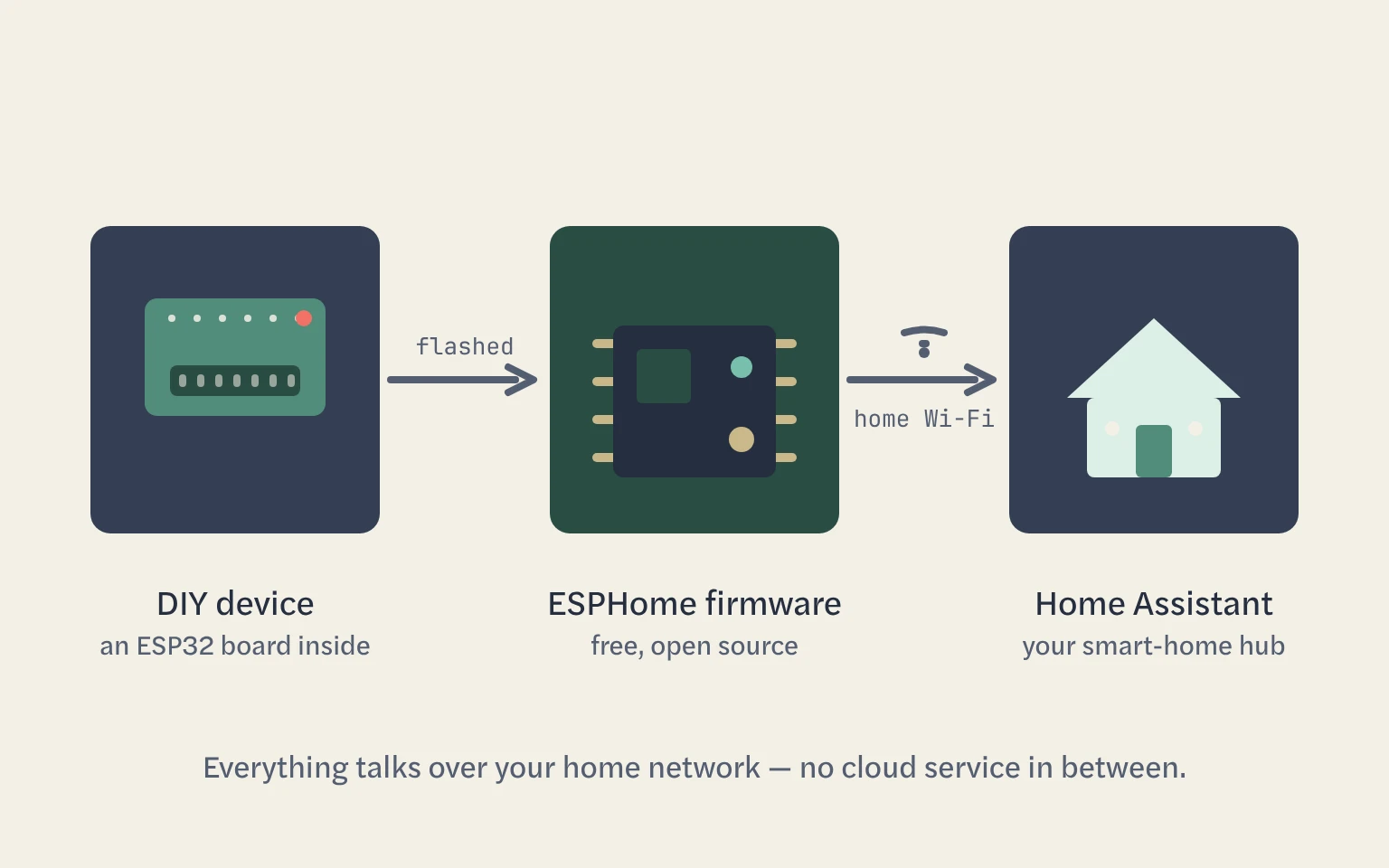
The easiest ESPHome projects for Home Assistant are the Svitlobot power notifier and the BLE-keyboard universal remote: both are beginner-rated, both sit in MCU Atlas's $15-40 cost band, and neither needs soldering or wiring — each is one ESP32 board flashed from your browser. Next-easiest is the ESPHome wake-word voice assistant satellite (beginner-rated, $40-100 band, because the voice hardware itself costs more), which turns a voice box like the ESP32-S3-BOX-3 into the voice front-end for Home Assistant Assist. Every project below has a full parts list on its own page.
The seven projects
Sections follow our fact-sheet order. Difficulty and cost below are our site's own ratings: difficulty maps the badge on each project page, and cost is the MCU Atlas cost band — none of these pages prints a dollar total, by design.
1. Wake-word voice assistant satellites — Easy
Ready-made ESPHome firmware turns an ESP32 voice box — the Home Assistant Voice PE, ESP32-S3-BOX-3 or M5Stack ATOM Echo — into a wake-word satellite for Home Assistant Assist. This is the easiest way to put an ESPHome voice assistant in a room.
Difficulty: Easy — page badge Beginner. Flash a ready-made config from the browser; "no soldering unless you build your own satellite." No wiring at all.
Cost: $40-100 MCU Atlas cost band — the voice hardware itself is most of the cost.
Key components: one supported device (ESP32-S3-BOX-3, Home Assistant Voice PE, or M5Stack ATOM Echo — pick one), Home Assistant 2023.5+ with Assist, and a USB data cable.
What makes it easy: it's a browser flash of prebuilt firmware with zero wiring — the page itself calls it "one of the easiest ESP32 projects to try."
Full build, configs and parts list: ESPHome wake-word voice assistants for Home Assistant.
2. Indoor air-quality monitor (CO2 + PM2.5) — Moderate
An ESPHome config for a DIY air-quality monitor measuring CO2 (Senseair S8-class), PM2.5/PM10 (PMS5003-class) and BME280 climate, reporting to Home Assistant.
Difficulty: Moderate — our derived rating. The page badge says Beginner, but this is the biggest build of the set: five parts, two UART sensors plus I2C and an RGB LED, assembled on a perfboard in a project box.
Cost: $40-100 MCU Atlas cost band.
Key components: 1× ESP32 (or ESP8266), 1× CO2 sensor (Senseair S8; MH-Z19B/T6615 as alternatives), 1× PMS5003/PMS7003 (SDS011 as alternative), 1× BME280 (3.3 V), 1× RGB LED.
What keeps it friendly: every part is an off-the-shelf module and the firmware side is just an ESPHome config — the moderate part is the perfboard assembly, not the software.
Full build and parts list: ESPHome indoor air-quality monitor (CO2 + PM2.5).
3. ESPHome firmware for the Xiaomi Mijia Bedside Lamp 2 — Moderate
ESPHome custom components give the Xiaomi/Yeelight Mijia Bedside Lamp 2 full local Home Assistant control, with no Mijia cloud in the loop.
Difficulty: Moderate — page badge Intermediate. You open the lamp and flash its board over a USB-to-serial adapter.
Cost: no cost band published — the page prices nothing.
Key components: the lamp itself, bought complete as-is, plus a USB-to-serial adapter for flashing.
What makes it approachable: there's no BOM wiring at all — it's a finished consumer product you re-flash; the moderate part is the disassembly and the serial connection.
Full walkthrough: ESPHome firmware for the Xiaomi Mijia Bedside Lamp 2.
4. Battery-powered touchscreen remote — Moderate
A battery-powered touchscreen remote for Home Assistant — ESPHome + LVGL on a Freenove ESP32-S3 2.8″ touch display — that puts itself to sleep and wakes on touch.
Difficulty: Moderate — page badge Intermediate. "No soldering, but you edit ESPHome YAML with your own Home Assistant entities and enable Home Assistant actions."
Cost: no cost band published.
Key components: 1× Freenove FNK0104B ESP32-S3 2.8″ touch board, 1× LiPo 102050 1000 mAh (JST 1.25), optional Qi wireless-charging receiver with USB-C out, 1× USB-C data cable.
What makes it approachable: no soldering, and the core is a single pre-assembled display board plus a battery — the work is configuring the YAML for your setup.
Full build and parts list: battery-powered touchscreen remote for Home Assistant.
5. Soil-moisture sensor node — Moderate
An ESPHome soil-moisture node for a flower pot: one ESP32-S3 board and one 18650 cell, awake 0.8 s per reading, maker-estimated ~1.5 years per charge, reporting over MQTT to Home Assistant.
Difficulty: Moderate — page badge Intermediate. "Three solder joints (plus an optional one-wire sensor fix), an ESPHome YAML to configure, and a printed case to assemble."
Cost: $15-40 MCU Atlas cost band.
Key components: 1× LilyGO T-Energy S3 (V1.0), 1× 18650 Li-ion 2800 mAh flat-top, 1× capacitive soil-moisture sensor v2.0 (HW-390), M3×12 screws, PLA for the printed case/cap/clamp.
What makes it approachable: the electronics are three solder joints on a two-module core — the longest wait is the 3D-printed case.
Full build and parts list: ESPHome soil-moisture sensor node.
6. BLE keyboard universal remote — Easy
One bare ESP32 becomes a Bluetooth keyboard and mouse (up to 10 hosts) with a self-hosted browser remote, macros and optional IR mixing via Home Assistant — pure YAML, no C++.
Difficulty: Easy — page badge Beginner (the page's own words: "our editorial call").
Cost: $15-40 MCU Atlas cost band. The page is upfront that "No total build cost appears anywhere in the project's docs."
Key components: 1× ESP32 dev board (ESP32-DevKitC class, ESP32-WROOM-32) and a USB data cable — that is the whole build.
What makes it easy: "Pure YAML, no C++, no soldering — no hardware beyond the ESP32 itself." The starter config was validated with ESPHome 2026.11.0.
Full build and parts list: ESPHome BLE keyboard universal remote on an ESP32.
7. Svitlobot power notifier — Easy
ESPHome firmware that pings the SvitloBot service while it has power; when the pings stop, your Telegram channel says the power's gone — just an ESP board on a USB charger, no mains wiring anywhere.
Difficulty: Easy — page badge Beginner. "Browser install, paste one key." No wiring, no soldering, no mains.
Cost: $15-40 MCU Atlas cost band — the cheapest entry point of the set.
Key components: 1× M5Stack AtomS3R (or any ESP32/ESP8266 — ready-made builds exist for the Atom Lite, AtomS3R and Waveshare S3-Zero/S3-GEEK), 1× USB wall charger, 1× USB data cable.
What makes it easy: everything happens in the browser — install the ready-made build, paste one bot key, plug it in.
Full build and parts list: Svitlobot ESPHome power notifier.
Comparison: all seven at a glance
| Project | Difficulty | Cost (MCU Atlas band) | Best for |
|---|---|---|---|
| Wake-word voice assistant satellite | Easy | $40-100 | Putting an ESPHome voice assistant in a room |
| Indoor air-quality monitor | Moderate | $40-100 | A CO2 + PM2.5 dashboard for your home |
| Xiaomi Mijia Bedside Lamp 2 firmware | Moderate | not stated | Taking a lamp you already own fully local |
| Battery touchscreen remote | Moderate | not stated | A pocket touchscreen remote for your entities |
| Soil-moisture node | Moderate | $15-40 | Watching a plant with a ~1.5-year battery (maker est.) |
| BLE keyboard remote | Easy | $15-40 | Keyboard/mouse macros from one bare board |
| Svitlobot power notifier | Easy | $15-40 | Power-outage alerts; the cheapest first build |
Start here
If you already own any ESP32 or ESP8266 board, start with the Svitlobot power notifier: it's the cheapest project in this set, needs no wiring at all, and walks you through the browser-install workflow you'll reuse on every ESPHome project after it. If you're buying hardware anyway and want the payoff everyone remembers — talking to your home — don't stop at this roundup: our full wake-word voice-assistant walkthrough covers exactly which voice boxes work (Home Assistant Voice PE, ESP32-S3-BOX-3, M5Stack ATOM Echo), the ready-made browser-flash configs, and what Assist gives you once the satellite is live. That page is the deepest answer we have to the ESPHome voice assistant question, and it's the best second tab you'll open today.