ESPHome BLE keyboard and universal remote on a bare ESP32
One ESP32 becomes a Bluetooth keyboard and mouse switching between up to ten hosts, with a browser remote, macros and optional IR mixing via Home Assistant.
What it is
Free GPL-3.0 ESPHome external component that turns one bare ESP32 into a Bluetooth keyboard and mouse — pure YAML, no C++ — with a self-hosted browser remote, up to ten paired hosts, macros and per-host layouts.
What you need
- ESP32-DevKitC (ESP32-WROOM-32) the whole build in the maker's usage example
- USB data cable power + first flash
- Wi-Fi network hosts the web remote
- Optional: Home Assistant dashboard cards + IR mixing via ha_action
How hard
Beginner (our editorial call). Pure YAML, no C++, no soldering — in the maker's own usage example no hardware beyond the ESP32 itself. We validated the starter config with ESPHome 2026.11.0.
Key Facts
- One bare ESP32 becomes a BLE HID keyboard AND mouse (combos, strings, media keys, macros, click/move/scroll/absolute pointer)
- Pure YAML ESPHome external component — no C++, no soldering, no hardware beyond the board in the maker's own usage example
- Multi-host: up to 10 paired hosts (default 4), each with its own passkey, layout and appearance
- Keyboard layouts us/uk/de/be, live-switchable on the web page, per-host override
- Self-hosted web remote at http://<device-ip>/ble_keyboard — no Home Assistant needed; set web_server auth or the page is network-open
- Press-and-hold any key (push-to-talk) straight from the web page
- Optional HA dashboard cards (mouse, keyboard, media remote — HACS) and ha_action to mix BLE keys with IR via a separate HA IR blaster
- Tested boards: esp32dev, esp32-c6-devkitm-1, ESP32-C3, ESP32-C5 (ESP-IDF framework, Bluedroid)
- Open source, GPL-3.0; config on this page validated with ESPHome 2026.11.0 against release v1.21.1
About This Project
What it is
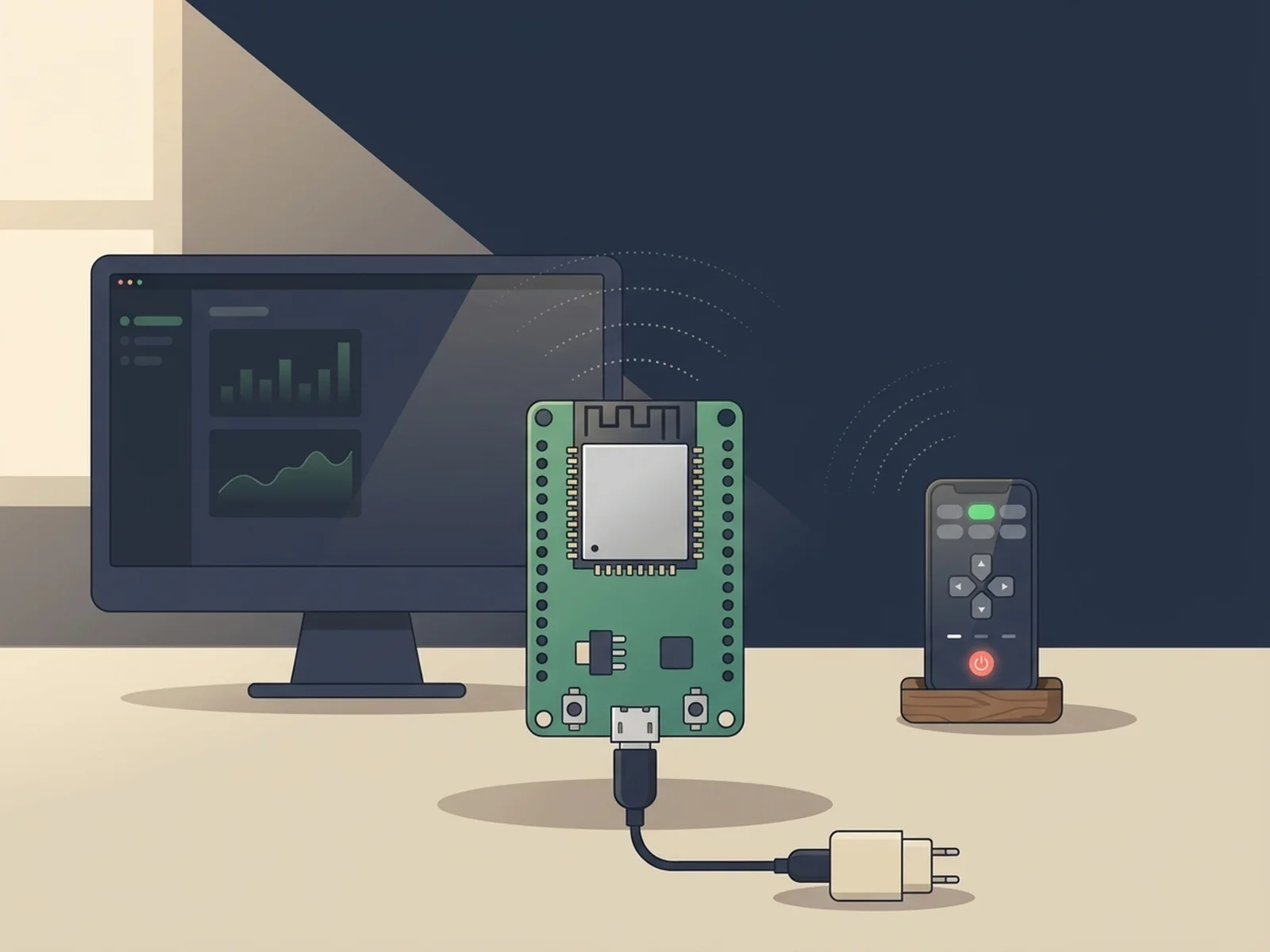
One bare ESP32 dev board becomes a Bluetooth keyboard and mouse. The whole build is a single board and a YAML file: the project's own usage example configures no hardware beyond the ESP32 itself — no wiring, no extra parts, no C++. The board pairs like any wireless keyboard and is recognized as a native keyboard by Windows, Android and iOS, and even a Galaxy Watch (via an audio appearance slot). It is GPL-3.0 licensed and actively maintained — zero open issues, last push the day before we checked.
What you need
One ESP32 dev board — the project's example is written for the classic `esp32dev`, and its comment lists what has been tested: "Tested with esp32dev, esp32-c6-devkitm-1, ESP32-C3 and ESP32-C5". A USB data cable and Wi-Fi — that is the entire bill of materials. Optional, later: Home Assistant (for dashboard cards) and a separate IR blaster (for the universal-remote trick below) — neither is needed to start.
The firmware runs on the ESP-IDF framework, not Arduino — you set that in YAML, and the component targets ESP-IDF's Bluedroid stack (rather than NimBLE), the stack its HID behavior and host compatibility were validated on.
Set it up
Install ESPHome, create a new device, and paste the starter config, served as a file from this page (/firmware/esphome-ble-keyboard-universal-remote-on-an-esp32/ble-kb-remote.yaml). Change the Wi-Fi credentials, let ESPHome generate your own API encryption key, and install over USB. The external_components block pulls the component straight from the project's GitHub repo; we pin the current stable release tag, v1.21.1 — the README also offers `ref: main` to track the latest, or any other release tag. With `web_control: true` and the `web_server:` line, flashing is the last tooling step you'll think about.
What it does
As a keyboard it sends anything a real one can: key combos by hex keycode (the classic Win+R run box is `combo:0x08:0x15`), whole strings typed with a per-character delay, media and consumer keys, and multi-step macros you define on the web page — with delays, repeats, and even steps that wait until the host is connected or switch back to the previous host. As a mouse it clicks, moves, scrolls and does absolute positioning. Four keyboard layouts ship — us, uk, de and be — switchable live from the web page and settable per host, so a German laptop and a US desktop both type the right characters.
It can also hold keys down: "Hold a key down on the host for as long as a physical button is held… per key, and per button per host on the web remote." That is push-to-talk for voice apps, without a soldering iron or a physical button in sight — the web page is the button.
And it is multi-host: up to ten paired computers, phones or watches (the default is four slots), each slot with its own pairing code, layout and appearance. One `switch_host:next` key steps through them all.
The web remote — no Home Assistant needed
Once flashed, "open `http://<device-ip>/ble_keyboard` in any browser on your network for a remote, keyboard and mouse, with no Home Assistant needed." Phones, laptops, anything with a browser. One caveat the project itself flags: that page is open to everyone on your network unless you set `web_server:` authentication — set it.
Home Assistant and the universal-remote trick
Add `api_services: true` and the component registers all of its Home Assistant services by itself; three HACS-installable dashboard cards ship in the repo (mouse, keyboard and a media-remote card with per-key styles and logos). The deeper trick is `ha_action`: "Any key on any host can also fire a Home Assistant action, such as an IR command, so one remote can mix Bluetooth keys and IR on the same page — and a host slot can have Bluetooth turned off entirely to be a pure IR remote, making it a universal remote as well." Be clear about what sends what: the ESP32 does Bluetooth only. IR commands come from a separate Home Assistant-controlled IR blaster — hardware this project neither specifies nor supports; add it only if you already run one.
Vs our other remote builds
If you built our ESPHome battery touch remote, that one is a physical handheld with a screen — this is the opposite shape: the board hides behind the TV and your browser is the remote. Gesture Media skips input entirely (wave to skip tracks); MC BlueBridge is the inverse adapter, making a game controller speak Bluetooth to a PC. This page is the software-only, zero-hardware one — the cheapest first build in that set.
Honesty split
MCU Atlas has not run this project on hardware; everything behavioral above is the project's documentation. What we verified ourselves on 2026-11-21: the config above passes ESPHome 2026.11.0's `esphome config` validation, schema-included, against the component's release tag v1.21.1 pulled live from GitHub (validation log on file); and via the GitHub API, the repo is GPL-3.0 (LICENSE file checked), zero open issues, last pushed 2026-11-20, latest stable release v1.21.1. No total build cost appears anywhere in the project's docs, and the one-board observation is ours, read from its usage example — the repo makes no BOM or soldering claims.
License and attribution
GPL-3.0, created by markusg1234. Source, releases and documentation: github.com/markusg1234/ESPHome-espidf_ble_keyboard; hosted demo of the web remote: markusg1234.github.io/ESPHome-espidf_ble_keyboard. Not affiliated with Espressif or the ESPHome project.
Source & Attribution
Illustration
How to Build It
Parts Needed
- One ESP32 dev board (an ESP32-DevKitC-class board matches the project's esp32dev example)
- A USB data cable
- A Wi-Fi network
- Optional, later: Home Assistant and a separate IR blaster
Steps
- 1
Get the board and cable
Get an ESP32 dev board and a USB data cable — an ESP32-DevKitC-class board matches the project's esp32dev example.
- 2
Install ESPHome and create a device
Install ESPHome (Home Assistant add-on or standalone) and create a new device. No minimum ESPHome version is declared; we validated on 2026.11.0.
- 3
Paste the starter config
Paste the config served from this page (ble-kb-remote.yaml), change the Wi-Fi credentials, and generate your own API encryption key.
- 4
Install over USB
Install to the board over USB; note the board's IP address from the ESPHome log.
- 5
Pair and open the web remote
Pair from your computer or phone's Bluetooth settings — it shows as "ESP32 BLE KB" by default — then open http://<device-ip>/ble_keyboard in any browser.
- 6
Try the starter buttons, then customize
Try the three starter buttons (Win+R, type "Hello", next host), then customize: hex-keycode combos via the repo's keycodes reference, layouts, and web-page macros. Add the HACS cards and ha_action later if you run Home Assistant.
Bill of Materials
Parts list
2 parts · 2 linked
Heads up: some Buy links are affiliate links. If you buy through one, MCU Atlas may earn a small commission at no extra cost to you. It never changes which parts we list. How this works
1× ESP32 dev board (esp32dev / ESP32-DevKitC class, ESP32-WROOM-32)
The whole build — the project's usage example configures no hardware beyond this board (no price verified; repo documents none)



1× USB data cable for the board
Not included: A Wi-Fi network (hosts the web remote and the Home Assistant link), Optional: Home Assistant (dashboard cards, services) — not needed to start, Optional: a separate Home Assistant-controlled IR blaster for the universal-remote trick — hardware this project neither specifies nor supports
Learn
Docs & guides
Read these before you buy. These pages explain things; they don't sell anything.
- Easy ESPHome projects for Home Assistant — all seven buildsThis keyboard remote is one of the two easiest ESPHome projects on the siteDocs
- GitHub repositorySource, releases and issue tracker (GPL-3.0)Docs
- Hosted web-remote demoThe maker's live demo of the browser remote UIDocs
- ReleasesRelease tags — this page pins stable v1.21.1Docs
- Starter config (ble-kb-remote.yaml)The exact config we validated with ESPHome 2026.11.0 — change Wi-Fi + API key before flashingDocs
Related Projects