TORQNYA-S2: an offline-first pocket password manager on an ESP32-S2
An offline-first pocket password manager: a hand-built ESP32-S2 handheld stores passwords, TOTP seeds and FIDO2 credentials and types them for you as a USB keyboard.
What it is
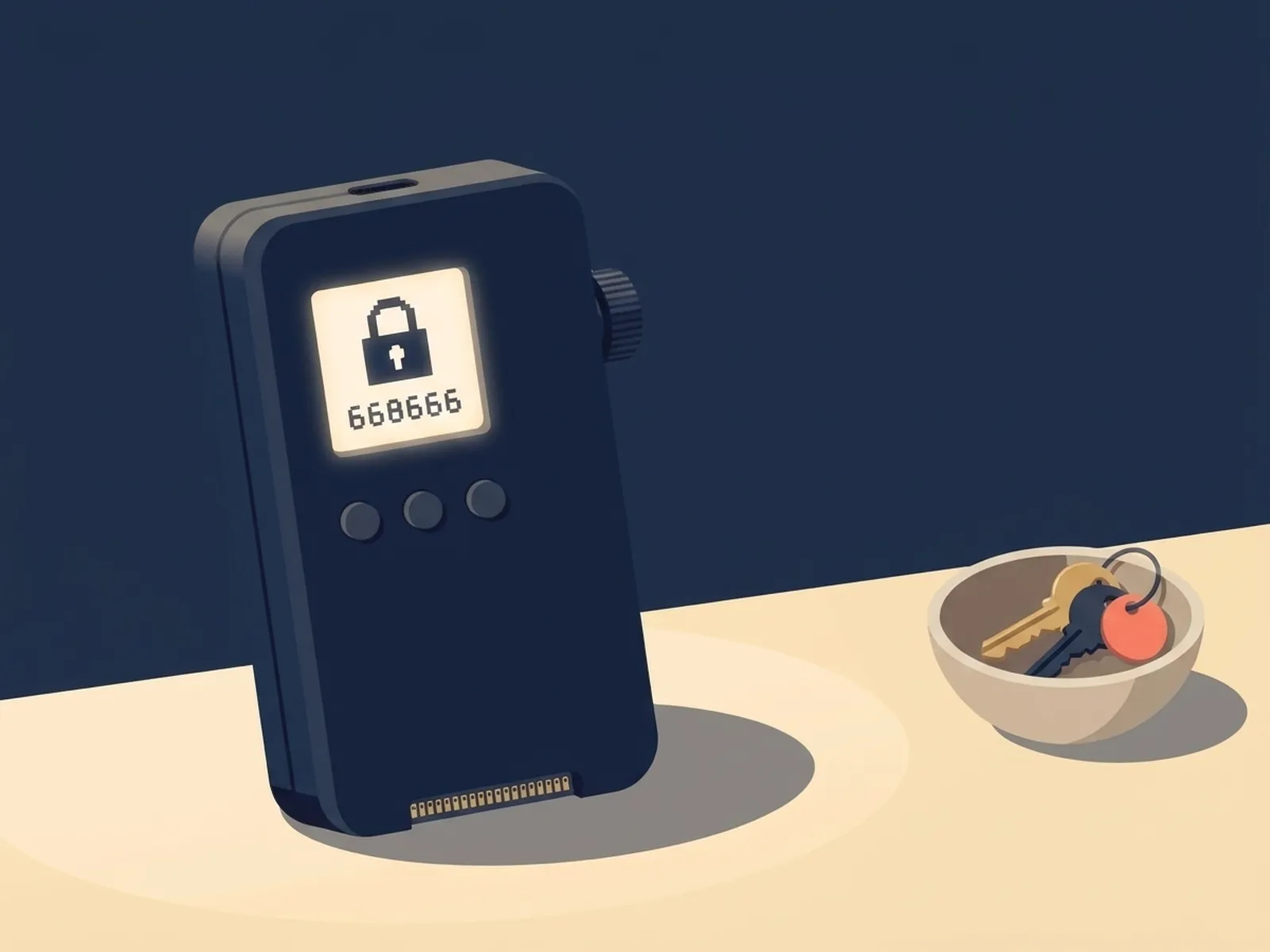
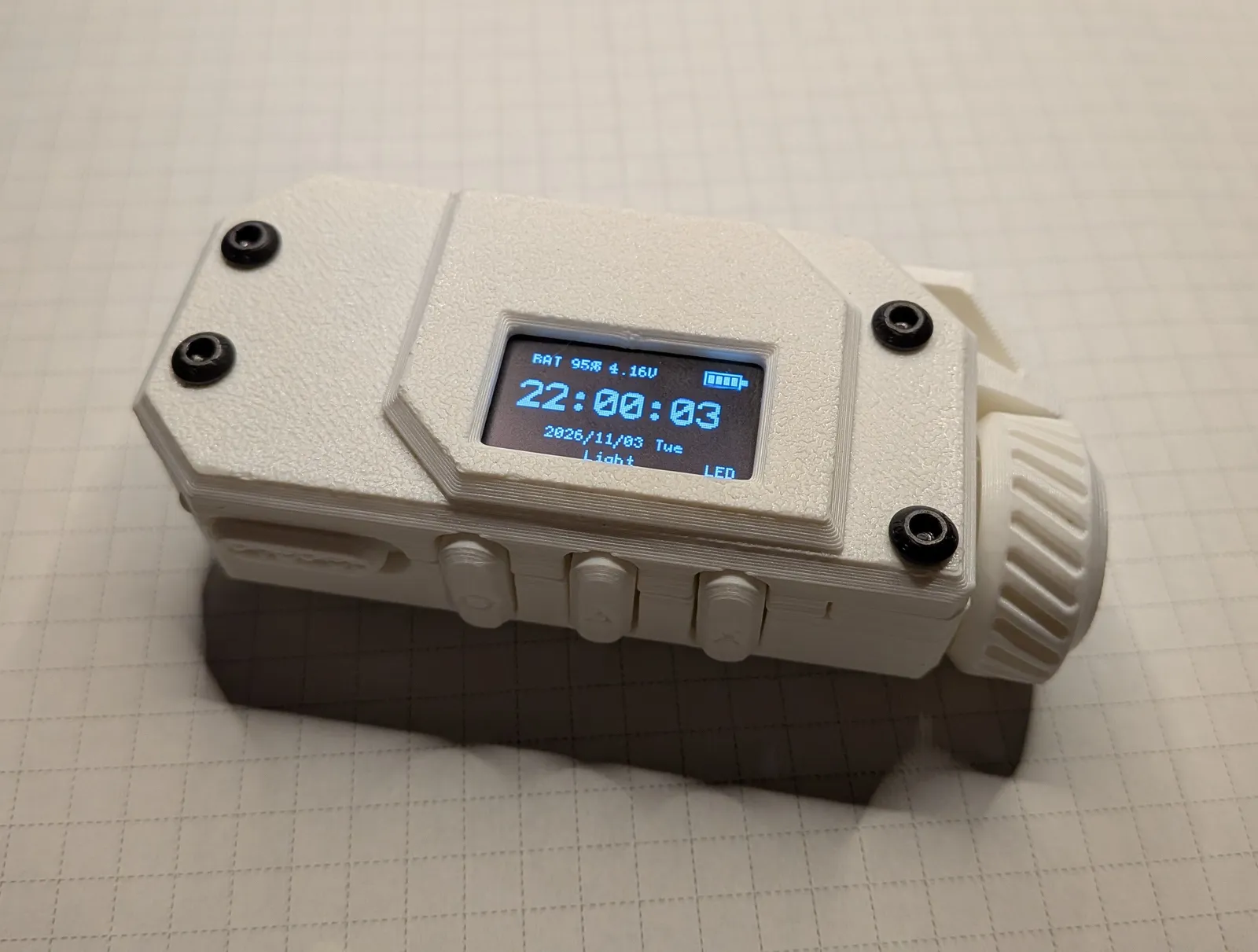
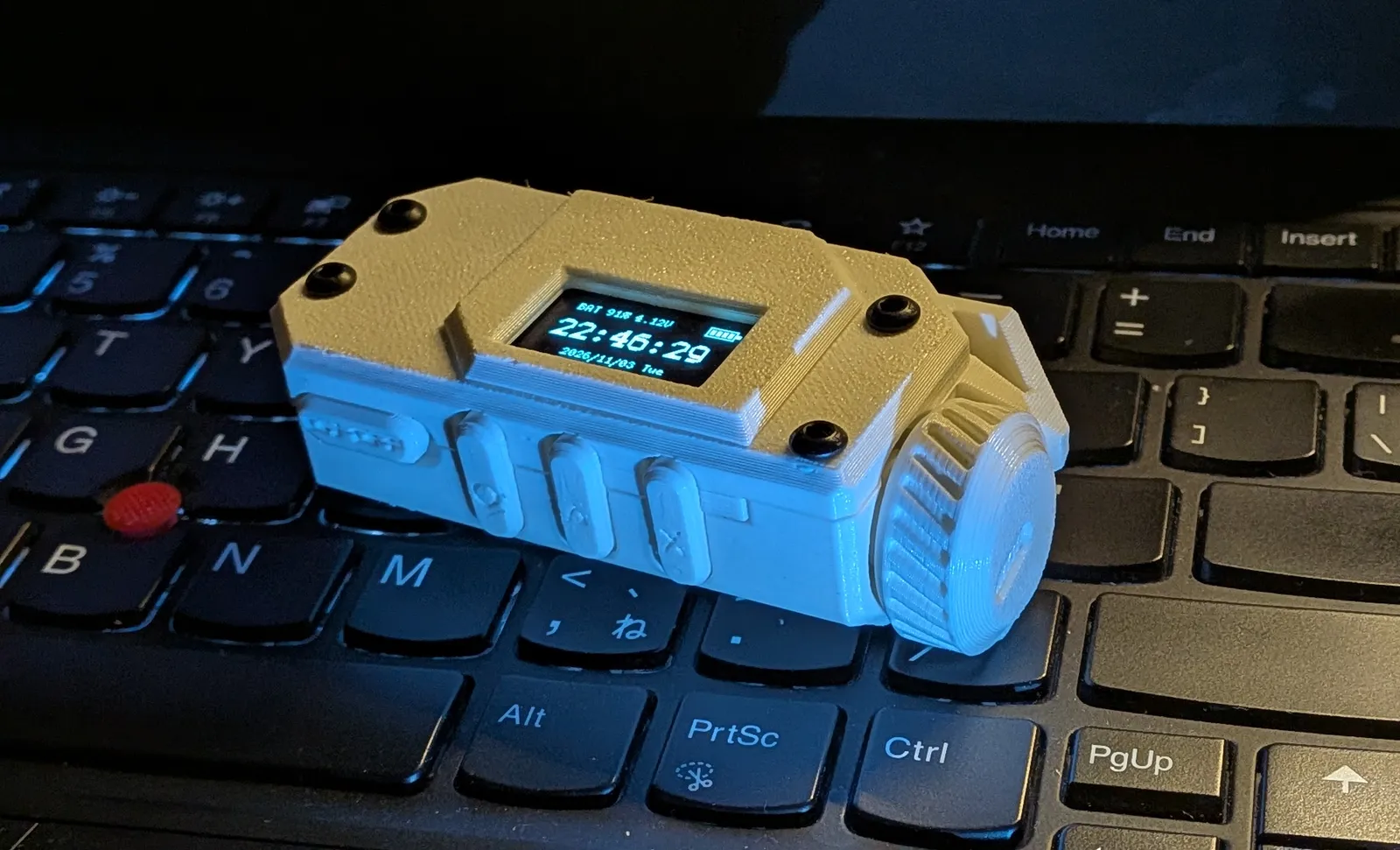
A hand-built ESP32-S2 handheld that stores your usernames, passwords, TOTP seeds and FIDO2 credentials, types them for you as a USB keyboard, and runs MicroPython apps from a microSD card — with no cloud account and no internet service in the loop.
What you need
- ESP32-S2 mini board (LOLIN S2 Mini class) native USB for keyboard emulation
- 128×64 monochrome I²C OLED resolution + bus documented, controller unstated — probable match
- Rotary encoder with push plus F1/F2/F3 buttons (no catalog part)
- microSD breakout + card apps and the encrypted secure volume live here
- RX8010 RTC not in catalog; no clock, no TOTP
- 200 mAh Li-ion + TP4057 + TPS631000 capacity maker-stated; not in catalog
How hard
Advanced: the polished device is a custom two-layer PCB running closed-source firmware, and nothing is for sale — there is no published build-along to follow. The first-prototype story (dev board, small OLED, switches, hand-soldered SD) is the imitable part.
Photos
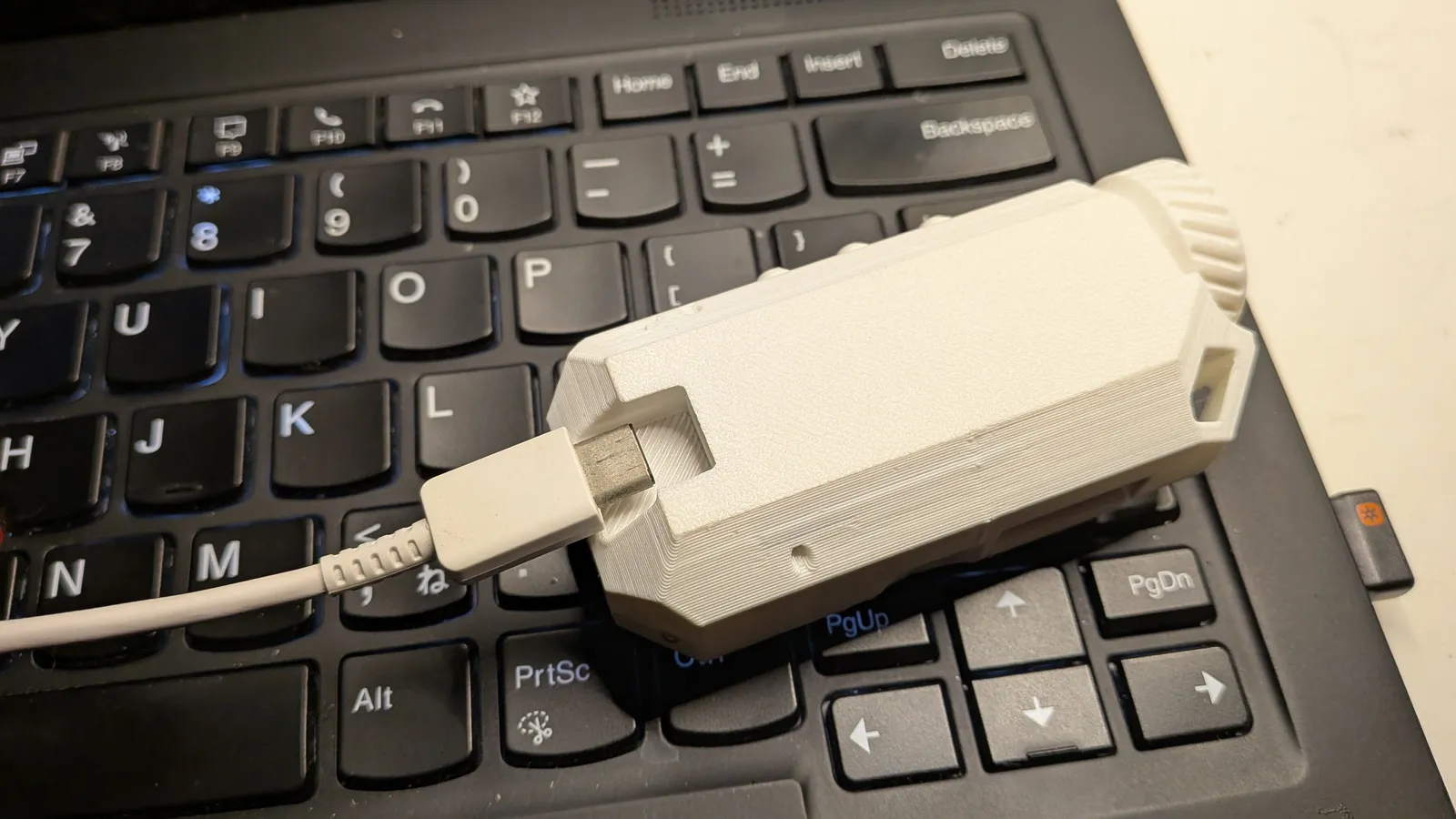
Photos: Jiamu (Hackaday.io)
Key Facts
- Offline-first: credentials never touch a network — the management UI is served over USB at 192.168.7.1
- Types credentials as a USB keyboard: username, Tab, password — no Enter, submission stays yours
- FIDO2 up to 500 credentials (repo); Hackaday calls it experimental; no U2F, no certification claimed
- MicroPython Playground: apps are .py files on the microSD card — no firmware rebuild for ordinary apps
- Not open source: proprietary firmware + free SDK under a custom license (LICENSE file, 2026-11-04)
- Not yet reproducible: 0 GitHub releases and hardware files still placeholders (re-checked 12 November 2026)
About This Project
Jiamu's TORQNYA-S2 describes itself as "a clever ESP32-S2 tool cat, that remembers usernames and passwords, supports FIDO2, generates TOTP codes, and runs MicroPython apps." He built it because he had too many accounts to remember and wanted a pocket device with its own screen — explicitly, no online password service. Plug it into USB, pick a credential on the 128×64 OLED, and it types the username, presses Tab, types the password — leaving the final Enter to you. TOTP codes live on the same screen; FIDO2 logins are confirmed with a physical button press.
Everything is managed through a web interface served over USB — no internet involved. Rather than compile every experiment into "one increasingly complicated firmware image," the maker added a MicroPython Playground: an app is just a .py file on the SD card. One honesty note up front: this is not an open-source project — the firmware is proprietary, with a free SDK — and as of 12 November 2026 you cannot build one from published files. TORQNYA-S2 is a working product name while brand clearance is ongoing; older engineering material calls the same device PWKS2. The build story is worth reading anyway.
Why offline-first credentials matter
Your password manager and 2FA app are the most security-sensitive software you own, usually on a phone with a cloud account behind it. This project keeps the whole loop in your pocket: credentials on the device, the management UI served over USB, nothing crossing a network. Idle sessions expire after fifteen minutes — pausing typing, FIDO2 and disks, Wi-Fi off — and sensitive operations want a PIN plus a physical button press; card contents are managed with encryption.
We've covered access control: ESP-Rfid is about who gets through a door. Personal credentials are a different lane — this is our first build in it. DIY security hardware isn't automatically safer; the maker is unusually honest about the limits, and so is the copy below.
How it actually started
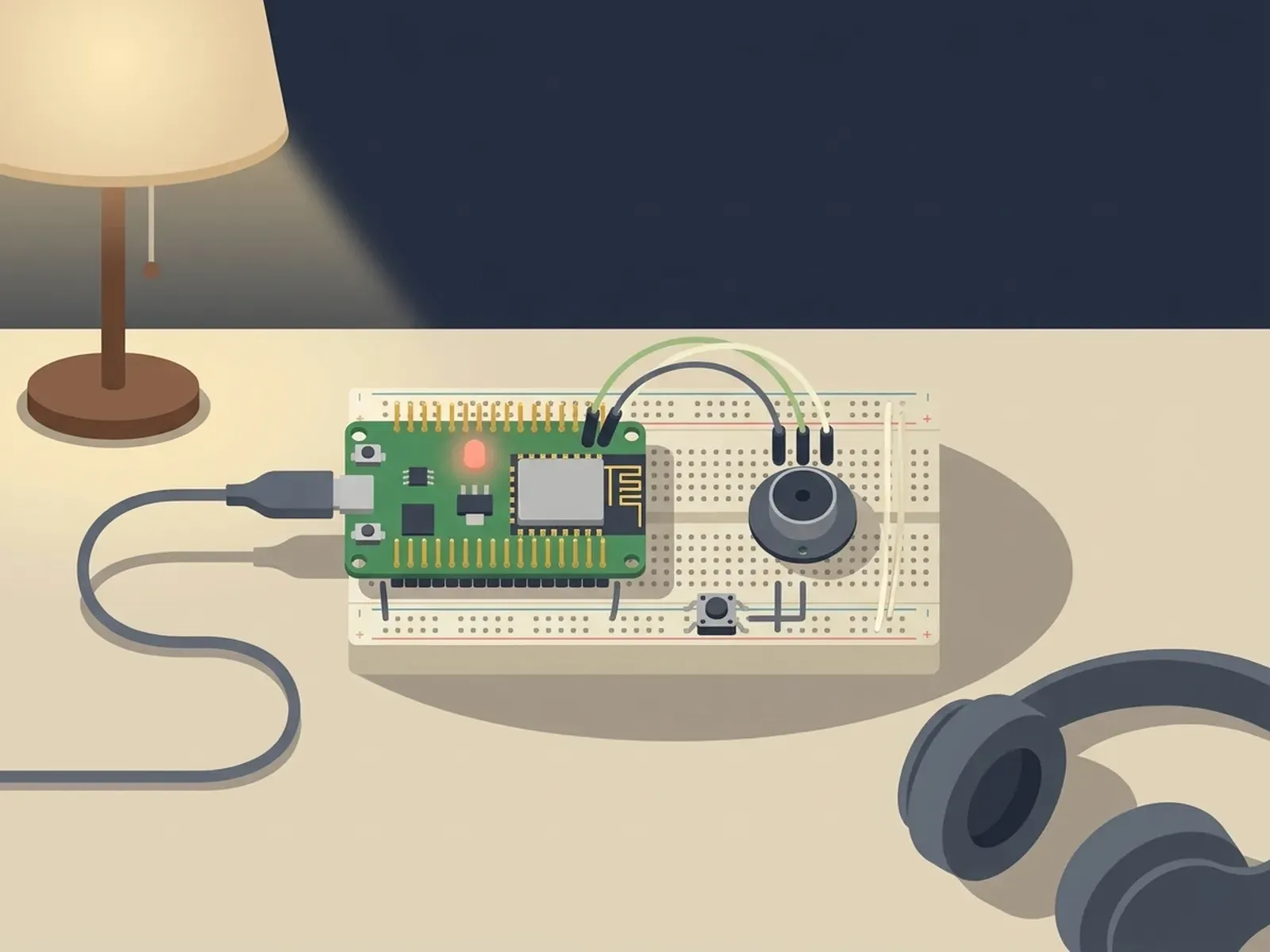
The first log, "How It Started: Too Many Passwords," describes a genuinely hand-buildable mess — the real prototype path. The maker took an ESP32-S2 Mini dev board he already had, paired with a 128×32 monochrome OLED — half the height of the final screen. Buttons came from mouse microswitches: two per side, plus one tucked under the OLED so pressing the screen itself meant "confirm." Storage was a TF-to-SD-card adapter soldered together by hand, "a bit rough… but it worked surprisingly well."
There was no battery, no case, no rotary encoder — and no RTC chip, which meant no TOTP: without real time, time-based codes are impossible. That era's firmware was CircuitPython, because the MicroPython build of the day lacked the USB keyboard emulation he needed.
What the finished handheld contains
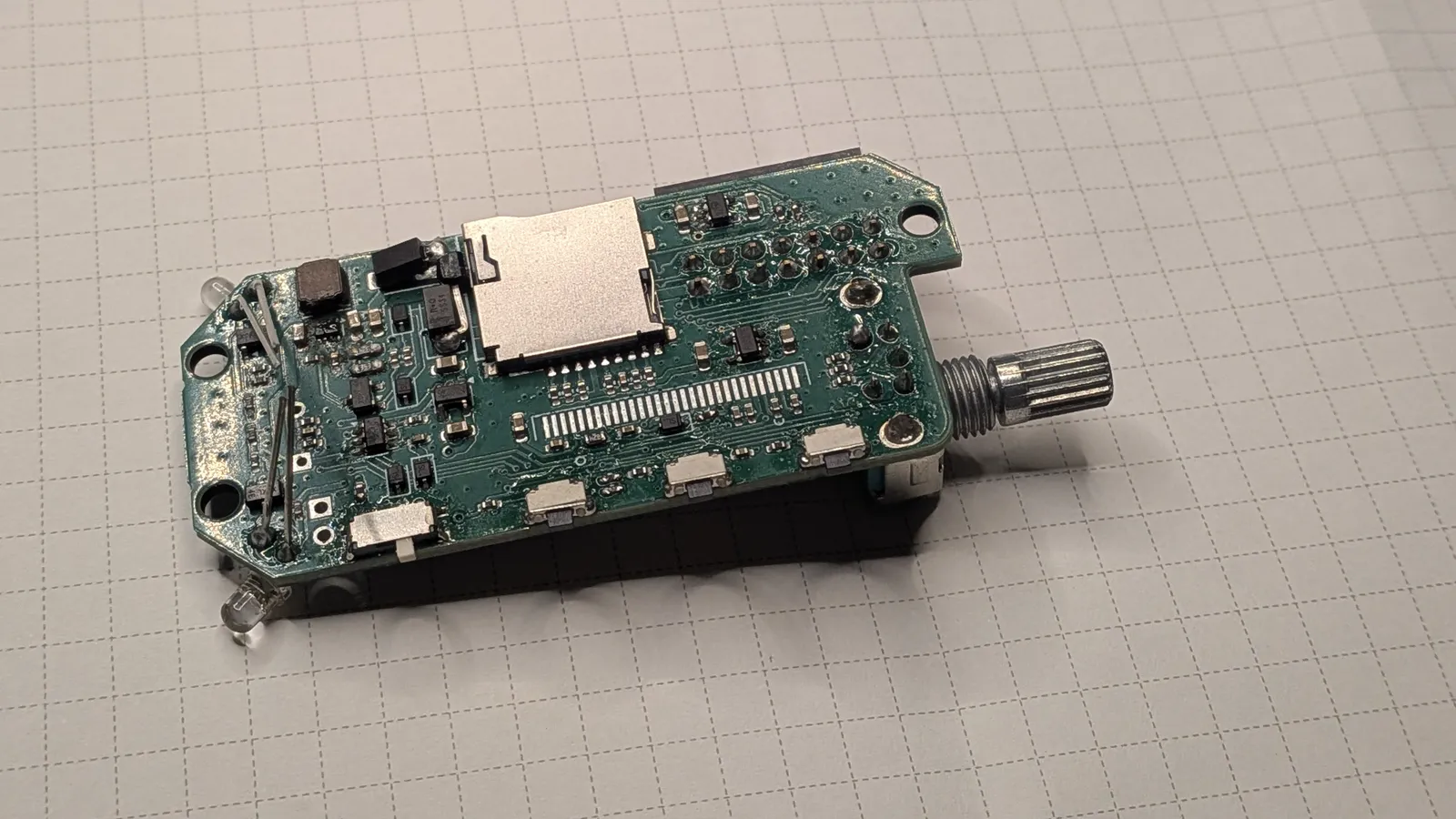
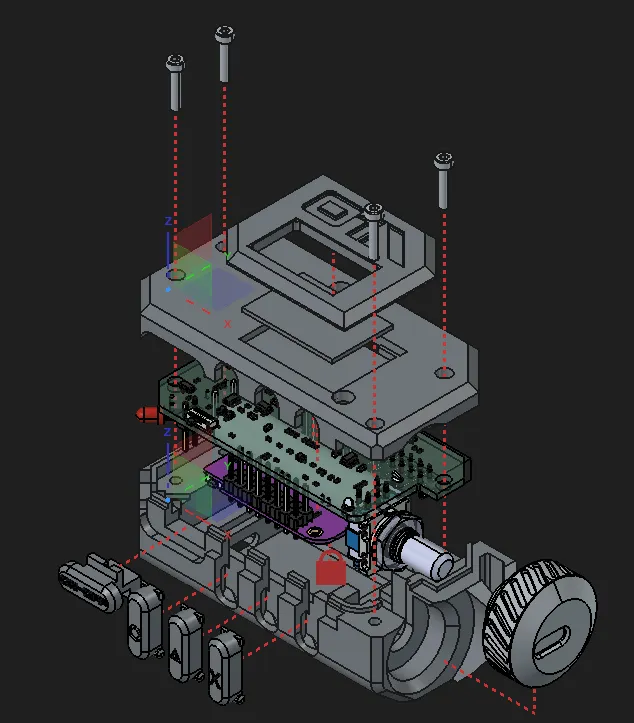
The polished device moved onto a custom two-layer board of the maker's own design ("because it was cheap" — the first rev's I²C traces and boost output were misconnected, rescued with jumper wires). The build target is an ESP32-S2 mini module board — LOLIN_S2_MINI, 4 MB flash, native USB — driving a 128×64 monochrome OLED on I²C, upgraded from the prototype's 128×32 (only the resolution and the bus are documented; no controller or panel size). A rotary encoder with push action is mounted sideways at 90°, alongside three function buttons (F1/F2/F3).
An RX8010 real-time-clock chip is what made TOTP possible. Storage is microSD/TF over SPI, with a 64 MiB encrypted secure volume and a clock-face partition.
Power comes from a 200 mAh Li-ion cell (maker-stated), a TP4057 charging IC and a TPS631000 buck-boost converter set to 5 V. A 14-pin expansion connector exposes I²C, SPI, five GPIOs and power — 3.3 V logic, not 5 V-tolerant. The shell is 3D-printed, designed in FreeCAD and iterated on his own printer, with the USB port recessed into the case.
How the build went
The story runs in five moves. First, prove the concept with the rough prototype: store credentials, show them on a screen you carry. Second, make it type — native USB lets the ESP32-S2 act as a keyboard: username, Tab, password, no Enter; submission stays your decision. Third, add time-based codes: the custom board's real-time clock is what made TOTP possible (SHA1/SHA256/SHA512, 6 or 8 digits), and FIDO2 support arrived with this same generation of the custom board and its firmware — experimental, per Hackaday; see below. Fourth, stop growing the firmware: instead of one increasingly complicated image, experiments moved onto the SD card as MicroPython Playground apps. Fifth, make it pocketable — battery, charging and power-conversion circuitry, then FreeCAD case iterations until the USB port sat recessed in the shell.
This history is a story, not a build-along you can follow today: the released firmware images support the maker's own PWKS2 hardware only, and the repo's hardware directory is still placeholders.
The MicroPython Playground: apps without firmware rebuilds
This is the idea we most want other makers to steal. On compatible firmware, an ordinary application is a .py file on the microSD card: copy it into playground/, eject safely, pick it from the device menu, run. No firmware rebuild is needed for ordinary apps that use APIs already in the installed firmware — only genuinely new low-level drivers require firmware work.
The SDK (v2.4.0) is free under a custom license allowing personal, educational and commercial apps, closed-source included — the firmware stays proprietary. The appui API covers text, pixels, primitives, bitmaps, and button and encoder events. The documented workflow: describe what you want, hand the SDK docs to an AI assistant, generate Python, verify host-side, test on device — the finished app needs no online AI service. Ten examples ship in the repo — including a Wi-Fi frame-construction lab that's offline by default — and a custom clock face is a single UTF-8 Python file of 16 KiB or less. One limit: apps share the system's Python VM and filesystem — the docs say plainly they must be trusted.
Security: what it gets right, and what it admits
What it gets right is architecture: no cloud, no account, a USB-served UI that times out, PIN plus physical confirmation, card contents managed with encryption, and a backup story — one encrypted file protected by a device-generated eight-word passphrase. Restore keeps the new device's own keys, PIN and settings; but unlinked TOTP entries, installed apps and clock faces sit outside backup scope.
What it admits matters just as much. Hackaday calls the FIDO2 support experimental; the repo documents it as built-in with up to 500 credentials, no legacy U2F fallback, and "no certification or universal compatibility is claimed." No security audit is mentioned anywhere in the project's published materials, and because the firmware is closed-source you cannot audit it yourself — you are trusting one maker's implementation. The maker even flags his own early misstep: an SSH private key parked on the emulated, unencrypted USB drive — "not exactly secure," in his words. That candor is why it's worth following even before you could build one.
Going further
The transferable pattern is the commodity trio at its heart — ESP32-S2 for USB keyboard emulation, small OLED, microSD storage — plus the Playground idea that would improve almost any pocket tool. To watch this one: the GitHub releases page (firmware downloads promised but empty as of 12 November 2026), the hardware directory where schematics will land, and the Hackaday logs. If what you want today is a door that knows it's you, start with ESP-Rfid.
Source & Attribution
How to Build It
Parts Needed
- An ESP32-S2 Mini dev board (LOLIN S2 Mini class) — native USB is what makes keyboard emulation possible
- A 128×64 monochrome I²C OLED for the finished device (the first prototype used a 128×32 module)
- A rotary encoder with push action plus three function buttons
- A microSD/TF card and socket (the prototype's was a hand-soldered TF adapter)
- For the polished build only: RX8010 RTC, 200 mAh Li-ion cell (maker-stated), TP4057 charger and TPS631000 buck-boost — none of these existed in the prototype
Steps
- 1
Prove the concept
The rough prototype: an ESP32-S2 Mini dev board the maker already had, a 128×32 monochrome OLED (half the height of the final screen), mouse microswitches for buttons — two per side, one under the screen so pressing the display meant "confirm" — and a TF-to-SD adapter soldered together by hand ("a bit rough… but it worked surprisingly well"). Goal: store credentials, show them on a screen you carry.
- 2
Make it type
Native USB lets the ESP32-S2 act as a keyboard: username, Tab, password, no Enter — submission stays your decision. That era's firmware was CircuitPython, because the MicroPython build of the day lacked the USB keyboard emulation the maker needed.
- 3
Add a clock, then FIDO2
The custom two-layer board added an RX8010 real-time clock — no clock, no TOTP, so time-based codes (SHA1/SHA256/SHA512, 6 or 8 digits) only became possible here. FIDO2 support arrived with this same generation of board and firmware; Hackaday calls it experimental.
- 4
Stop growing the firmware
Instead of one increasingly complicated firmware image, experiments moved onto the SD card as MicroPython Playground apps: copy a .py file into playground/, eject safely, pick it from the device menu. No rebuild for ordinary apps — only genuinely new low-level drivers need firmware work.
- 5
Make it pocketable
A 200 mAh Li-ion cell (maker-stated), TP4057 charging and a TPS631000 buck-boost converter set to 5 V, then FreeCAD case iterations on the maker's own printer until the USB port sat recessed in the 3D-printed shell.
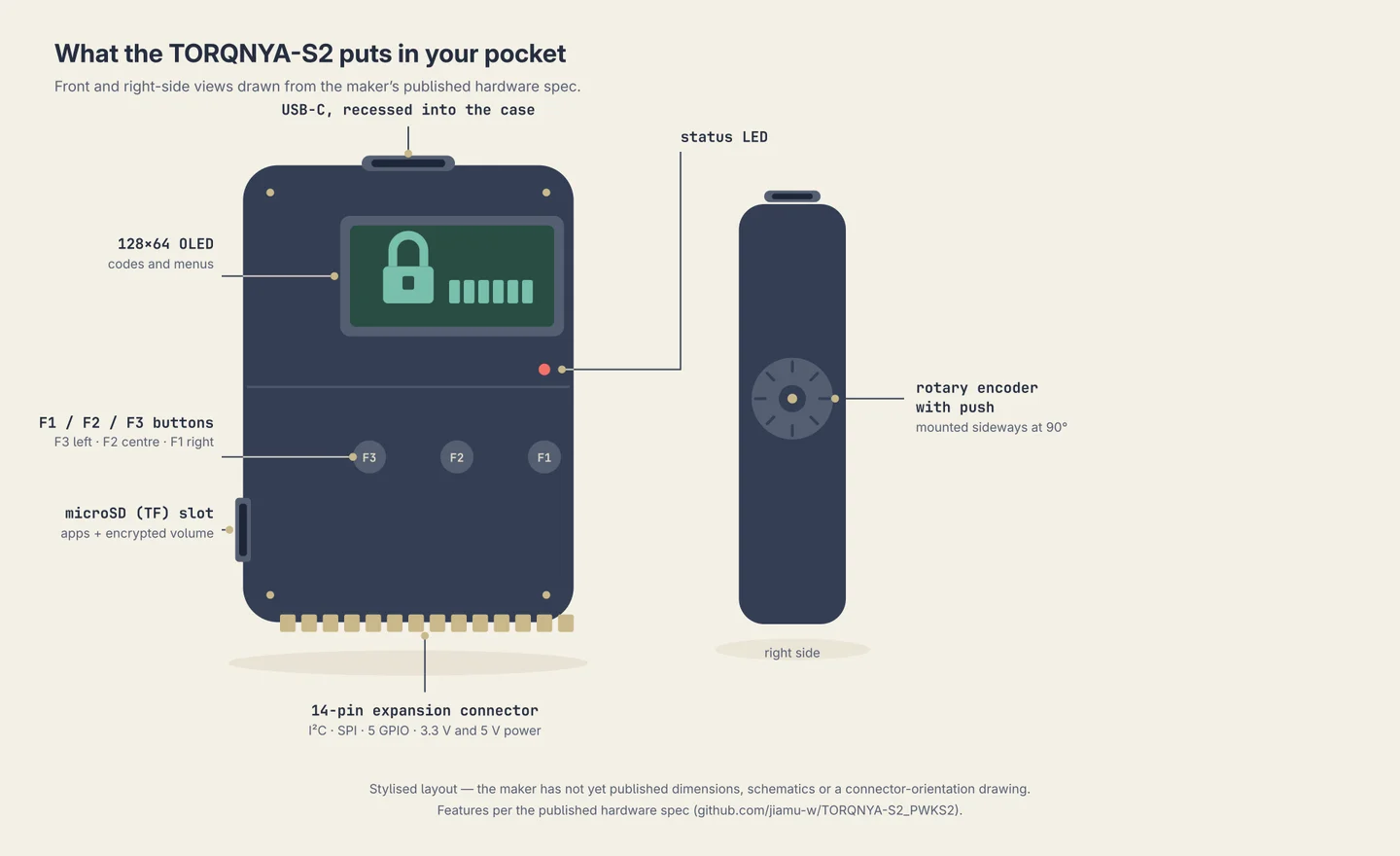
Diagram: MCU Atlas (stylised layout — the maker has published no dimensions or orientation drawing). Tap for the full-size vector figure.
Bill of Materials
Parts list
7 parts · 1 linked
Heads up: some Buy links are affiliate links. If you buy through one, MCU Atlas may earn a small commission at no extra cost to you. It never changes which parts we list. How this works

1× RX8010 real-time clock
1× 200 mAh Li-ion cell + TP4057 charger + TPS631000 buck-boost (5 V)
Not included: No BOM file, published prices or kit exist in any source — this list is reconstructed from the maker's build log and hardware spec, not a published BOM, The 3D-printed FreeCAD shell (design files not yet published), First-prototype substitutes: 128×32 OLED, mouse microswitches, hand-soldered TF adapter — the real path the maker started with
Learn
Docs & guides
Read these before you buy. These pages explain things; they don't sell anything.
Related Projects